15
Enable family and friends to
share with the ViewClix Smart Frame
The ViewClix Cloud maintains a Share List for each ViewClix frame. There are 2
ways that family and friends can be added to the Share List:
•
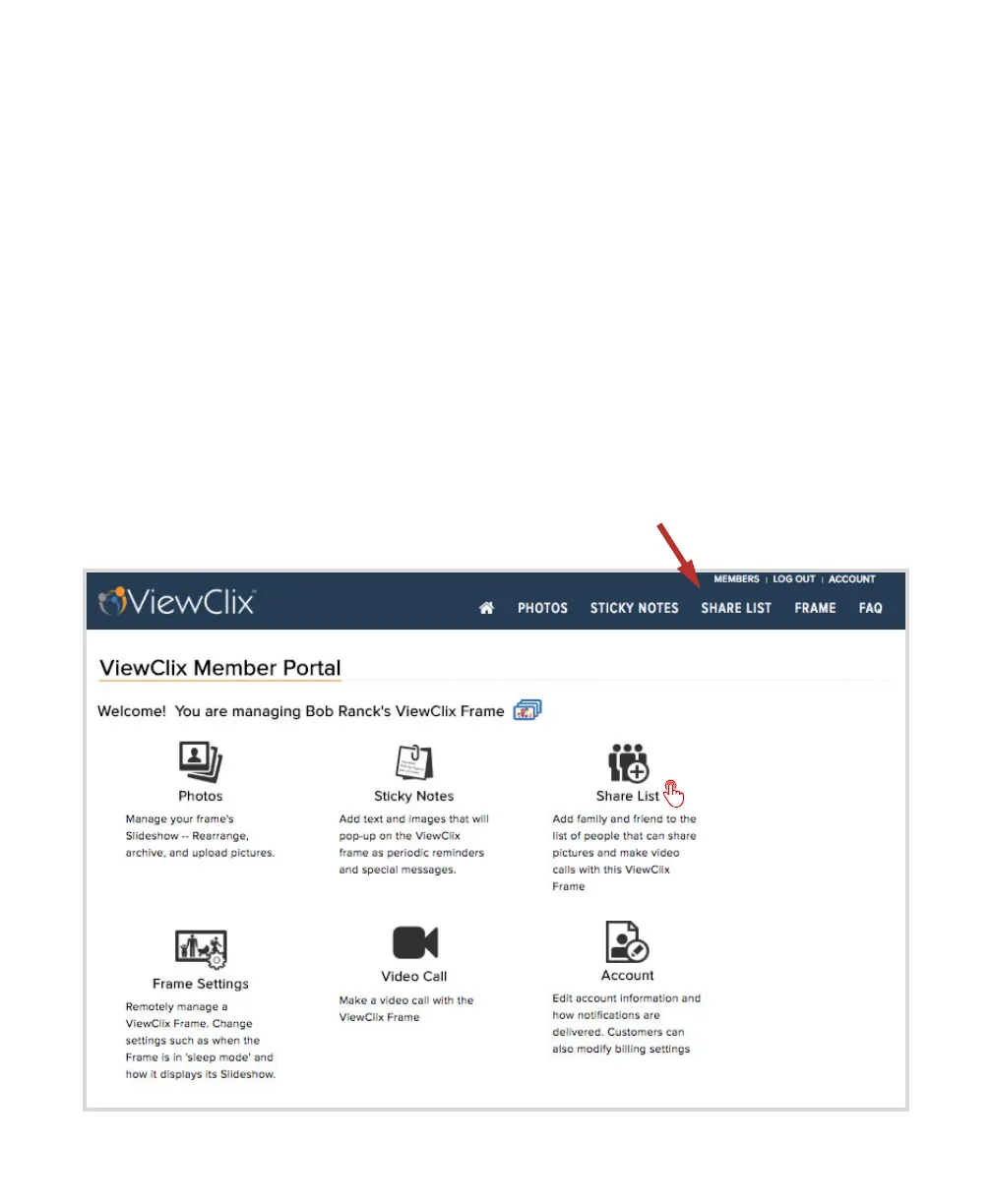
The Frame Organizer logs into the Members Portal of the ViewClix web site and
adds the person to the Share List.
… or ...
•
The Frame Organizer can use the ViewClix mobile app to quickly add the person
to the Share List.
Here, we will illustrate the first option.
•
Click or tap “Share List“


 To Next Page