17
Set the ‘sleep time’ for the
ViewClix Smart Frame
In most instances, it will be desirable to not have the Slideshow running at night.
The good news is that all ViewClix frame settings can be configured remotely and
changed whenever you like.
•
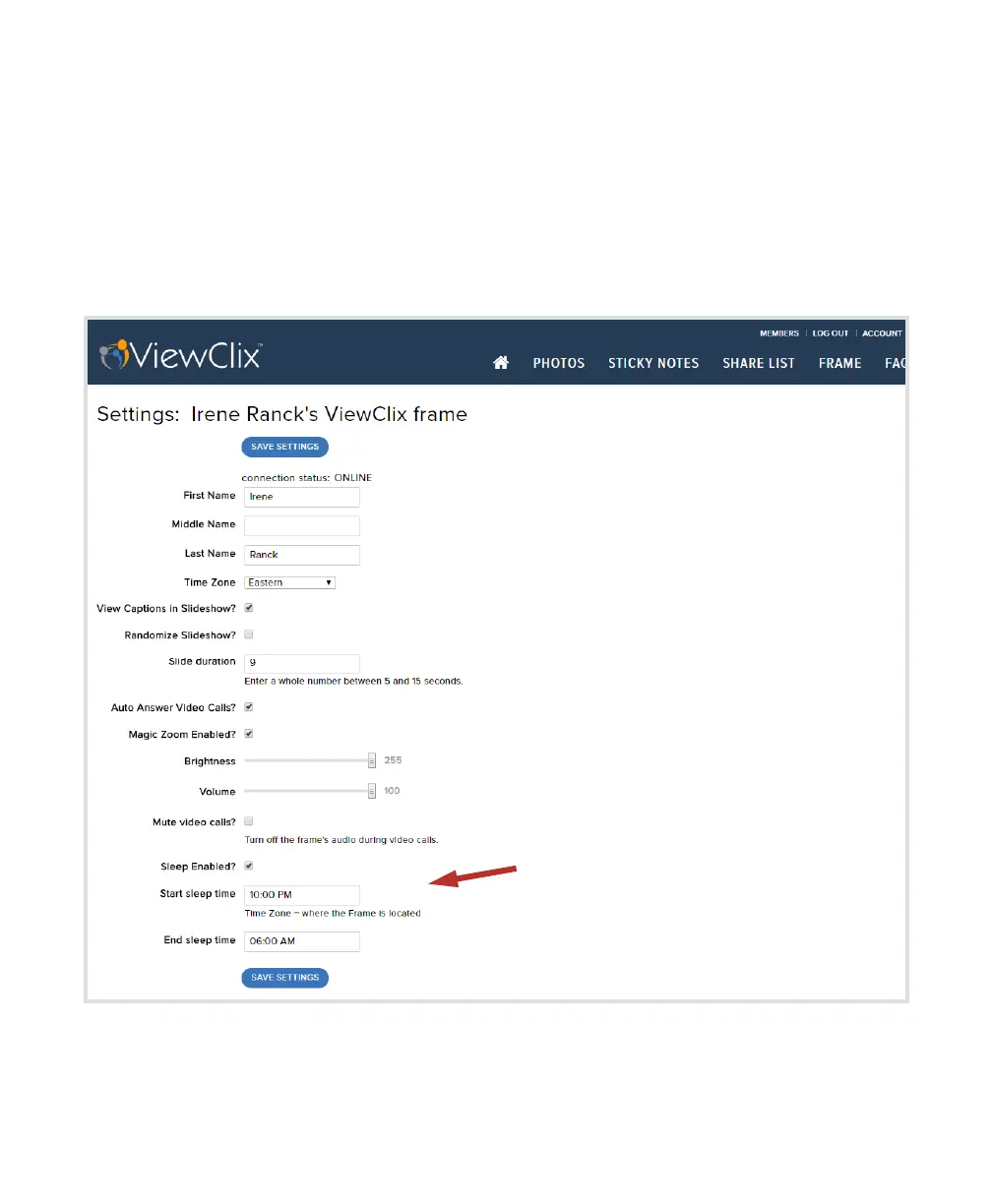
Here are steps to configure sleep.
The settings for Sleep are at the bot-
tom of the list of Frame Settings.
•
First, make sure the box for “Sleep
Enabled?” is checked.
•
Second, enter the desired Sleep
Start Time and Sleep End Time. The
times are local to the time zone
where the frame is located.


 To Next Page