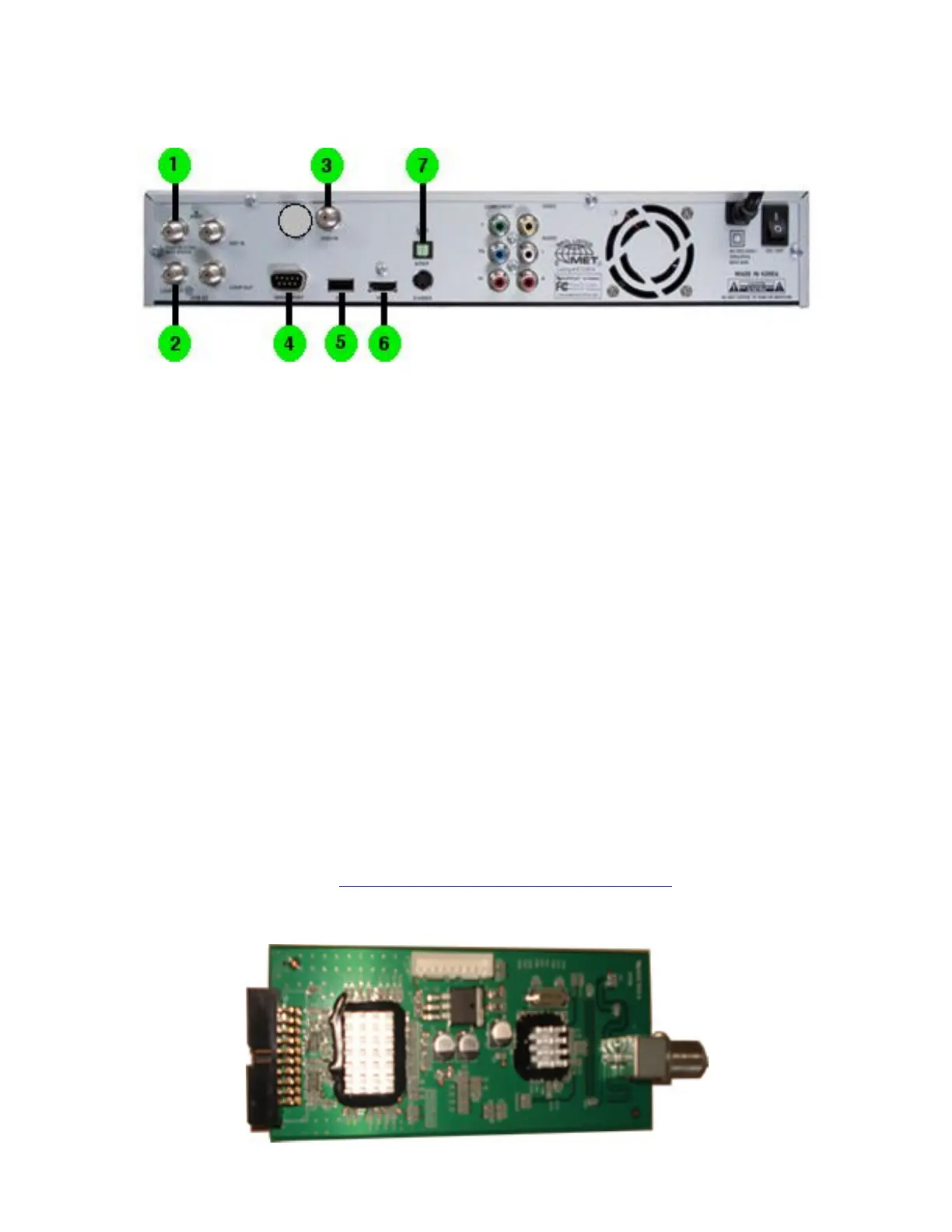
(1) HOW TO CONNECT YOUR RECEIVER: REAR PANEL:
•
1. Satellite IN Connect RG6 Cable.
•
2. Loop-Out
•
3. UHF Remote Antenna Module / Replace with 8PSK Module
•
4. Serial Port
•
5. USB Port
•
6. HDMI Output
•
7. SPDIF Digital Output
NOTE: When 8PSK Card is used RG6 Cable connects between 3 and 2 this allows HD with US
Providers.
NOTE: With Revision 1 VS9000HD unit here is only one port showing as I have shown , Revision 2
has two ports for the UHF Module insert.
(2) 8PSK CARD INSTALLATION AND CONNECTION:
•
1. Remove the cover and face the front towards you.
•
2. is is Important GROUND your self or DISCHARGE any static electricity by touching METAL
before you continue.
•
3. e 8PSK Module come with two cables one black one white and they will only connect to their
connectors, you can not cross them.
•
4. Remove the UHF Remote Antenna Module and replace it with the 8PSK Module.
•
5. Connect the black cable to the connector at the bottom side of the 8PSK to connector of MLB
(main logic board) connect the white cable 8PSK to the top/left connector of the MLB.
•
Replace the cover.
Complete Installation guide go to: http://www.youtube.com/watch?v=0QB58hjyjXA
VS9000HD 8PSK UHF Adapter Module:
Document page.2
VIEWSAT 9000HD User Troubleshooting Guide & Manual. April /2008


 To Next Page