EasyManua.ls Logo

ViewSonic IFP 50 Series - User Manual

ViewSonic IFP 50 Series
6 pages
Print Icon
To Next Page IconTo Next Page
Loading...
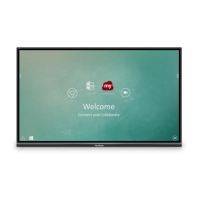
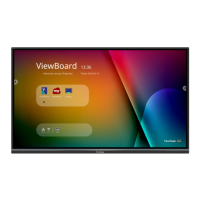
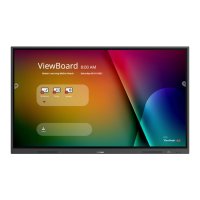
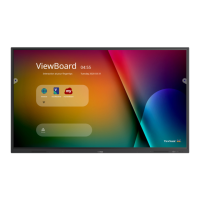
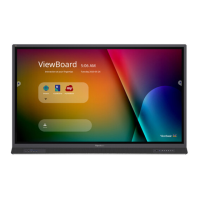
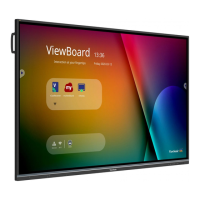
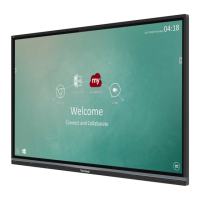
IFP50 series
Commercial Touch Display
Quick Start Guide
1
Package Contents
Ɣ9*$FDEOH
Ɣ3RZHUFDEOH[
Ɣ5HPRWHFRQWURO
Ɣ$$$EDWWHU\[
Ɣ86%FDEOH
Ɣ$XGLRFDEOH
Ɣ$9FDEOH
Ɣ6W\OXVSHQ[
Ɣ8VHUPDQXDO&'ZL]DUG
Ɣ4XLFNVWDUWJXLGH
Ɣ56DGDSWHU
Ɣ&ODPS[
Ɣ3ODWH
Ɣ6FUHZ[
PC System Requirements
,QWHO
®
3HQWLXP
®
SURFHVVRURU
JUHDWHUUXQQLQJRQ
:LQGRZV
®
3ODWIRUP
[ &'520GULYH0%RU
PRUHRIDYDLODEOH5$0
[FRORUGLVSOD\
Mac
®
System Requirements
0DF26YHUVLRQ[
[ &'520GULYH0%RU
PRUHRIDYDLODEOH5$0
[FRORUGLVSOD\
&RS\ULJKW   9LHZ6RQLF &RUSRUDWLRQ $OO ULJKWV UHVHUYHG $OO WUDGHPDUNV
UHJLVWHUHGRURWKHUZLVHDUHWKHSURSHUW\RIWKHLUUHVSHFWLYHFRPSDQLHV'LVFODLPHU
9LHZ6RQLF&RUSRUDWLRQVKDOOQRWEHOLDEOHIRUWHFKQLFDORUHGLWRULDOUHHRUVRURPLVVLRQV
FRQWDLQHG KHUHLQ QRUIRU LQFLGHQWDO RU FRQVHTXHQWLDO GDPDJHV UHVXOWLQJ IURP
IXUQLVKLQJWKLVPHWHULDORUWKHSHUIRUPDQFHRUXVHRIWKLVSURGXFW,QWKHLQWHUHVWRI
FRQWLQXLQJ SURGXFW LPSURYHPHQW9LHZ6RQLF &RUSRUDWLRQ UHVHUYHV WKH ULJKW WR
FKDQJHSURGXFW VSHFLILFDWLRQV ZLWKRXWQRWLFH ,QIRUPDWLRQLQ WKLV&'520 PD\
FKDQJHZLWKRXW QRWLFH1RSDUW RIWKLV &'520PD\EH FRSLHGUHSURGXFHG RU
WUDQVPLWWHGE\ DQ\ PHDQVIRU DQ\SXUSRVH ZLWKRXW SULRUZULWWHQ SHUPLVVLRQRI
9LHZ6RQLF&RUSRUDWLRQ
&'(7B8*0DGHLQ&KLQD
&'(7&'(7&'(7,)37
&'(76:%%6:%%
6:%%6:%%
User Guide and
Installation Software
PN-WMK-047
2
Wall Mount Kit Specifications (VESA)
inch VESA Spec. (A x B) Standard Screw (C x D) Quantity
,)3 [PP 0[PP
,)3 [PP 0[PP
,)3 [PP 0[PP
All manuals and user guides at all-guides.com

Other manuals for ViewSonic IFP 50 Series

Questions and Answers

  • I
    Ian OlsonSep 4, 2025
    How to improve poor picture quality on ViewSonic Monitor?
    • E
      Erin JohnstonSep 4, 2025
      To improve a poor picture on your ViewSonic Monitor, adjust chroma, brightness, and contrast settings in the menu. Also, check the signal cable.
  • L
    Laura GarciaSep 18, 2025
    Why is sound only coming from one speaker on my ViewSonic IFP 50?
    • S
      Sara HicksSep 18, 2025
      If sound is only coming from one speaker on your ViewSonic Monitor, adjust the sound balance in the menu. Also, check the sound control panel settings of the computer and the audio cable.
  • P
    philip85Sep 16, 2025
    Why is the remote control not working on my ViewSonic Monitor?
    • M
      Melissa SmithSep 16, 2025
      If the remote control for your ViewSonic Monitor is not working, check whether something is obstructing the display’s remote control receiver. Also, verify that the batteries in the remote control are installed correctly, and replace them if needed.
  • B
    Brian BakerSep 14, 2025
    Why is there only one speaker working on my ViewSonic IFP 50?
    • W
      Wayne PhillipsSep 14, 2025
      If only one speaker is working on your ViewSonic Monitor, adjust the sound balance in the menu. Also, check the sound control panel settings of the computer and the audio cable.
  • D
    Daniel GarzaSep 12, 2025
    How to resolve false color on ViewSonic Monitor?
    • C
      Cameron FlowersSep 12, 2025
      To resolve false color issues on your ViewSonic Monitor, check the VGA connection. Also, adjust chroma, brightness, and contrast settings.
  • J
    Jasmin JohnsonSep 12, 2025
    What to do if ViewSonic IFP 50 Monitor remote control is out of order?
    • K
      Kevin PughSep 12, 2025
      If the remote control for your ViewSonic Monitor is not working, check whether something is obstructing the display’s remote control receiver. Also, check whether the batteries in the remote control are installed correctly and whether the batteries need to be replaced.
  • B
    brookeburkeSep 9, 2025
    What to do if my ViewSonic Monitor shows unsupported format?
    • N
      Nicholas CowanSep 9, 2025
      To resolve an unsupported format issue on your ViewSonic Monitor, choose auto adjust. If that doesn't work, adjust clock and phase settings.
  • M
    murphymichelleSep 7, 2025
    Why is the picture trembling on my ViewSonic Monitor?
    • M
      Michele BrewerSep 7, 2025
      If the picture on your ViewSonic Monitor is trembling, check the signal cable. Also, check if other electronics are interrupting the signal.
  • S
    Sarah FergusonSep 5, 2025
    What to do if the touch function does not work on ViewSonic Monitor?
    • S
      scottheatherSep 5, 2025
      If the touch function is not working on your ViewSonic Monitor, check that the drivers are installed correctly. If not, reinstall the driver. Also, check the setup and align it. Finally, check whether the touch pen is working properly.
  • B
    Brian PerkinsAug 20, 2025
    Why does my ViewSonic IFP 50 turn off unexpectedly?
    • R
      Ronald KingAug 20, 2025
      If your ViewSonic Monitor turns off unexpectedly, check whether Sleep mode is enabled. Also, check if there is a power outage in your area. You can also turn on the display and see if the problem is with the signal and control system.

ViewSonic IFP 50 Series Specifications

General IconGeneral
Resolution3840 x 2160 (4K UHD)
Response Time8ms
Operating SystemAndroid
ProcessorQuad-Core
RAM4GB
Storage32GB
Built-in SpeakersYes
Brightness350 cd/m²
ConnectivityHDMI, USB, VGA, Ethernet
SpeakersYes
Contrast Ratio1200:1
Viewing Angle178°
VESA MountYes

Related product manuals