EasyManua.ls Logo

ViewSonic IFP32 Series - User Manual

ViewSonic IFP32 Series
133 pages
Print Icon
To Next Page IconTo Next Page
Loading...
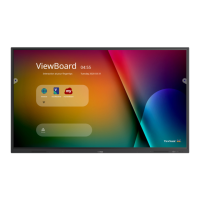
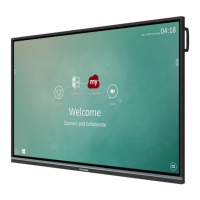
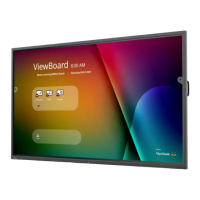
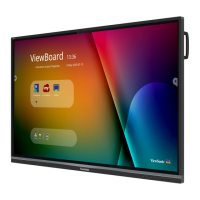
IFP32 Series
Commercial Touch Display
User Guide
Model No. VS18471/VS18472/VS18473
P/N: IFP6532/IFP7532/IFP8632
IMPORTANT: Please read this User Guide to obtain important information on installing and using your product in
a safe manner, as well as registering your product for future service. Warranty information contained in this User
Guide will describe your limited coverage from ViewSonic® Corporation, which is also found on our web site at
http://www.viewsonic.com in English, or in specific languages using the Regional selection box in the upper right
corner of our website. “Antes de operar su equipo lea cu idadosamente las instrucciones en este manual”

Table of Contents

Other manuals for ViewSonic IFP32 Series

Questions and Answers

  • A
    Amy WatkinsSep 8, 2025
    Why is sound only coming from one speaker on my ViewSonic IFP32?
    • S
      Sally WalkerSep 8, 2025
      If you're only getting sound from one speaker on your ViewSonic Monitor, adjust the sound balance in the menu. Also, check the sound control panel settings of the computer and the audio cable.
  • W
    wilkinsonzoeAug 23, 2025
    Why does my ViewSonic Monitor turn off unexpectedly?
    • P
      palmerrichardAug 23, 2025
      If your ViewSonic Monitor suddenly turns off, check whether Sleep mode is enabled. Also, check if there is a power outage in your area. Then, turn on the display and see if the problem is with the signal and control system.
  • T
    tinabakerAug 25, 2025
    How do I fix a 'No PC signal' error on my ViewSonic IFP32?
    • R
      Robert BlairAug 25, 2025
      If your ViewSonic Monitor displays 'No PC signal', check the display settings and the display resolution. You may also need to adjust the Hs & Vs (synchronization) settings using the OSD menu.
  • P
    paulmurphyAug 26, 2025
    How to resolve a 'No PC signal' error on a ViewSonic IFP32 Monitor?
    • G
      gwellsAug 27, 2025
      If your ViewSonic Monitor displays 'No PC signal', check the display settings and the display resolution. You might also need to adjust the Hs & Vs (synchronization) settings using the OSD menu.
  • L
    Lauren BeckAug 27, 2025
    How to improve poor picture quality on ViewSonic IFP32 Monitor?
    • J
      Jo PetersAug 27, 2025
      If your ViewSonic Monitor displays a poor picture, try adjusting the chroma, brightness, and contrast settings in the menu. Also, check the signal cable.
  • A
    Angela HarrisSep 22, 2025
    How do I fix false colors on my ViewSonic IFP32 Monitor?
    • B
      Brandon LucasSep 22, 2025
      If your ViewSonic Monitor is showing false colors, check the VGA connection. If the connection is fine, adjust the chroma, brightness, and contrast settings.
  • K
    Kevin VasquezSep 16, 2025
    How to fix sound coming from only one speaker on a ViewSonic Monitor?
    • L
      Lisa QuinnSep 16, 2025
      If your ViewSonic Monitor only outputs sound from one speaker, adjust the sound balance in the menu. Also, check the sound control panel settings of the computer and the audio cable.
  • J
    James PooleSep 18, 2025
    How to get rid of background streaking on my ViewSonic Monitor?
    • B
      Brenda HawkinsSep 18, 2025
      If your ViewSonic Monitor is showing background streaking, choose auto adjust. If the issue persists, adjust the clock and phase settings.
  • C
    christine22Sep 7, 2025
    How to troubleshoot no sound on ViewSonic Monitor?
    • A
      antonioclarkSep 7, 2025
      If you are not getting any sound from your ViewSonic Monitor, first press the Mute/Unmute button. If that doesn't work, adjust the volume. Finally, check the audio cable.
  • K
    Kayla MorenoSep 4, 2025
    What to do if the touch function isn't working on my ViewSonic IFP32 Monitor?
    • R
      Richard Brown IIISep 4, 2025
      If the touch function on your ViewSonic Monitor isn't working, check that the drivers are installed correctly, and reinstall them if necessary. Also, check the setup and align it and make sure the touch pen is working properly.

ViewSonic IFP32 Series Specifications

General IconGeneral
Panel TypeIPS
Refresh Rate60 Hz
Aspect Ratio16:9
Viewing Angle178° (H) / 178° (V)
Screen Size32 inches
Resolution1920 x 1080
Brightness350 cd/m2 (typ)
Contrast Ratio1200:1
ConnectivityHDMI, USB, VGA
SpeakersYes
Color Support16.7 million colors
VESA MountYes

Related product manuals