44
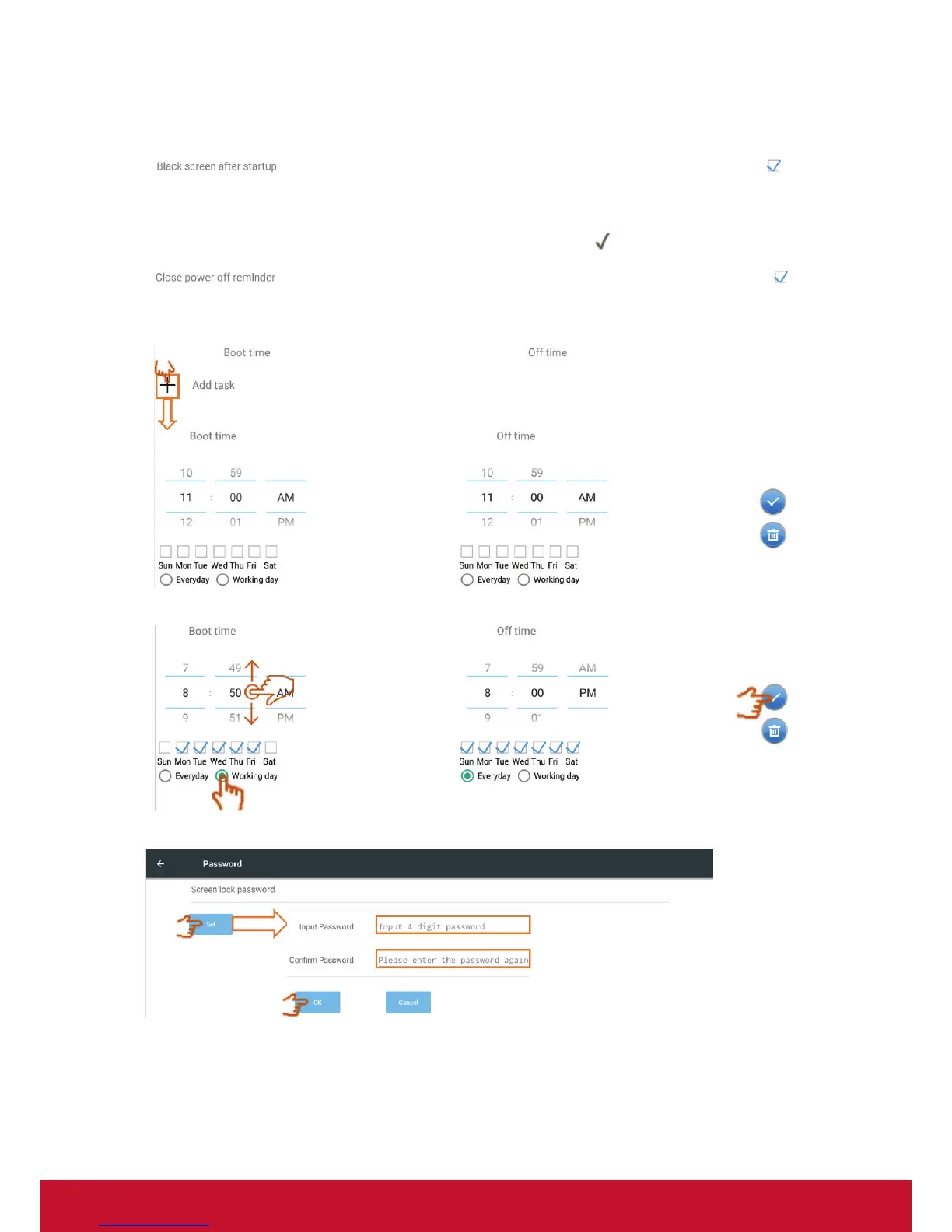
Black screen after startup: When the function is enable, IFP will turn off backlight
automatically after boot time schedule.
Close power off reminder: When the function is enable, IFP will turn off directory
without any reminder after off time schedule.
Touch swipe to adjust the value and select day then click
to save.
On/off timer:
Click + to add a schedule.
Touch swipe to adjust the value and select day then click ✓ to save.
• Password: Click to set the screen lock password then click OK to save.




 To Next Page