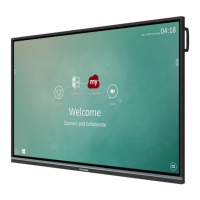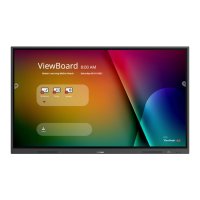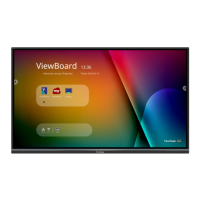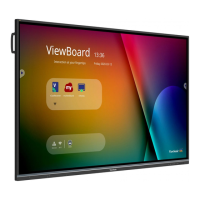
EasyManua.ls Logo

ViewSonic IFP6532 - User Manual

ViewSonic IFP6532
133 pages
Print Icon
To Next Page IconTo Next Page
Loading...
IFP32 Series
Commercial Touch Display
User Guide
Model No. VS18471/VS18472/VS18473
P/N: IFP6532/IFP7532/IFP8632
IMPORTANT: Please read this User Guide to obtain important information on installing and using your product in
a safe manner, as well as registering your product for future service. Warranty information contained in this User
Guide will describe your limited coverage from ViewSonic® Corporation, which is also found on our web site at
http://www.viewsonic.com in English, or in specific languages using the Regional selection box in the upper right
corner of our website. “Antes de operar su equipo lea cu idadosamente las instrucciones en este manual”

Table of Contents

Other manuals for ViewSonic IFP6532

Questions and Answers

  • A
    Angel FordAug 18, 2025
    Why does my ViewSonic Monitor turn off unexpectedly?
    • A
      Amy RojasAug 18, 2025
      If your ViewSonic Monitor turns off unexpectedly, check whether Sleep mode is enabled. Also, check if there is a power outage in your area. You can also turn on the display and see if the problem is with the signal and control system.
  • L
    Larry YoungAug 20, 2025
    How to resolve a 'No PC signal' error on a ViewSonic IFP6532 Monitor?
    • K
      Keith RodriguezAug 21, 2025
      If your ViewSonic Monitor displays 'No PC signal', check the display settings and the display resolution. You might also need to adjust the Hs & Vs (synchronization) settings using the OSD menu.
  • B
    brandonsullivanAug 23, 2025
    What to do if my ViewSonic IFP6532 Monitor has no picture or sound?
    • T
      Taylor WilsonAug 23, 2025
      If your ViewSonic Monitor displays no picture and no sound, verify the power status. Also, check the signal cable and ensure that the internal PC is correctly installed.
  • M
    Michael MendezAug 26, 2025
    Why is the picture on my ViewSonic IFP6532 unclear or cutting in and out?
    • M
      Margaret HallAug 26, 2025
      If your ViewSonic Monitor picture is unclear or cuts in and out, check the signal cable. Also, check to see if other electronics are interrupting the signal.
  • G
    gabrielcarterAug 28, 2025
    How to improve poor picture quality on a ViewSonic IFP6532?
    • A
      Alexander MooreAug 28, 2025
      If your ViewSonic Monitor is producing poor picture quality, start by adjusting the chroma, brightness, and contrast settings in the menu. If the issue persists, check the signal cable.
  • B
    Brandon GarciaAug 30, 2025
    What to do if the touch function isn't working on my ViewSonic IFP6532 Monitor?
    • T
      Tracy IrwinAug 30, 2025
      If the touch function on your ViewSonic Monitor isn't working, check that the drivers are installed correctly, and reinstall them if necessary. Also, check the setup and align it and make sure the touch pen is working properly.
  • D
    David BowenSep 2, 2025
    How to fix a ViewSonic IFP6532 Monitor remote control that is not working?
    • J
      Janet BarreraSep 2, 2025
      If the remote control for your ViewSonic Monitor isn't working, first ensure nothing is blocking the remote control receiver on the display. Next, check if the batteries in the remote are correctly installed. Finally, try replacing the batteries.
  • J
    joseibarraSep 4, 2025
    Why is there no sound coming from my ViewSonic IFP6532?
    • N
      Natalie KrauseSep 5, 2025
      If you are not getting any sound from your ViewSonic Monitor, first press the Mute/Unmute button. If that doesn't work, adjust the volume. Finally, check the audio cable.
  • S
    Samuel GonzalezSep 7, 2025
    How to fix sound coming from only one speaker on a ViewSonic Monitor?
    • M
      Misty BennettSep 7, 2025
      If your ViewSonic Monitor only outputs sound from one speaker, adjust the sound balance in the menu. Also, check the sound control panel settings of the computer and the audio cable.
  • J
    Jean MurraySep 9, 2025
    How to get rid of background streaking on my ViewSonic Monitor?
    • T
      thomastoddSep 10, 2025
      If your ViewSonic Monitor is showing background streaking, choose auto adjust. If the issue persists, adjust the clock and phase settings.

Summary

Safety Precautions

Product Overview

Front Panel, Control Panel, Rear Panel

Details the physical layout and components of the display's front, control, and rear panels.

I;O Panel

Describes the various input/output ports available on the display.

Remote Control

Making Connections

Connecting External Devices and Touch

Guidance on connecting external devices via HDMI and VGA with touch functionality.

Using Your ViewBoard

Powering On;Off your ViewBoard

Step-by-step guide to turning the display on and off.

Initial Launch Setup

Initial setup wizard process for language and network configuration.

On-Screen Display (OSD) Menu

General Settings

Adjusting backlight, flicker-free, and volume settings.

Input Settings

Selecting and configuring input sources for the display.

Settings - HDMI & VGA Input Source

Settings - Embedded Player

Wireless & Network

Managing Wi-Fi, Ethernet, Bluetooth, and VPN connections.

Preference

System

System Update

Automatically searching and installing software updates.

Embedded Applications and Settings

Embedded Digital Whiteboarding App

Introduction to the myViewBoard whiteboarding application.

ViewBoard Cast

Using ViewBoard Cast for screen sharing and collaboration.

Air Class

Interactive teaching tool for quizzes and remote participation.

RS-232 Protocol

RS-232 Hardware Specification

Details on the physical connector and pin assignments for RS-232.

Command Message Reference

Format and structure of commands sent via RS-232.

Protocol

Overview of Set-Function and Get-Function protocols.

Set-Function Table

Get-Function Table

A. Basic Function

List of basic functions retrievable via Get-Function commands.

B. Optional Function

List of optional functions retrievable via Get-Function commands.

Appendix

Specifications

Technical specifications including dimensions, power, and conditions.

Display Modes

Supported resolutions and refresh rates for VGA and HDMI.

Troubleshooting

Remote Control Issues

Solutions for problems related to the remote control not working.

Unit Turns Off Unexpectedly

Troubleshooting steps for unexpected power-offs.

PC Mode Issues

Solutions for common issues when connected to a PC.

Touch Function Issues

Troubleshooting steps for when the touch function is not working.

Video Not Working Properly

Solutions for problems with picture or sound output.

Audio Not Working Properly

Troubleshooting steps for audio input/output problems.

Maintenance

General Precautions

Safety guidelines and general care instructions for the device.

Regulatory and Service Information

Compliance Information

Overview of regulatory requirements and statements.

Customer Service

Contact information and resources for technical support and service.

Limited Warranty

What the warranty covers

Details on what ViewSonic warrants for its products.

What the warranty excludes and does not cover

List of conditions and damages not covered by the warranty.

ViewSonic IFP6532 Specifications

General IconGeneral
BrandViewSonic
ModelIFP6532
CategoryMonitor
LanguageEnglish

Related product manuals