46
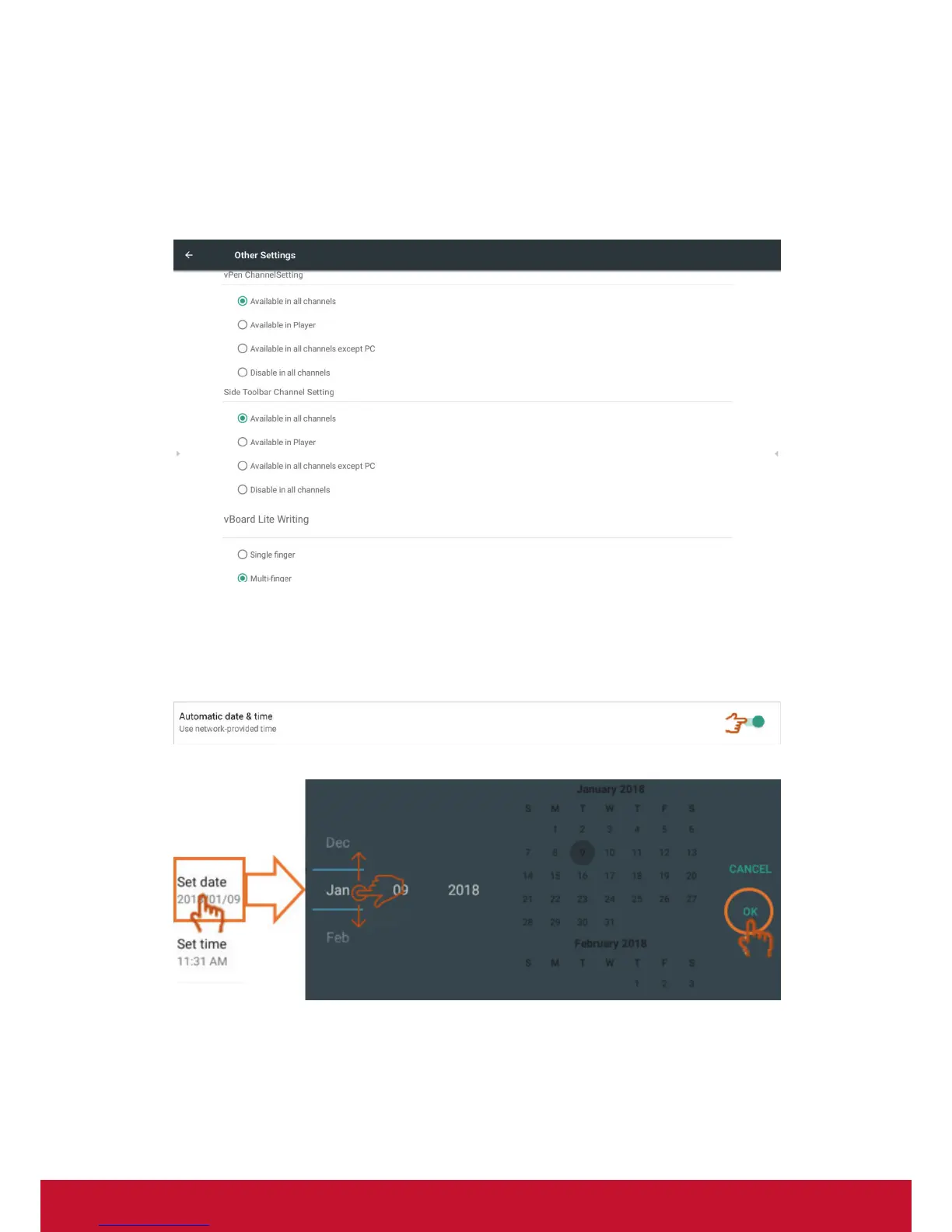
• Other settings: To set vPen, Side Tool Bar channel setting, and vBoard Lite
writing setting.
vPen channel setting: Click to set vPen available channel.
Side toolbar channel setting: Click to set side toolbar available channel.
vBoard Lite writing: Click to change the vBoard Lite touch function for single or
multi finger.
• Date & time: Set the system time and format.
Automatic date & time: When the function enable, IFP will synchronize date
and time with Internet.
Note: The Ethernet or WiFi connection needed.
Set date: Touch swipe to adjust the value then click OK to save.




 To Next Page