EasyManua.ls Logo

ViewSonic LS710HD - User Manual

ViewSonic LS710HD
81 pages
Print Icon
To Next Page IconTo Next Page
Loading...
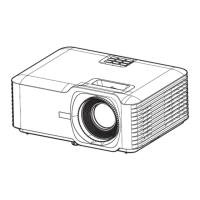
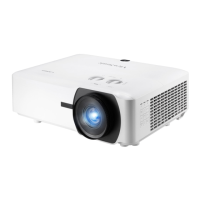
LS710HD
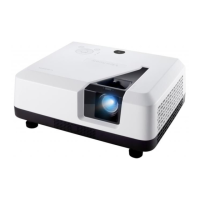
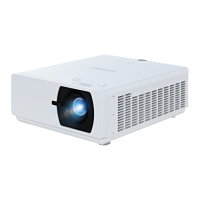
LS751HD
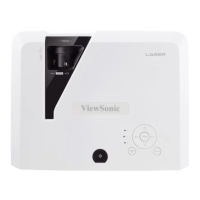
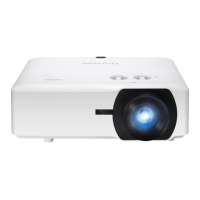
Projector
User Guide
Model No. VS19338 | VS19337
P/N: LS710HD | LS751HD
IMPORTANT: Please read this User Guide to obtain important information on installing and using your product in
a safe manner, as well as registering your product for future service. Warranty information contained in this User
Guide will describe your limited coverage from ViewSonic® Corporation, which is also found on our web site at
http://www.viewsonic.com in English, or in specific languages using the Regional selection box on our website.

Table of Contents

Questions and Answers

  • R
    Randall AllenAug 7, 2025
    How to fix ViewSonic Projector that does not turn on?
    • S
      Stephanie RojasAug 7, 2025
      If your ViewSonic Projector doesn't turn on, first ensure the power cord is properly attached to both the projector and the power outlet. If the cooling process is still running, wait for it to complete before attempting to turn the projector on again. As an additional step, try using a different power outlet or testing the current outlet with another electrical device.
  • T
    taylormaryAug 11, 2025
    Why ViewSonic Projector remote control does not work?
    • C
      Catherine DuncanAug 11, 2025
      If the remote control for your ViewSonic Projector isn't working, make sure there are no obstructions between the remote and the projector, and that you're within the operational range: 10 m (32.8 ft) for the front IR and 7m (23 ft) for the top IR. Also, check the batteries and replace them if needed.
  • A
    Anthony RivasAug 15, 2025
    What to do if ViewSonic LS710HD Projector has no picture?
    • M
      Melanie LoweryAug 15, 2025
      If there's no picture on your ViewSonic Projector, first ensure the video source cable is properly connected and that the video source is turned on. If the input source isn't automatically selected, manually select the correct source using the “Source Input” option on either the projector or the remote control.
  • T
    tatemargaretAug 19, 2025
    How to fix blurred image on ViewSonic LS710HD Projector?
    • S
      stephanie35Aug 19, 2025
      If the image from your ViewSonic Projector is blurred, try adjusting the focus using the Focus Ring to correctly focus the projection lens. Also, make sure that the projector and screen are properly aligned. If needed, adjust the projector's height, projection angle, and direction.
  • F
    Francis HunterAug 25, 2025
    What to do if ViewSonic LS710HD Projector stops responding?
    • D
      David MaddenAug 25, 2025
      If your ViewSonic Projector stops responding to all controls, turn it off and unplug the power cord. Wait at least 20 seconds, then reconnect the power and try again.
  • J
    Joel AyalaAug 28, 2025
    How to fix reversed image on ViewSonic LS710HD Projector?
    • V
      Valerie StokesAug 28, 2025
      To correct a reversed image on your ViewSonic Projector, open the OSD Menu and navigate to: Setup > Projection, then adjust the projection option accordingly.
  • V
    Vanessa ReyesSep 1, 2025
    Why is the image stretched on my ViewSonic LS710HD when playing a 16:9 DVD?
    • J
      Jacqueline WilliamsSep 1, 2025
      If the image is stretched when projecting a 16:9 DVD on your ViewSonic Projector: - When playing an anamorphic DVD or 16:9 DVD, the projector will display the best image in 16:9. - If you play a 4:3 format DVD title, please change the format to 4:3 in the projector's OSD Menu. - Ensure the display format is set to a 16:9 (wide) aspect ratio on the DVD player.

ViewSonic LS710HD Specifications

General IconGeneral
Resolution1920 x 1080
Brightness4000 ANSI Lumens
Zoom Ratio1.5x
Speakers10W
Display TechnologyDLP
ConnectivityHDMI, VGA, USB
Lamp Life20000 hours
Keystone CorrectionVertical: ±40 degrees

Related product manuals