EasyManua.ls Logo

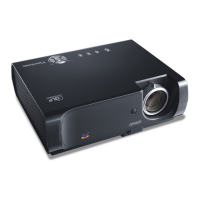
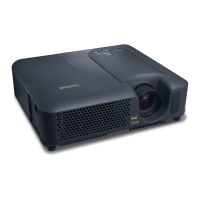
ViewSonic PJ658 - User Manual

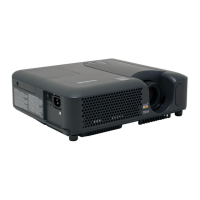
ViewSonic PJ658
69 pages
Print Icon
To Next Page IconTo Next Page
Loading...
PJ658
LCD Projector
ViewSonic
®
Model No. : VS11361
- User Guide
- Guide de lutilisateur
- Bedienungsanleitung
- Guía del usuario
- Guida dellutente
- Guia do usuário
- Användarhandbok
- Käyttöopas
- Руководство пользователя
- 使
- 使
-

Table of Contents

Questions and Answers

  • J
    Janet ArnoldAug 14, 2025
    Why won't my ViewSonic PJ658 Projector power on?
    • L
      Laura LloydAug 15, 2025
      If your ViewSonic Projector isn't powering on, there could be several reasons: 1. Ensure the power cord is correctly and securely plugged in. 2. Verify that the power switch is set to the On position, indicated by [ | ]. 3. If there was a power interruption, turn the projector off, let it cool for at least 2 minutes, and then turn it back on. 4. Check that the lamp and lamp cover are properly installed. If not, turn off the projector, let it cool for at least 45 minutes, confirm the correct attachment, and then power it on again.
  • A
    Amber AllisonAug 18, 2025
    Why are the pictures on my ViewSonic Projector blurry?
    • B
      Benjamin FlowersAug 18, 2025
      If the picture on your ViewSonic Projector appears blurry: * Adjust the focus using the focus ring and/or adjust H PHASE using the menu function. * The lens might be dirty or misty.
  • M
    Miranda NguyenAug 21, 2025
    Why is my ViewSonic PJ658 displaying no picture?
    • K
      Kayla AguilarAug 21, 2025
      If your ViewSonic Projector shows no picture, consider these possible causes: * The lens cap might be on. Remove it. * The signal cables could be improperly connected. Ensure they are correctly connected. * The brightness might be set too low. Increase the brightness using the menu or remote. * The computer might not be detecting the projector as a plug-and-play monitor. Verify this with another monitor. * The screen might be set to BLANK. Press the BLANK button on the remote.
  • A
    Ashley MurrayAug 25, 2025
    How to fix dark picture on ViewSonic Projector?
    • S
      Sandra WilliamsAug 25, 2025
      If the picture on your ViewSonic Projector appears dark, try the following: * Adjust the BRIGHTNESS and/or CONTRAST settings to a higher level using the menu. * If the WHISPER function is enabled, set it to NORMAL in the SETUP menu. * The lamp may be nearing the end of its life. Consider replacing it.
  • U
    utrevinoAug 28, 2025
    What to do if my ViewSonic PJ658 says 'CHECK THE AIR FLOW'?
    • A
      Arthur DurhamAug 28, 2025
      If your ViewSonic Projector displays the message 'CHECK THE AIR FLOW', it means the internal temperature is rising. Here's what to do: 1. Turn off the projector and let it cool down for at least 20 minutes. 2. Check for any blockage of the air passage aperture. 3. Inspect the air filter for dirt. 4. Ensure the surrounding temperature is not above 35°C. If the issue persists, go to the OPTION menu, SERVICE item, and set FAN SPEED to HIGH.
  • G
    George ConnerAug 31, 2025
    Why does my ViewSonic Projector have no sound?
    • D
      David HarmonAug 31, 2025
      If your ViewSonic Projector isn't producing any sound, here are a few things to check: * Make sure the audio cables are correctly connected. * The MUTE function might be enabled. Press the MUTE or VOLUME button on the remote. * The volume level might be too low. Increase the volume using the menu or remote. * The AUDIO setting might be incorrect. Check and correct the AUDIO item in the SETUP menu.
  • D
    Danielle DiazSep 3, 2025
    Why is there no sound or picture on my ViewSonic PJ658 Projector?
    • A
      Aaron PerrySep 3, 2025
      If your ViewSonic Projector is not outputting both sound and picture, check the following: * Ensure the signal cables are correctly connected. * Verify that the signal source is working correctly by referring to its manual. * Make sure the input changeover settings are correct by selecting the appropriate input signal.
  • A
    Ashley TerrySep 7, 2025
    What to do if my ViewSonic Projector says 'FILTER MAINTENANCE'?
    • M
      Melissa CastroSep 7, 2025
      To address the 'REMINDER *** HRS PASSED AFTER THE LAST FILTER CHECK' message on your ViewSonic Projector, immediately turn off the power. Clean or change the air filter. After cleaning or changing the filter, reset the filter timer.
  • C
    carrolldarrenSep 10, 2025
    How to fix 'No Input Detected' on ViewSonic PJ658?
    • O
      orobinsonSep 12, 2025
      Please confirm the signal input connection and the status of the signal source for your ViewSonic Projector.

ViewSonic PJ658 Specifications

General IconGeneral
BrandViewSonic
ModelPJ658
CategoryProjector
LanguageEnglish

Related product manuals