ViewSonic Corporation Confidential - Do Not Copy VA702-1_VA702b-1
29
5. Adjustment Procedure
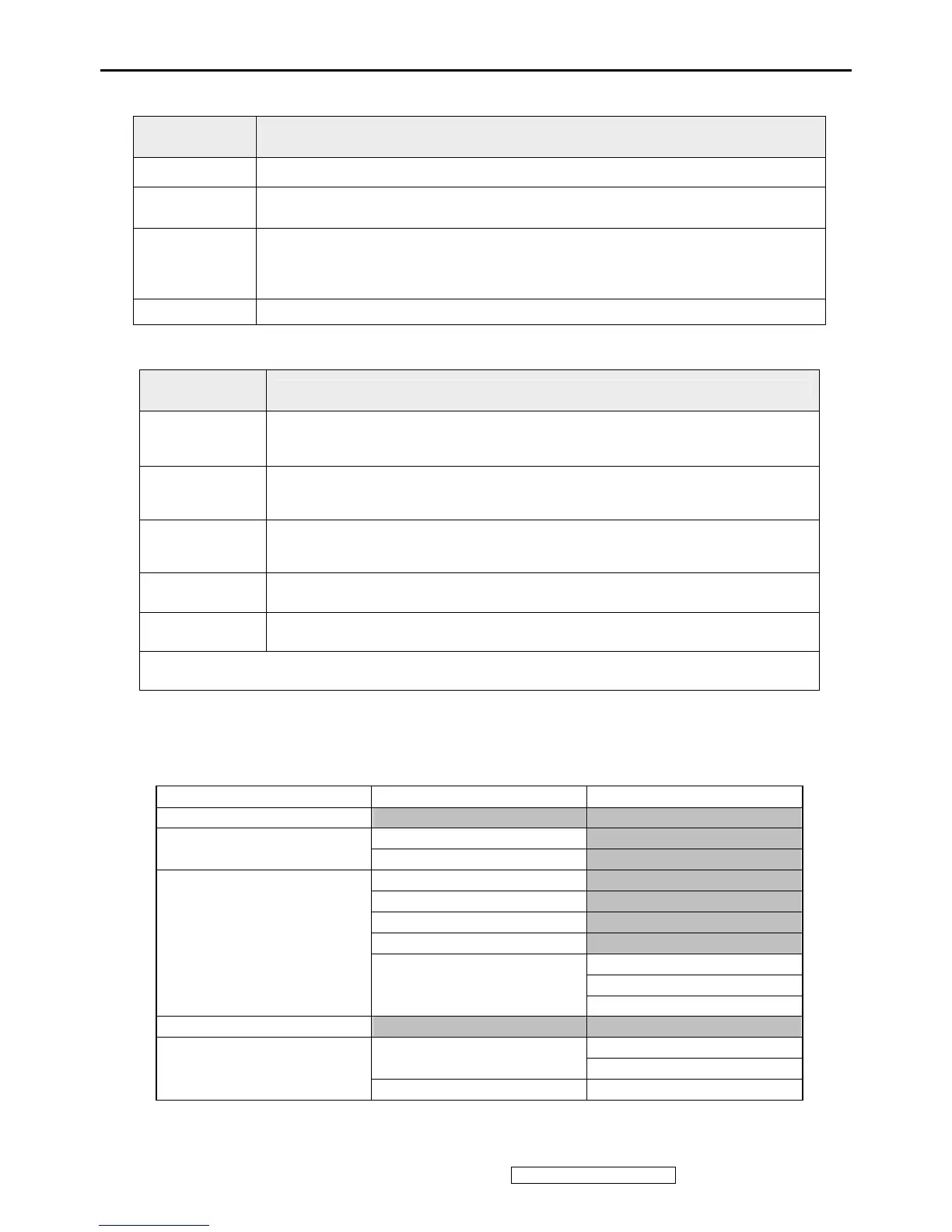
1. Key Function Description
CONTROL
KEY
KEYS FUNCTION
[AUTO] [2] By pressing [AUTO] key, “Auto Image Adjust” is performed
[MENU] [1] By pressing [MENU] key, Main menu display
[▼] [▲]
A. When “MENU OSD” display, press these keys to change the contents of an
adjustment item, or change an adjustment value
B. When “MENU OSD” is un-display, press these keys to change brightness
and contrast
[POWER] Power on or power off the monitor
2.
Hot Key Operation
CONTROL
KEY
KEYS FUNCTION
[▼] + [▲]
Recall Contrast or Brightness while in the Contrast or Brightness
adjustment, or recall both of Contrast and Brightness when the OSD is
not open.
[1] + [2] Toggle 720x400 and 640x400 mode when input 720x400 or 640x400 mode.
[1] + [▼] +
[▲]
White Balance (Not shown on user’s guide)
[1] + [▼] Power Lock
[1] + [▲] OSD Lock
Remark : All the short cuts function are only available while OSD off
3. OSD Control
3.1 OSD table
Layer 1 Layer 2 Layer 3
Auto Image Adjust
Contrast (+ / -)
Contrast/Brightness
Brightness (+ / -)
Srgb
9300K
6500K
5400K
Red (+ / -)
Green (+ / -)
Color Adjust
User Color
Blue (+ / -)
Information
H Position (+ / -)
H/V Position
V Position (+ / -)
Manual Image Adjust
H Size + / -


 To Next Page