ViewSonic Corporation 14 Confidential - Do Not Copy VA703b-4_VA703m-4
3. FRONT PANEL CONTROLS AND INDICATORS
Short Cuts Function from the button(s)
[1] Main Menu
[2] Auto Image Adjust
[▼] or [▲]
To immediately activate Contrast menu. It should be change to
Brightness OSD by push button [2]
[▼]+ [▲] Recall both of Contrast and Brightness to default
[1] + [2]
Toggle 720x400 and 640x400 mode when input 720x400 or 640x400
mode
[1] + [▼] + [▲]
(keep pushing 5 sec)
White Balance (Not shown on user’s guide)
[1] + [▼] Power Lock
[1] + [▲] OSD Lock
Remark : All the short cuts function are only available while OSD off
Front Panel Hardware Controls
Power Switch (Front Head) Power Control, soft Power Switch.
Power LED (Front Head)
Green – On / Orange – Active Off
Dark = Soft Power Switch OFF
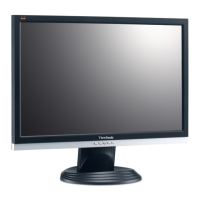
Front Panel Controls (Head)
[ 1 ] [ 2 ] [ ][▼] [▲]
[ ] Power
[ 1 ] BUTTON 1
[ 2 ] Button 2
[▲] UP ARROW BUTTON
[▼] DOWN ARROW BUTTON
Note: Power Button, Button 1 and Button 2 must be one-shot logic
operation. (i.e. there should be no cycling)
Reaction Time OSD must fully appear within 0.5s after pushing [ 1 ]


 To Next Page