EasyManua.ls Logo

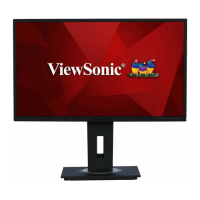
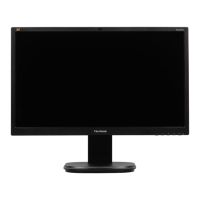
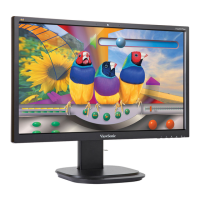
ViewSonic VG245 - User Manual

ViewSonic VG245
67 pages
Print Icon
To Next Page IconTo Next Page
Loading...
VG245/VG275
Display
User Guide
Model No. VS17528 | VS17529
P/N: VG245 | VG275
IMPORTANT: Please read this User Guide to obtain important information on installing and using your product in
a safe manner, as well as registering your product for future service. Warranty information contained in this User
Guide will describe your limited coverage from ViewSonic® Corporation, which is also found on our web site at
http://www.viewsonic.com in English, or in specific languages using the Regional selection box of our website.

Other manuals for ViewSonic VG245

Questions and Answers

  • R
    Rachel StoneSep 9, 2025
    Why are USB devices not working on my ViewSonic VG245?
    • L
      Lisa RomanSep 9, 2025
      If USB devices connected to your ViewSonic monitor aren't working, make sure the USB cable is connected properly. Try using a different USB port if available. Note that some USB devices need more power, so connect them directly to the computer instead.
  • T
    tylerwallaceSep 12, 2025
    What to do if the OSD Menu does not appear on ViewSonic monitor?
    • M
      Matthew GarnerSep 12, 2025
      If the OSD Menu doesn't appear on your ViewSonic monitor, check if the OSD Menu is locked. If it is, press and hold keys 2 and 3 for 10 seconds. If that doesn't work, turn off the monitor, unplug the power cord, plug it back in, and then turn on the monitor. Alternatively, reset the monitor to factory settings.
  • R
    Ryan MillerSep 12, 2025
    Why are some menus not selectable in the OSD of my ViewSonic monitor?
    • K
      Kimberly Charles MDSep 13, 2025
      If some menus are not selectable in the OSD on your ViewSonic monitor, try restarting the computer. You can also adjust the ViewMode or the input source. If the problem persists, reset the monitor to factory settings.
  • T
    Teresa ClineSep 14, 2025
    How to fix Quick Menu when it doesn't appear on ViewSonic VG245 Monitor?
    • T
      Tiffany BeckerSep 15, 2025
      If the Quick Menu doesn’t appear on your ViewSonic monitor, try restarting the computer. If that doesn't work, turn off the monitor, unplug the power cord, plug it back in, and then turn on the monitor. You can also reset the monitor to factory settings.
  • W
    William RomanSep 16, 2025
    Why does my ViewSonic monitor screen appear yellow?
    • K
      Kimberly NortonSep 17, 2025
      If the screen on your ViewSonic monitor appears yellow, make sure the “Blue Light Filter” is turned off.

ViewSonic VG245 Specifications

General IconGeneral
BrandViewSonic
ModelVG245
CategoryMonitor
LanguageEnglish

Related product manuals