9
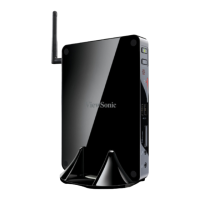
Make sure you have these ready :
1. VDD100 . (It is an optional accessory. If there is no VDD100 in this package, you need other
purchase an external USB DVD-ROM drive.)
2. PC Mini driver CD. (In this package)
3. Windows 7 Install CD. (Other purchase)
Before we continue :
■ YourPCMinipowerisoff.
■
Connect the VDD100 or USB DVD-ROM drive to one USB port of PC Mini and power it on.
3-1 Install Windows 7
1. Push power on button to turn on your computer, then press <Del> key to enter BIOS Setup.
2. Put the Windows 7 Install CD into the VDD100 or USB DVD-ROM drive.
3. Select and go to the “Boot” menu, set the “Boot Option #1” to DVD drive, press <F4> key to
save change and exit BIOS.
Version 2.10.1206. Copyright (C) 2010 American Megatrends, Inc.
Aptio Setup Utility - Copyright (C) 2010 American Megatrends, Inc.
Main Advanced Boot Security Save & Exit
Boot
Boot Configuration
Quiet Boot [Disabled]
Fast Boot [Disabled]
Bootup Numlock State [On]
Boot Option Priorities
Boot Option #1 [USB: Optical DVD RW]
Boot Option #2 [TEAC DV-W28SS-R W.OA]
Hard Drive BBS Priorities
CD/DVD ROM Drive BBS Priorities
→ ←: Select Screen
↑ ↓: Select Item
Enter: Select
+/-: Change Opt.
F1: General Help
F2: Previous Values
F3: Optimized Defaults
F4: Save & Exit
ESC: Exit
Enables/Disables Quiet Boot
option






 To Next Page