57
Disassembly Procedure
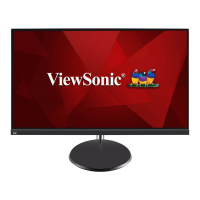
1. Take out the monitor from the HDPE bage and put the monitor on a protect
cushion. Use a Phillips-head screwdriver to remove four screws for unlocking
the stand.
2. Use a small slot screwdriver to insert the two gaps(marked as No.1~2) on
the boom side of the rear cover to prize up the rear cover. Use one hand to
press the panel module, the other hand to pull up the rear cover in order of
arrow preference for unlocking mechanisms of rear cover. Remove the rear
cover.
3. Tear o the PVC tape for releasing the speakers’ cable and then disconnect
the speakers’ cable from the connector. Use a Phillips-head screwdriver to
remove 4pcs screws for releasing the two speakers.
4. Tear o 4pcs aluminum foils for unlocking the bracket and USB unit, then
disconnect the USB cable and funcon key cable from the connectors of the
board, then release the USB board with bracket from the hooks of the middle
bezel. Use a Phillips-head screwdriver to remove 1pcs screw for unlocking the
USB hub away from the USB board.
5. Disconnect the panel power cables away from the connectors of the panel
model, then release the panel lamp cable from the hook of the middle bezel.
Tear o the tapes, and then disconnect the LVDS cable from the connector of
the panel module.
6. Use a Phillips-head screwdriver to remove 11 screws for unlocking the middle
frame with the panel module, and then remove the middle bezel. Tear o
the double-faced adhesive tape which scked on the back of the funcon key
cable for releasing the cable away from the panel.
7. Li up the panel module with the bracket chassis for releasing the front bezel
with the funcon key board away from the panel module, and then put the
front bezel with the funcon key board aside.
8. Use a Phillips-head screwdriver to remove two screws for unlocking the
AC power outlet. Use a Hex-head screwdriver to remove two screws for
unlocking mechanisms of the D-SUB connectors. Li up the bracket chassis
and put it aside for later disassembling.
9. Turn over the bracket chassis module, and then use a Phillips-head
screwdriver to remove 7pcs screws for unlocking the power board and
interface board, then release the panel lamp cable from he hook of the
bracket.
10. Remove the circuit boards and put them on a protecve cushion, then
disconnect all the cables.



 To Next Page