9
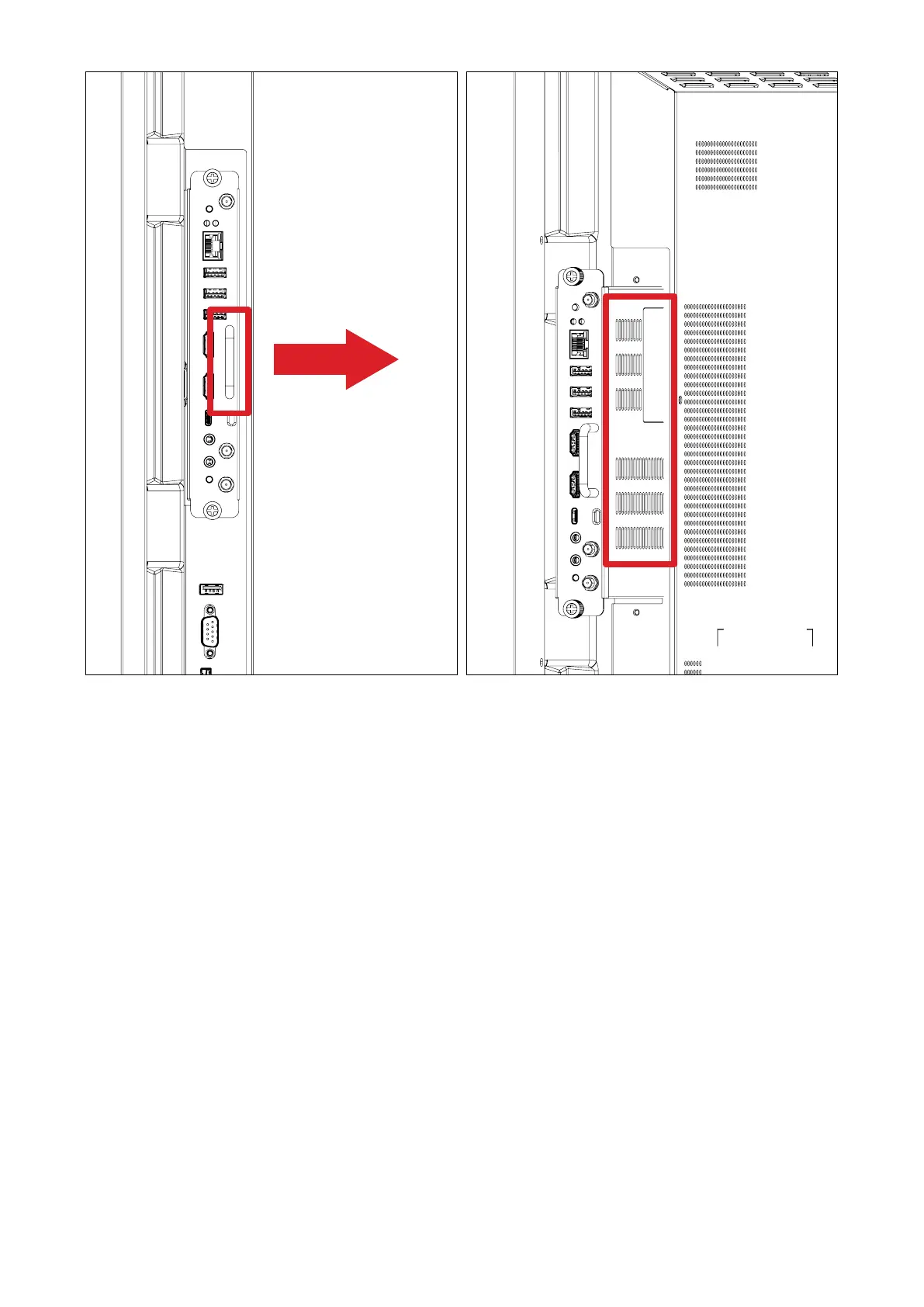
Handles/Vents
Vents
Side View 450 View
Figure 1
3. Secure the VPC-A31-O1 to the display with the two (2) included screws.
NOTE:
• Please note that the three (3) antennas must be installed on the VPC-
A31-O1.
• Please pay aenon to the installaon direcon of the VPC-A31-O1, with
the vents facing outwards to avoid damage.
• The VPC-A31-O1 does not support hot swapping. When removing the
device, turn o the power supply for both the display and VPC-A31-O1 rst.




 To Next Page