8
Inial Setup
Installing the VPC-A31-O1
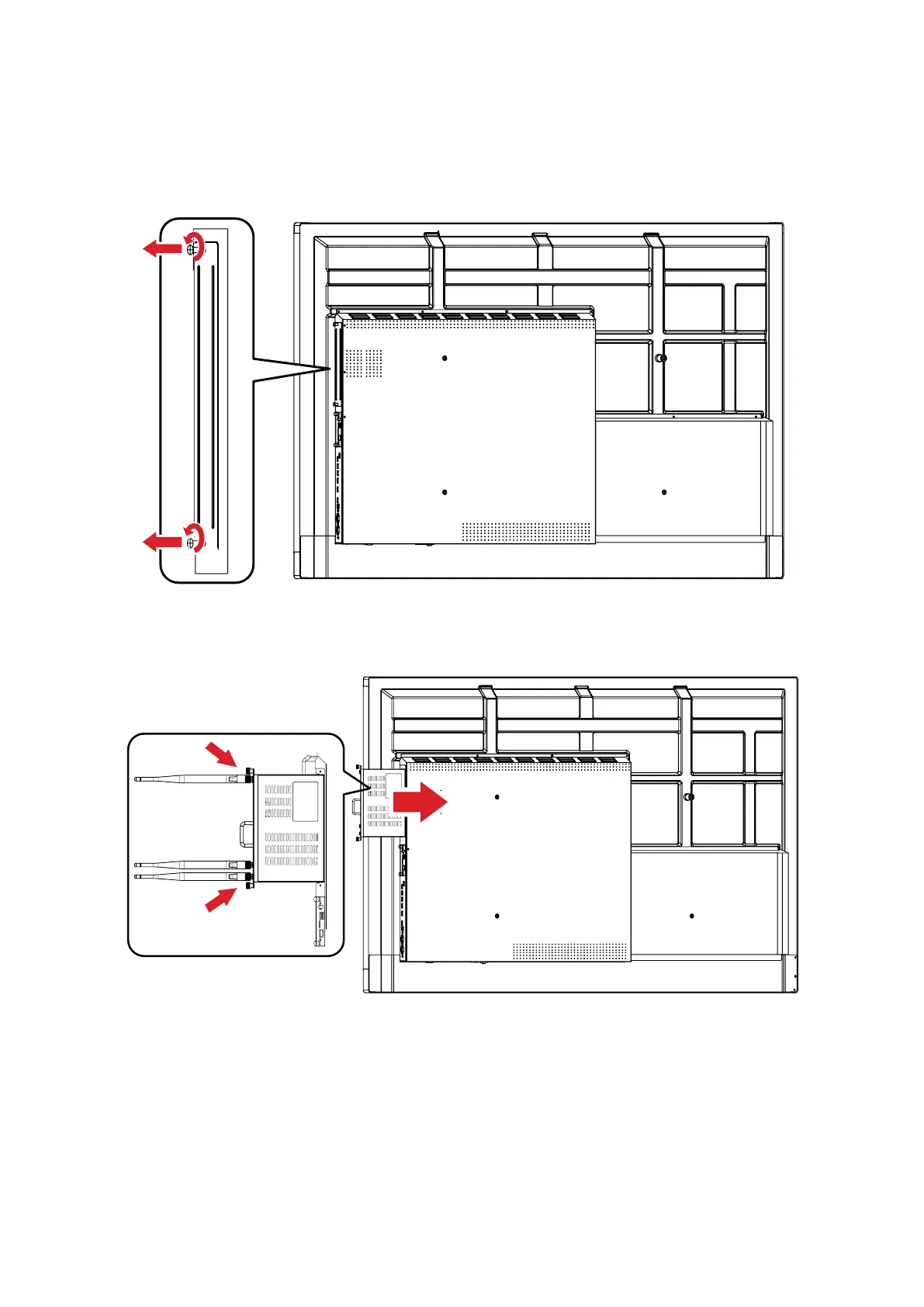
1. Remove the slot-in PC cover of the display.
2. Using the handle of the VPC-A31-O1, carefully insert it into the PC slot of the
display.
NOTE:
• Ensure the handle and vents of the VPC-A31-01 are facing outwards (see
Figure 1 on page 9).
• The right installaon direcon is to avoid damage to the OPS terminal and
maintain proper venlaon.



 To Next Page