EasyManua.ls Logo

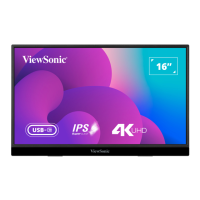
ViewSonic VX1655 - User Manual

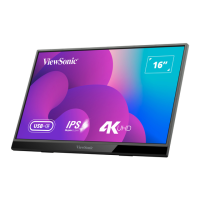
ViewSonic VX1655
48 pages
Print Icon
To Next Page IconTo Next Page
Loading...
VX1655
Display
User Guide
Model No. VS19589
P/N: VX1655
IMPORTANT: Please read this User Guide to obtain important information on installing and using your product in
a safe manner, as well as registering your product for future service. Warranty information contained in this User
Guide will describe your limited coverage from ViewSonic® Corporation, which is also found on our web site at
http://www.viewsonic.com in English, or in specific languages using the Regional selection box of our website.

Questions and Answers

  • J
    Jessica Molina MDSep 9, 2025
    What to do if OSD Menu does not appear on ViewSonic VX1655?
    • J
      Jill DunlapSep 9, 2025
      Check whether the OSD Menu is locked. If it is not locked, turn off the monitor, unplug the power cord, plug it back in, and then turn the monitor back on. As a last resort, reset the monitor to factory settings.
  • S
    shayesSep 12, 2025
    How to center the screen on a ViewSonic VX1655 Monitor?
    • E
      Eric LewisSep 12, 2025
      Adjust the horizontal and vertical controls via the OSD Menu. Also, check the Aspect Ratio. If the issue persists, reset the monitor to factory settings.
  • E
    Edgar LopezSep 14, 2025
    Why are some menus not selectable in the OSD of my ViewSonic Monitor?
    • M
      Mrs. Cynthia MitchellSep 14, 2025
      Adjust the ViewMode or the input source. If that doesn't work, reset the monitor to factory settings.
  • A
    Andrea MillerSep 16, 2025
    Why does my ViewSonic Monitor screen appear yellow?
    • P
      Patrick GarciaSep 16, 2025
      Make sure the “Blue Light Filter” is turned Off.

Summary

Safety Precautions

Initial Setup

Making Connections

Connecting to Power Sources

Details on powering the monitor via USB Type C, Type A, or adapter.

Connecting to External Devices

Device Connectivity Options

Guides for connecting devices using USB Type C, Mini HDMI, and audio ports.

Power Delivery Features

Using the Monitor

Monitor Power and Control Key Functions

How to turn the monitor on/off and use the Joy Key for controls.

Configuring Settings

Navigating Display Settings

Steps to access and navigate Quick Menu, Main Menu, and OSD Tree.

Appendix: Specifications

Product Specifications

Detailed technical specifications of the monitor.

Troubleshooting Common Issues

Resolving Power and Display Problems

Solutions for no power, no image, and color issues.

Maintenance and Care

Customer Service and Warranty

ViewSonic VX1655 Specifications

General IconGeneral
Display diagonal16 \
Display brightness250 cd/m²
Display technologyLED
Native aspect ratio16:9
Contrast ratio (dynamic)80000000:1
Contrast ratio (typical)800:1
Display number of colors262144 colors
Viewing angle, horizontal170 °
Digital vertical frequency48 - 60 Hz
Digital horizontal frequency15 - 83 kHz
Product typePortable monitor
Product colorBlack
Tilt angle range0 - 86 °
Tuner typeNo
USB port typeUSB Type-C
Headphone connectivity3.5 mm
RMS rated power0.8 W
Number of speakers2
Power source typeAC
Power consumption (typical)11 W
Package weight1800 g
Cables includedAC, USB Type-C to USB Type-C, HDMI to Mini-HDMI
Weight and Dimensions IconWeight and Dimensions
Depth21 mm
Width355 mm
Height224 mm
Weight770 g

Related product manuals