20
vRemote App
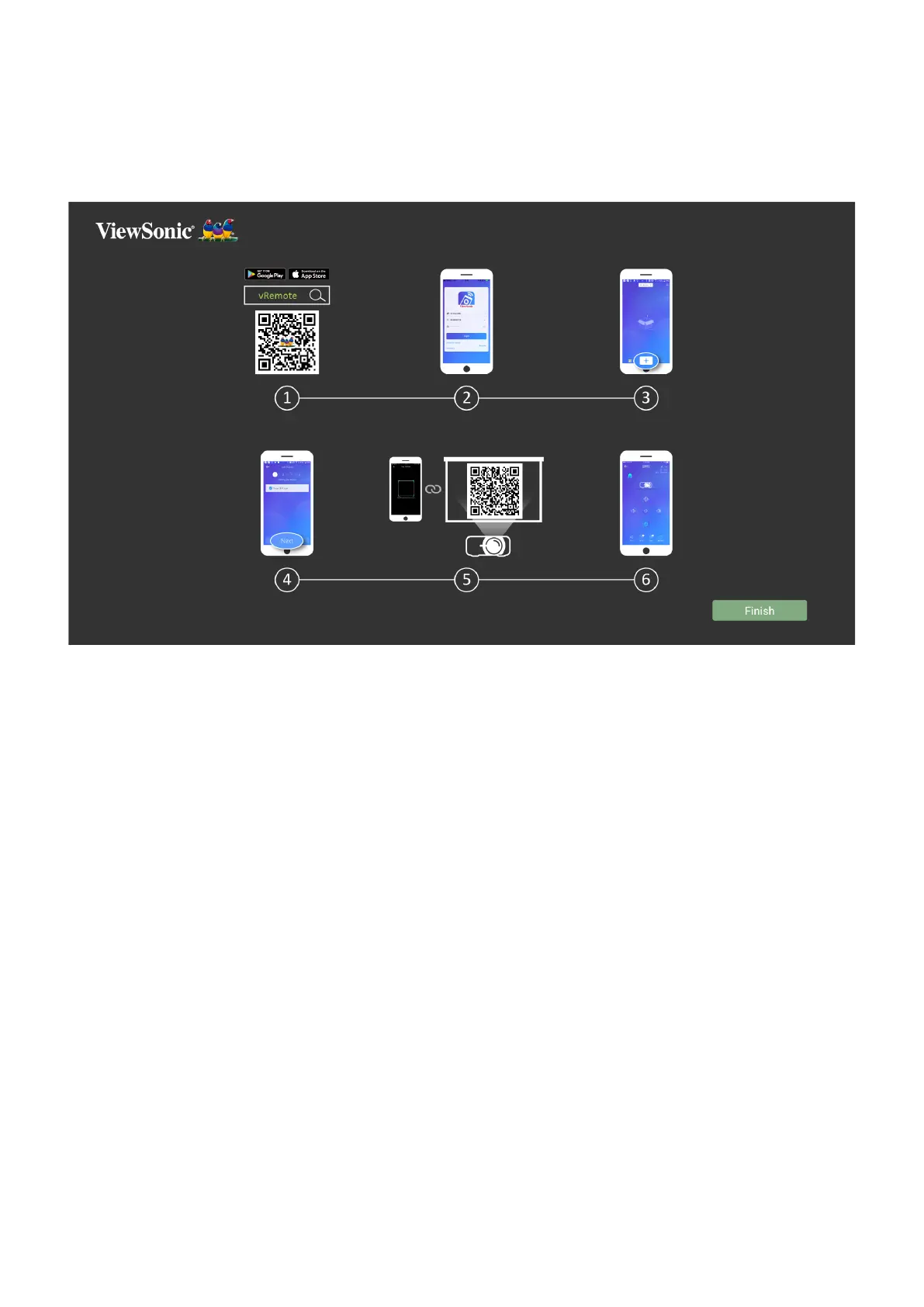
The vRemote App allows the user to control the projector via their personal mobile
projector.
To use the vRemote App:
1.
mobile device.
2.
3.
4. Press the “Next” icon.
5. Use the camera to scan the QR Code.
6. Now you are ready to control the projector.


 To Next Page