28
Correcting Keystone
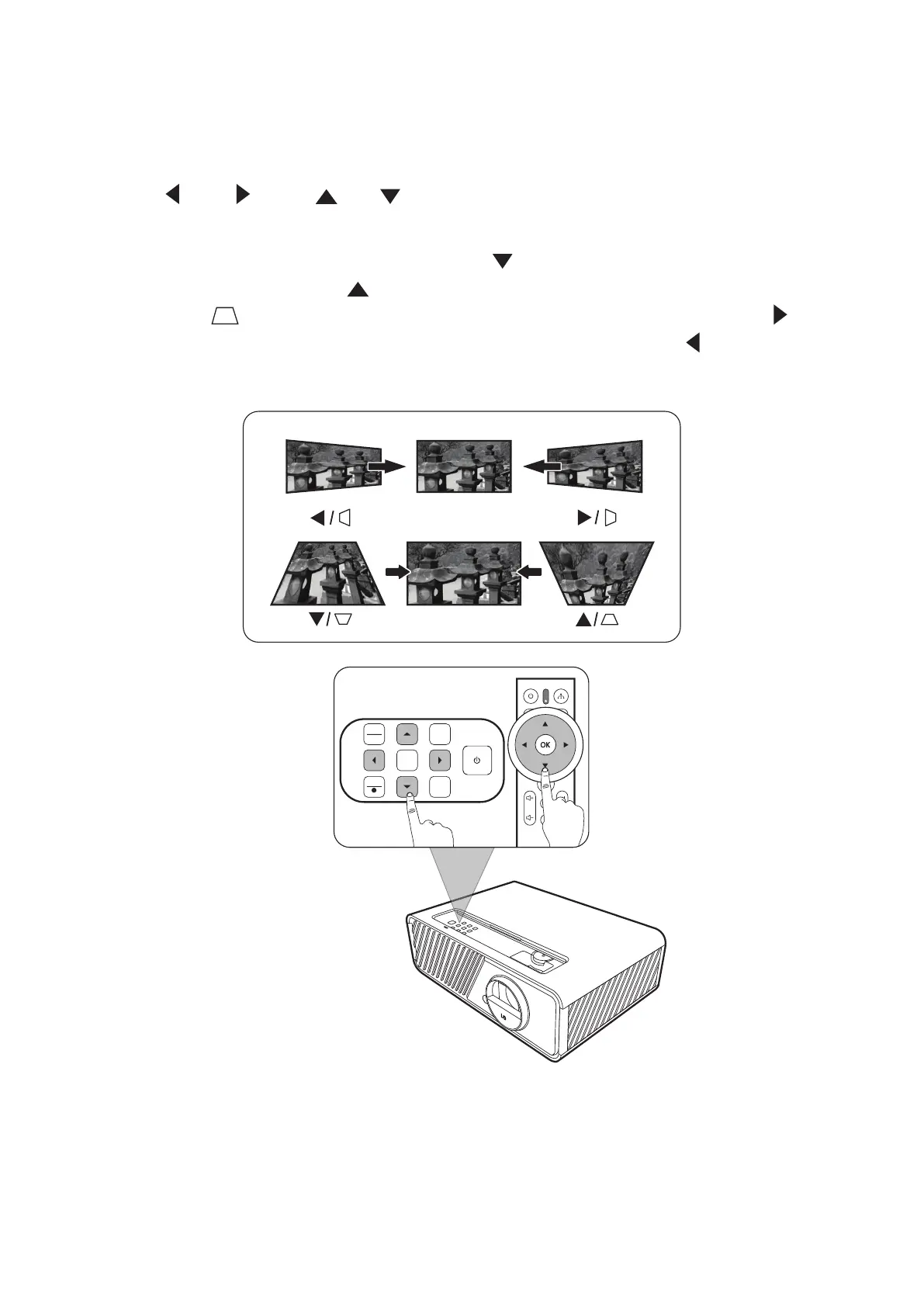
Keystoning refers to the situation where the projected image becomes a trapezoid
due to angled projection.
To correct this, besides adjusting the height of the projector, you may also:
1. Use the Left/ Right/ Up/ Down keys on the projector or remote control
to display the keystone page (when the input source is not SMART SYSTEM).
2. Aer the keystone page is displayed, press Down to correct keystoning at
the top of the image. Press Up to correct keystoning at the boom of the
image. Press to correct keystoning at the boom of the image. Press
Right to correct keystoning at the right side of the image. Press Left to correct
keystoning at the le side of the image.
MENU
EXIT
SOURCECOLOR
MODE
?
ENTER
BLANK







 To Next Page