56
Menu Operations
Player
The projector automatically scans the video files in the external storage device.
When you click Player, the scanned video can be played in a loop.
Some functions are available when Player is highlighted. Press and then use /
to select.
• Bluetooth
The projector is equipped with Bluetooth that allows the user to connect their
device wirelessly for audio playback.
To connect and pair your device:
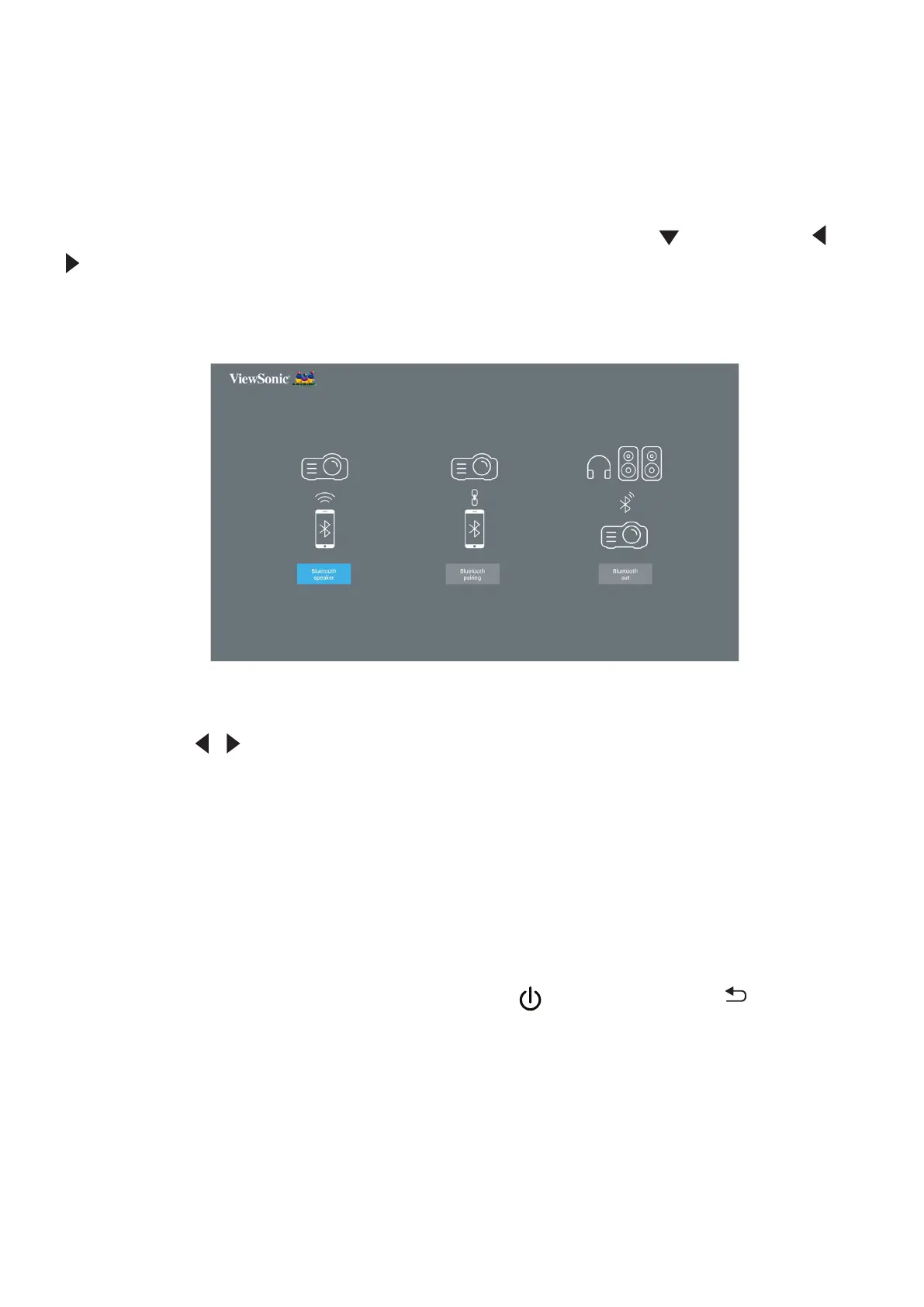
1. Go to: Home Screen > Bluetooth.
2. Use the / to select Bluetooth Speaker or Bluetooth Pairing. Then press
ENTER/OK.
3. A dialogue box appears, select Connect and press ENTER/OK to enter
Bluetooth mode.
4. A sound effect will be audible upon entering pairing mode.
5. Upon successful connection, another sound effect will be audible.
NOTE: The projector’s name will be labeled as “ViewSonic Projector”. Once
paired, if both the projector and your device are powered on they will
automacally connect via Bluetooth in Bluetooth Speaker mode. When
connected please note that only the Power, Exit and the buons
can exit Bluetooth mode.
6. The projector will search for nearby Bluetooth devices. Select your device
from the list and press ENTER/OK.







 To Next Page