12
CONNECTING WITH BLUETOOTH
1.
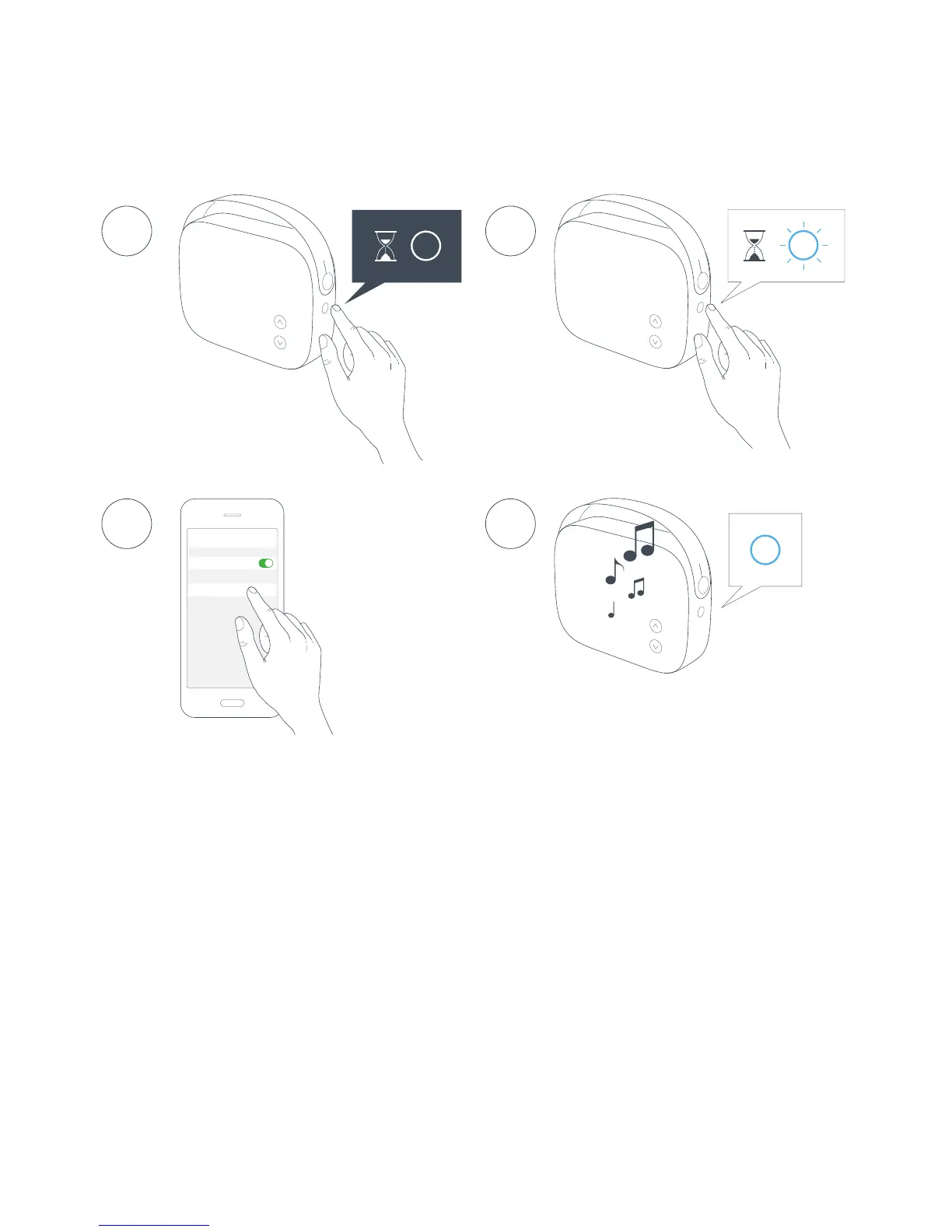
To turn Helsinki on, press and hold the MODE button until
status indicator turns solid WHITE.
2.
Press and hold the MODE button until status indicator
ashes BLUE.
3. Enable Bluetooth pairing on your device and select Vifa
BTxxxxxx as your Bluetooth device.
4. The status indicator turns solid BLUE when a connection is
established. Let the music play.
2
4
Bluetooth
14:52
Bluetooth
VIFA_BTxxxx
Paired
3
1


 To Next Page