14
WIRED CONNECTION
1.
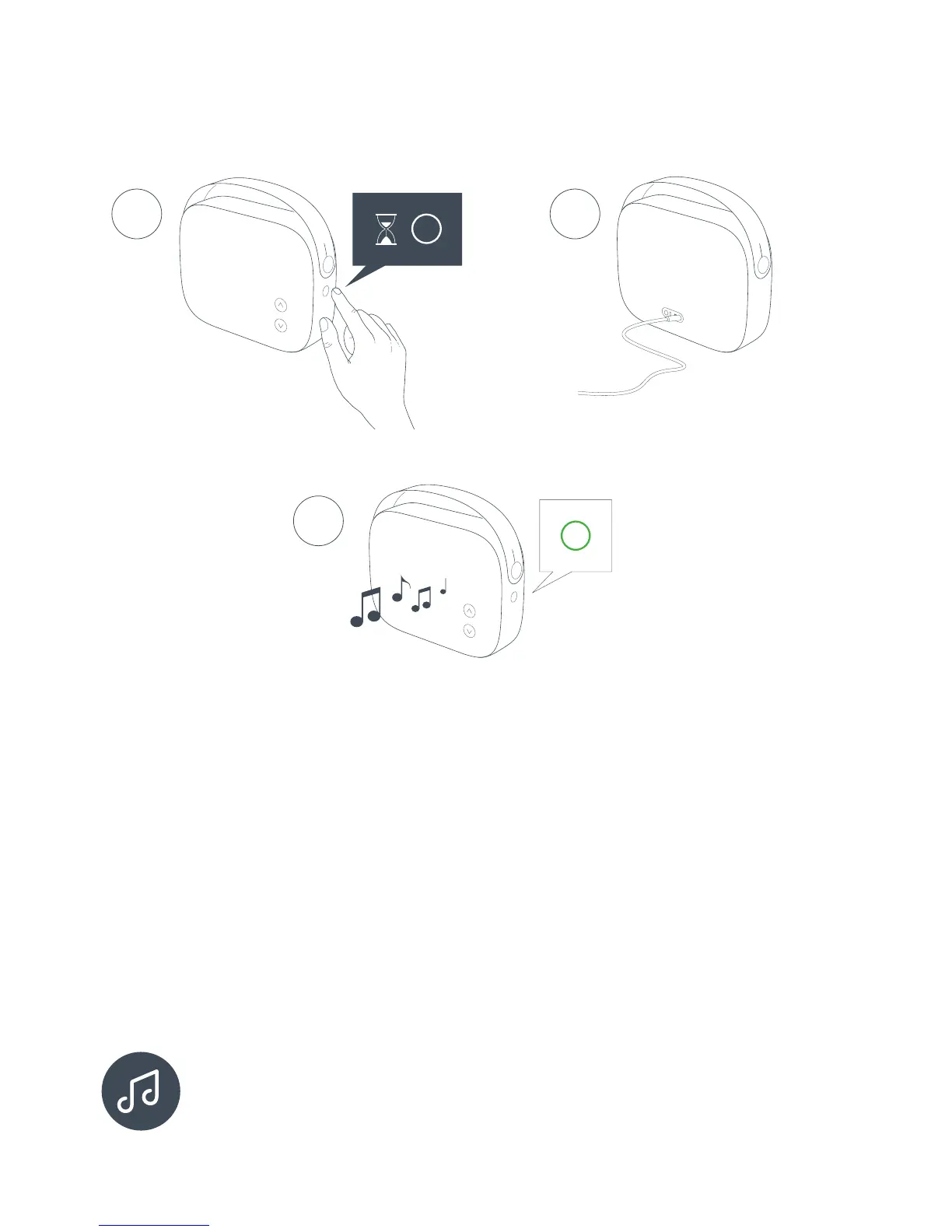
To turn Helsinki ON press and hold the MODE button until
status indicator turns solid WHITE.
2. Connect the wire on the back side and start music playback
from your device.
3. The status indicator turns solid GREEN when wired playback is
enabled.
Helsinki prefers Bluetooth over AUX. But briey pressing the MODE
button the connection will switch from Bluetooth to AUX. Pressing it
again turns it back to normal priority.
2
3
1


 To Next Page