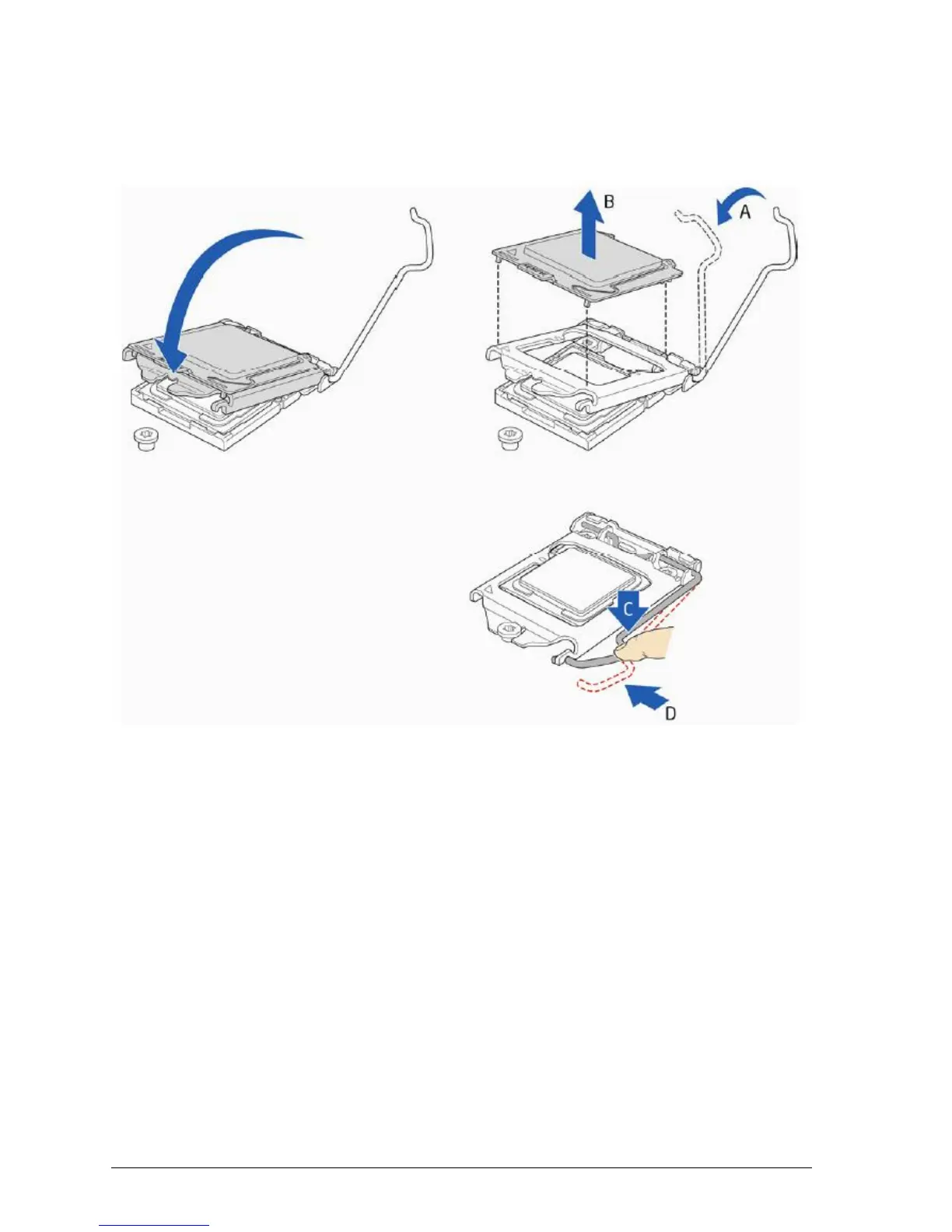
5. Carefully lower the socket lever (Figure 25, A) while making sure that the front edge
of the load plate slides under the shoulder screw cap as the lever is lowered. Latch
the socket lever under the load plate tab (Figure 25, C, and D). The socket cover
(Figure 25, B) will pop off as shown.
Figure 20: Secure the load plate in place
6. Pick up the socket cover and remove it from the desktop board.



 To Next Page