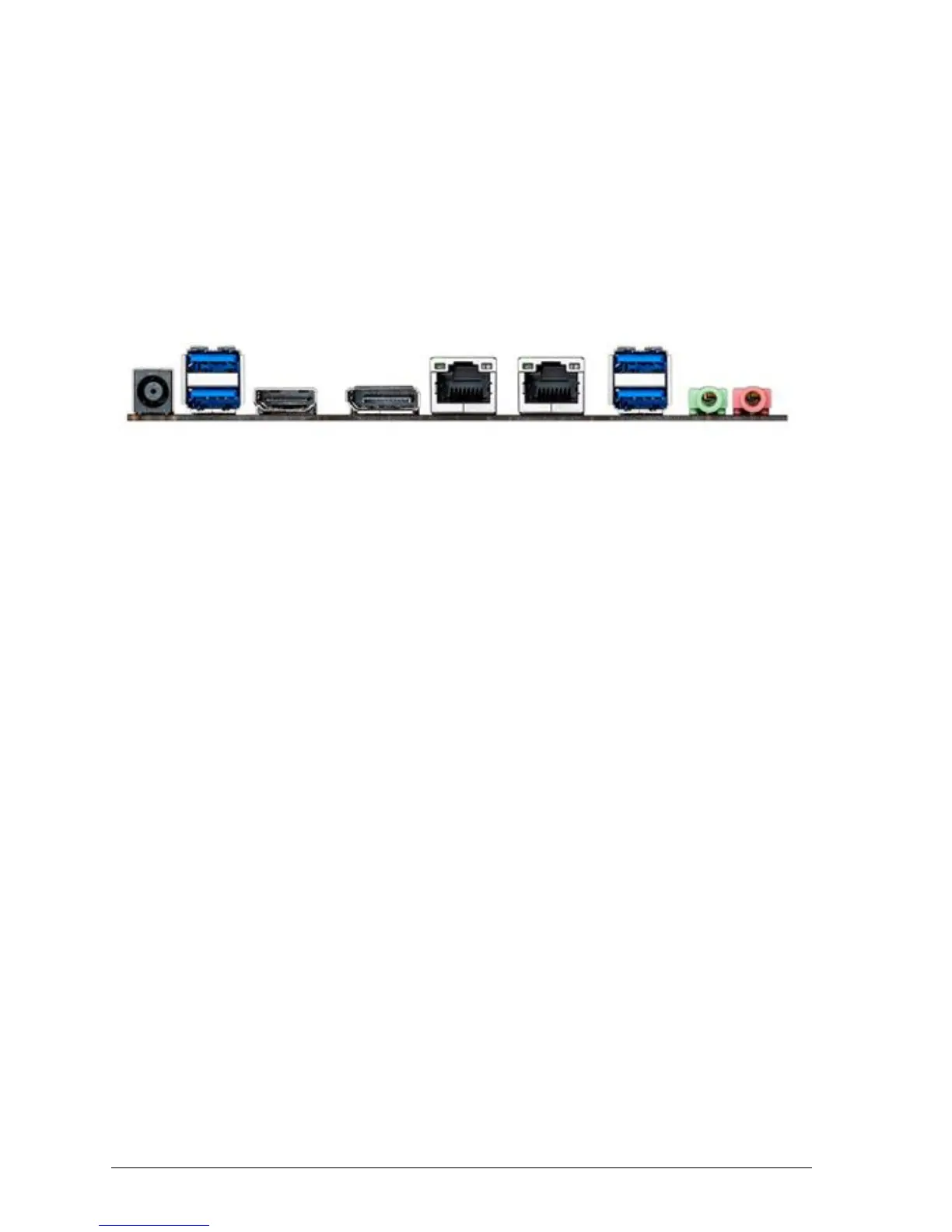
Back Panel Connectors
The Motherboard external IO connectors are attached to a metallic I/O shield. This
shield serves several purposes:
• It protects the sensitive Motherboard from any external EMC interference.
• It stops the computer from interfering with other electrical devices.
• It allows the Motherboard to be easily upgraded in the future without having to
resort to buying a whole new case. Simply change the I/O shield to match the
Motherboard.
Figure 4: Back Panel Connectors
Power Jack – the board can be powered through a 19 V DC connector on the back panel.
The back panel DC connector is compatible with a 7.4 mm/OD (outer diameter) and 5.1
mm/ID (inner diameter) plug, where the inner contact is +19 (±10%) V DC and the shell is
GND. The maximum current rating is 12 A.
USB 3.0 Ports - The USB 3.0 ports are for attaching USB devices such as keyboard,
mouse, or other USB compatible devices.
LAN Ports - The standard RJ-45 LAN jacks are for connection to the Local Area Network
(LAN). You can connect a network cable to it.
DisplayPort – This port is used for to connect a DisplayPort compatible display.
HDMI Port - The High-Definition Multimedia Interface (HDMI) is an all-digital audio/video
interface capable of transmitting uncompressed streams. HDMI supports all TV format,
including standard, enhanced, or high-definition video, plus multi-channel digital audio on a
single cable.
Audio Ports - These audio connectors are used for audio devices (MIC-IN, LINE-OUT).
Note:
The back panel audio line out connectors is designed to power headphones or amplified
speakers only. Poor audio quality occurs if passive (non-amplified) speakers are connected to
this output.



 To Next Page