4.13 BIOS settings for Windows 7 and Windows 8/8.1 O/S
4.13.1 Windows UEFI mode for Windows 8/8.1
Vig820S system configured with Windows 8/8.1 will have following default BIOS settings. If you wish to
downgrade to Windows 7 then BIOS must be configured to Non-UEFI mode.
Boot\CSM (Compatibility Support module)
Launch CSM [Enabled]
Boot Device Control [UEFI Only]
Boot from Network Devices [UEFI drivers first]
Boot from Storage Devices [UEFI drivers first]
Boot from PCI-E/PCI Expansion Devices [UEFI drivers first]
Boot\Secure Boot Menu
OS Type [Windows UEFI mode]
Please ensure the changes of the following settings are performed by personnel with some previous
experience/knowledge of altering BIOS settings.
4.13.2 Enabling Windows UEFI mode for Windows 8/8.1 Operating System
1. From the BIOS main menu bar select ‘Advanced’
2. Navigate to the Boot sub menu
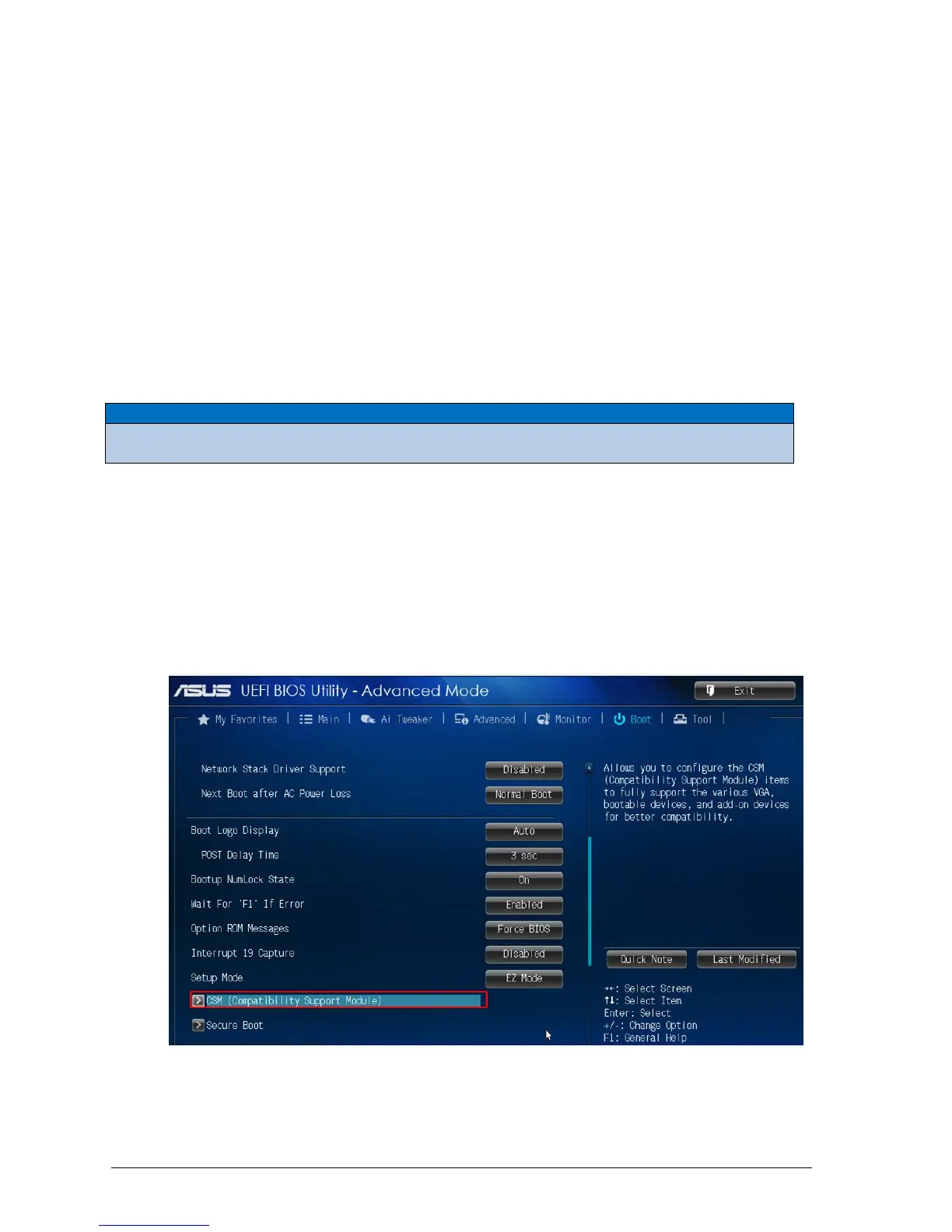
3. Select CSM (Compatibility Support Module)
Figure 38: Boot Menu



 To Next Page