4.13.3 BIOS Settings for Windows 7 Operating System (Non UEFI Mode)
To downgrade to Windows 7 operating system, BIOS settings must be changed to boot into Legacy BIOS
mode (non UEFI Mode).
For Windows 7 operating system BIOS should be configured as per below settings
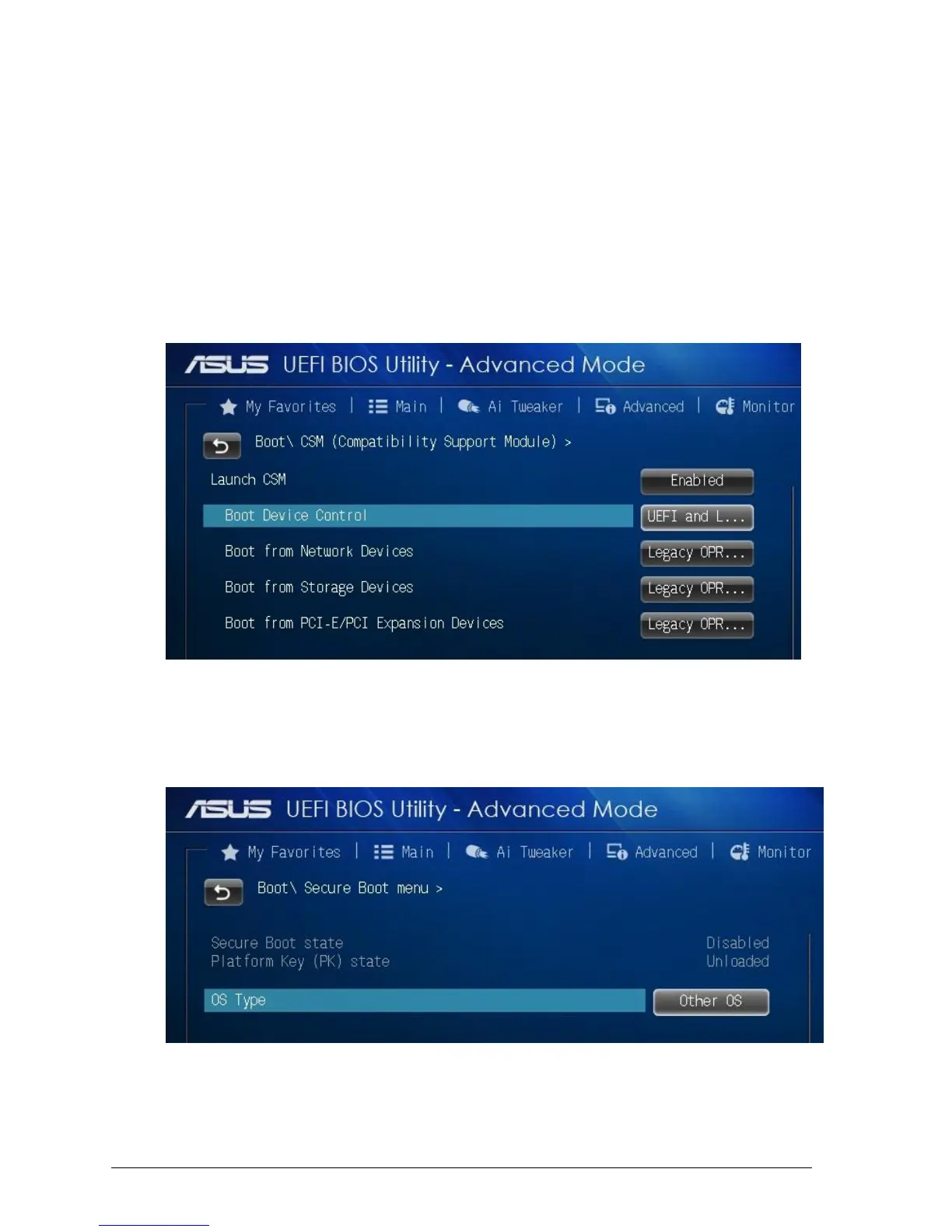
Boot\CSM (Compatibility Support module)
Launch CSM [Enabled]
Boot Device Control [UEFI and Legacy OPROM first]
Boot from Network Devices [Legacy OPROM]
Boot from Storage Devices [Legacy OPROM]
Boot from PCI-E/PCI Expansion Devices [Legacy OPROM]
Figure 43: Windows 7 BIOS settings
Boot\Secure Boot Menu
OS Type [Other OS]
Figure 44: Windows 7 BIOS settings



 To Next Page