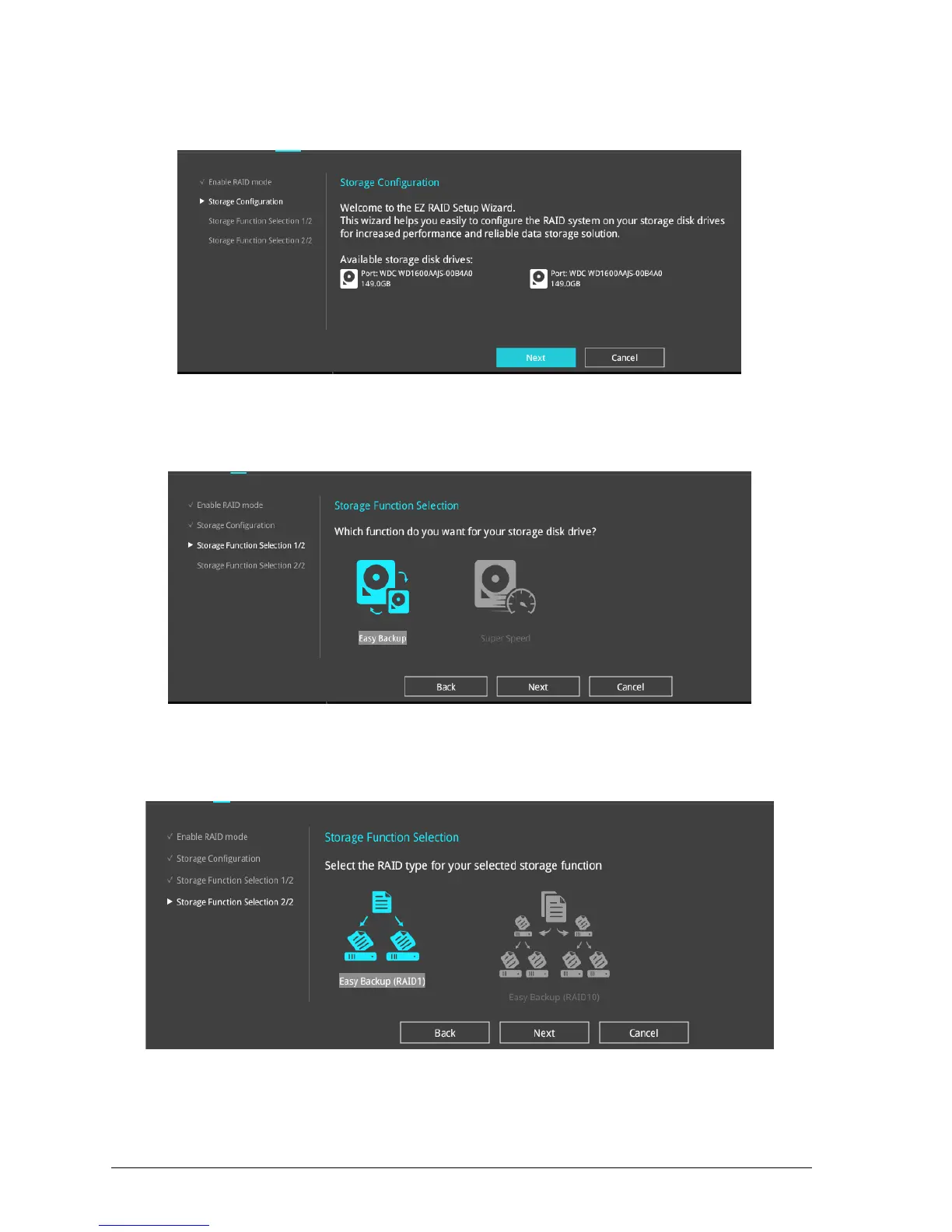
3. The available HDDs display. Click Next to continue.
Figure 40 – EZ RAID Setup
4. Select the type of storage for your RAID Easy Backup or Super Speed, then click Next.
Figure 41- Storage Function Selection
a. For Easy Backup, select from Easy Backup (RAID1) or Easy Backup (RAID10) then click Next.
Figure 42- RAID Type
You can only select Easy Backup (RAID 10) if you connect four (4) HDDs.



 To Next Page