Page 8 For technical questions, please call 1-888-866-5797. Item 57085
SAFETY OPERATION MAINTENANCESETUP
Using the Air Compressor
DUTY CYCLE: 15 MINUTES ON, 30 MINUTES OFF.
1. Press TEST/AIR Button to check battery
level. Recharge as needed, according to
Charging the Jump Starter on page 6.
2. Open the Air Hose Compartment on the
back and pull out the Air Hose.
3. Press and hold TEST/AIR Button approximately
3 seconds to activate the Compressor Switch.
The symbol
will appear on the Display.
4. Check the proper inflation level for
the object that is being inflated.
Tire Inflation
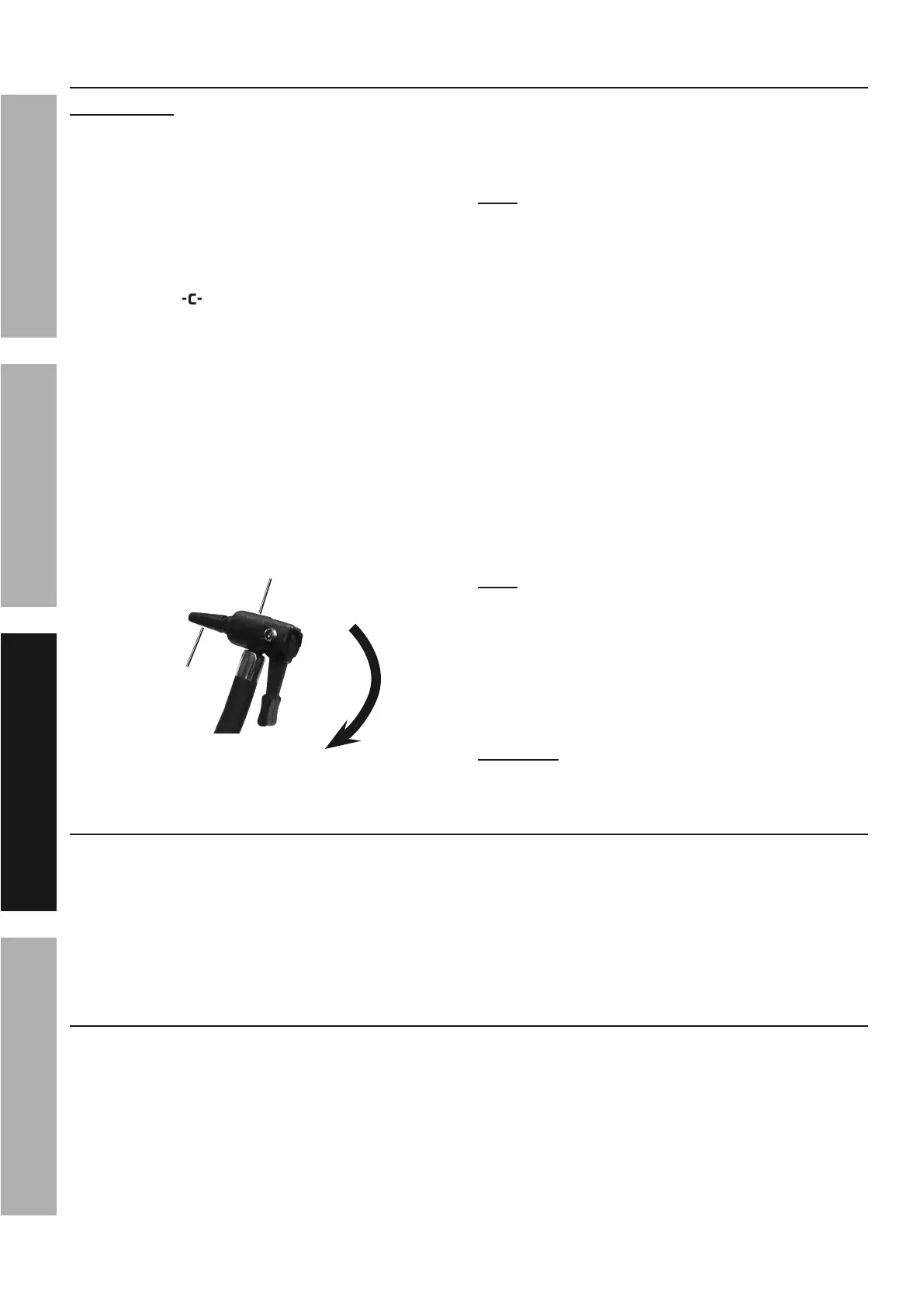
1. Position the Tire Inflator over the valve stem and
push down firmly, making sure it is fully seated.
2. Press down the lever. The Air Pressure
Gauge displays the cylinder pressure value,
and the desired PSI can be preset using
the plus (
+
) and minus (-) buttons.
Adapter
Lever
pressed
down
Tire
Inflator
3. Push the Compressor Switch to the “I” (ON)
position to start the Compressor. The
Compressor will automatically shut down
when the preset pressure level is reached.
Note: Monitor the Air Pressure Gauge on the
back of the unit to avoid overinflation.
4. When the proper inflation level has been
reached, push the Compressor Switch to
the “O” (OFF) position. Press the TEST/
AIR Button to deactivate the Compressor.
5. Lift the lever and remove the Air Hose.
Using Hose Adapters
1. Three adapters are included with the Jump Starter
that can be attached to the Tire Inflator.
2. Attach the proper adapter to the Tire
Inflator for the object to be inflated.
3. Insert the adapter into the object’s
receptacle and press down the lever.
4. Push the Compressor Switch to the “I” (ON) position.
Note: Monitor the Air Pressure Gauge on the
back of the unit to avoid over inflation.
5. When the proper inflation level has been
reached, push the Compressor Switch to
the “O” (OFF) position. Press the TEST/
AIR Button to deactivate the Compressor.
6. Lift the lever and remove the Air Hose.
WARNING! TO PREVENT SERIOUS
INJURY: Do not overinflate any object.
Powering DC Appliances
1. Press TEST/AIR Button to check battery
level. Recharge as needed, according to
Charging the Jump Starter on page 6.
2. Make sure the total wattage of the appliance is
within the range of the Jump Starter. See DC
Appliance Compatibility on page 6.
3. Turn Clamp Power Switch off. Turn appliance off.
4. Plug appliance into the 12
VDC Outlet, then turn
on. When finished, turn off then unplug appliance.
Charging/Powering USB Devices
1. Press TEST/AIR Button to check battery
level. Recharge as needed, according to
Charging the Jump Starter on page 6.
2. Plug the device into the USB Port.
3. Press the LIGHT/USB Button. The
USB Indicator will illuminate.
4. When finished, press LIGHT/USB Button again.
Remove the device from the USB Port.


 To Next Page
 Loading...