12
on
VIKING
©
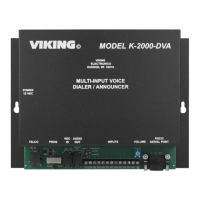
MODEL K-2000-DVA
VIKING
ELECTRONICS
HUDSON, WI 54016
MULTI-INPUT VOICE
DIALER / ANNOUNCER
INPUTSTELCO PROGRAMMING
RS232
SERIAL PORT
POWER
12 VDC
AUDIO
OUT
ANNOUNCEMENT
VOLUME
VIKING
©
MODEL K-2000-DVA
VIKING
ELECTRONICS
HUDSON, WI 54016
MULTI-INPUT VOICE
DIALER / ANNOUNCER
INPUTS
VOLUME
TELCO
PROG
RS232
SERIAL PORT
POWER
12 VDC
REC
IN
AUDIO
OUT
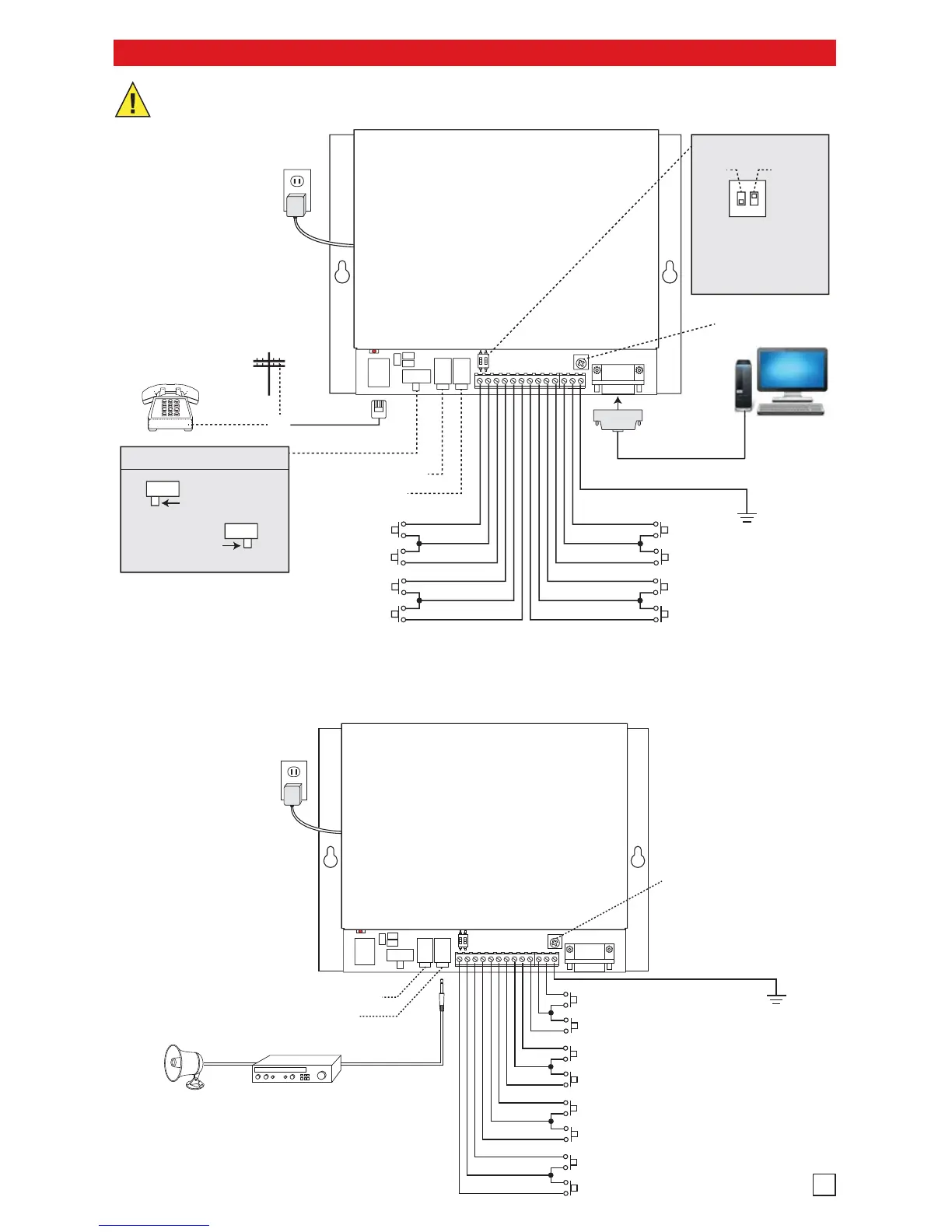
C.O. Line
or Analog
PABX/KSU Station
(Programming
switch = NORM)
* Personal
Computer
12V DC
Adapter
Included
120V AC
Vending
Machine
Alarm
Alarm
Alarm
Security Alarm
Temperature
Switch
Nurse Call
Alarm
OR
Standard
Telephone
(Programming
switch = PROG)
Programming Switch
PROG
For use with a
standard telephone.
NORM
For use with a CO
line or analog
PABX/KSU station.
RS-232 9-Pin
Straight
Through Cable
(not included)
INPUT 1
COMMON
INPUT 2
INPUT 3
COMMON
INPUT 4
INPUT 8
COMMON
INPUT 7
INPUT 6
COMMON
INPUT 5
** Earth
Ground
Line Level Record Input
600 Audio Output
ON
1 2
Learn Sensitivity
ON
OFF
Normal
Reduced
Volume Control
DIP switch 1: leave OFF
DIP switch 2: typically left ON
If false triggers occur because of
very long wire runs to the inputs,
move DIP switch 2 to OFF.
DIP Switches
* IMPORTANT: The computer must have K-2000-DVA PC programming software installed. Visit www.vikingelectronics.com to download
free K-2000-DVA programming software. The software is compatible with any Windows based PC, using Windows 98 or higher. The
software allows programming of all K-2000-DVA parameters using the computer (except the recorded messages for inputs). Viking
Electronics will NOT support computer software or hardware problems. If you experience these problems, research your
hardware/software instruction manuals or contact the manufacturer’s technical support department.
** Note: To increase surge protection, fasten a wire from the screw terminal to Earth Ground (grounding rod, water pipe, etc.)
3
IMPORTANT: Electronic devices are susceptible to lightning and power station electrical surges from both the AC
outlet and the telephone line. It is recommended that a surge protector be installed to protect against such surges.
A. Alarm Dialer
Note: Lower number
inputs have higher priority.
Note: Lower number
inputs have higher priority.
* Note: To increase surge
protection, fasten a wire
from the screw terminal to
Earth Ground (grounding
rod, water pipe, etc.)


 To Next Page
 Loading...