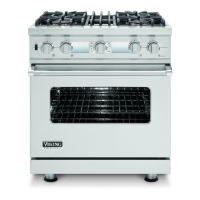
How to disable showroom mode on Viking Ranges?
- JJacob RobinsonSep 23, 2025
If your Viking Ranges aren't cooking because of being set to Showroom mode, disable Showroom mode to restore normal operation.
How to disable showroom mode on Viking Ranges?
If your Viking Ranges aren't cooking because of being set to Showroom mode, disable Showroom mode to restore normal operation.
Why are the oven lights not working on my Viking Ranges?
If the oven lights in your Viking Ranges aren't working, start by replacing the light bulb. If that doesn't solve the issue, it could be due to defective oven wiring, which would need to be repaired or replaced. You should also test the light switch and the door switch to ensure they are functioning correctly.
What causes the oven light to not work in Viking VDSC548T Ranges?
If your Viking Ranges' oven light won't work, check the bulb and replace it if defective. Also, verify the source voltage.
What to do if igniters spark, but no flame appears on my Viking Ranges?
If the igniters spark on your Viking Ranges, but there is no flame, first verify that the gas supply and valve are turned on. If they are on, check the pressure regulator to ensure that the gas supply isn't interrupted.
Why is the flame large, distorted and yellow when the burner ignites on my Viking VDSC548T Ranges?
If the burner ignites but the flame is large, distorted, and yellow on your Viking Ranges, clean the burner head. Verify that the conversion is complete and that the gas type is proper for the range setting (LP or Natural).
Why won’t the oven door unlock on my Viking Ranges when the oven is below elevated clean temperatures?
If the oven door won’t unlock, and the oven is below elevated clean temperatures on your Viking Ranges, replace the door latch motor due to an open door latch motor. Ohm the oven sensor due to the oven sensor being out of calibration. Replace the control board. Repair or replace defective wiring due to an open relay.
What does 'DOOR LATCH Err' mean on my Viking Ranges display and why is the UI beeping?
If 'DOOR LATCH Err' shows in the display and the UI beeps on your Viking Ranges, test, repair, or replace the door switch or control board due to a defective latch switch (S1 or S2) or a broken wire to the switch.
What to do if my Viking VDSC548T oven is in self-clean mode, heats, but doesn't reach elevated clean temperatures?
If the oven is in self-clean mode, the oven heats, but it is not reaching elevated clean temperatures on your Viking Ranges, replace the RTD sensor due to the oven sensor being out of calibration or replace the control board.
What causes the bake element to be inoperable in Viking VDSC548T?
If the bake element is inoperable on your Viking Ranges, repair or replace the wiring. Test the bake element. Verify the relay operation, wiring, and inputs of the oven control board.
What causes no bake, broil, oven lights, and power to the control board (P1 white to black) on Viking VDSC548T Ranges?
If there is no bake, broil, oven lights, or power to the control board (P1 white to black) on your Viking Ranges, reset the breaker or replace the fuse. Repair or replace any defective oven wiring (shorted, open, or burned).
Key safety guidelines, warnings, and warranty details for the appliance.
Technical specs, dimensions, electrical/gas needs, and model identification.
Overview of controls, settings, and basic functions like burners and ovens.
Detailed charts and descriptions for various oven cooking cycles.
Identifying and resolving appliance error codes and common issues.
Managing temperature settings, user preferences, and calibration offsets.
Steps for entering diagnostic modes and testing specific components.
Detailed tests for elements, fans, switches, and control board.
Detailed diagnosis and testing of control board components and relays.
Step-by-step guides for disassembling and replacing major appliance parts.
Guide for diagnosing and correcting common appliance issues.
Electrical schematics and current flow diagrams for convection fan operation.
Key safety guidelines, warnings, and warranty details for the appliance.
Technical specs, dimensions, electrical/gas needs, and model identification.
Overview of controls, settings, and basic functions like burners and ovens.
Detailed charts and descriptions for various oven cooking cycles.
Identifying and resolving appliance error codes and common issues.
Managing temperature settings, user preferences, and calibration offsets.
Steps for entering diagnostic modes and testing specific components.
Detailed tests for elements, fans, switches, and control board.
Detailed diagnosis and testing of control board components and relays.
Step-by-step guides for disassembling and replacing major appliance parts.
Guide for diagnosing and correcting common appliance issues.
Electrical schematics and current flow diagrams for convection fan operation.
Loading...