Troubleshooting Procedures
© Viking Range Corporation SMR-0003 13
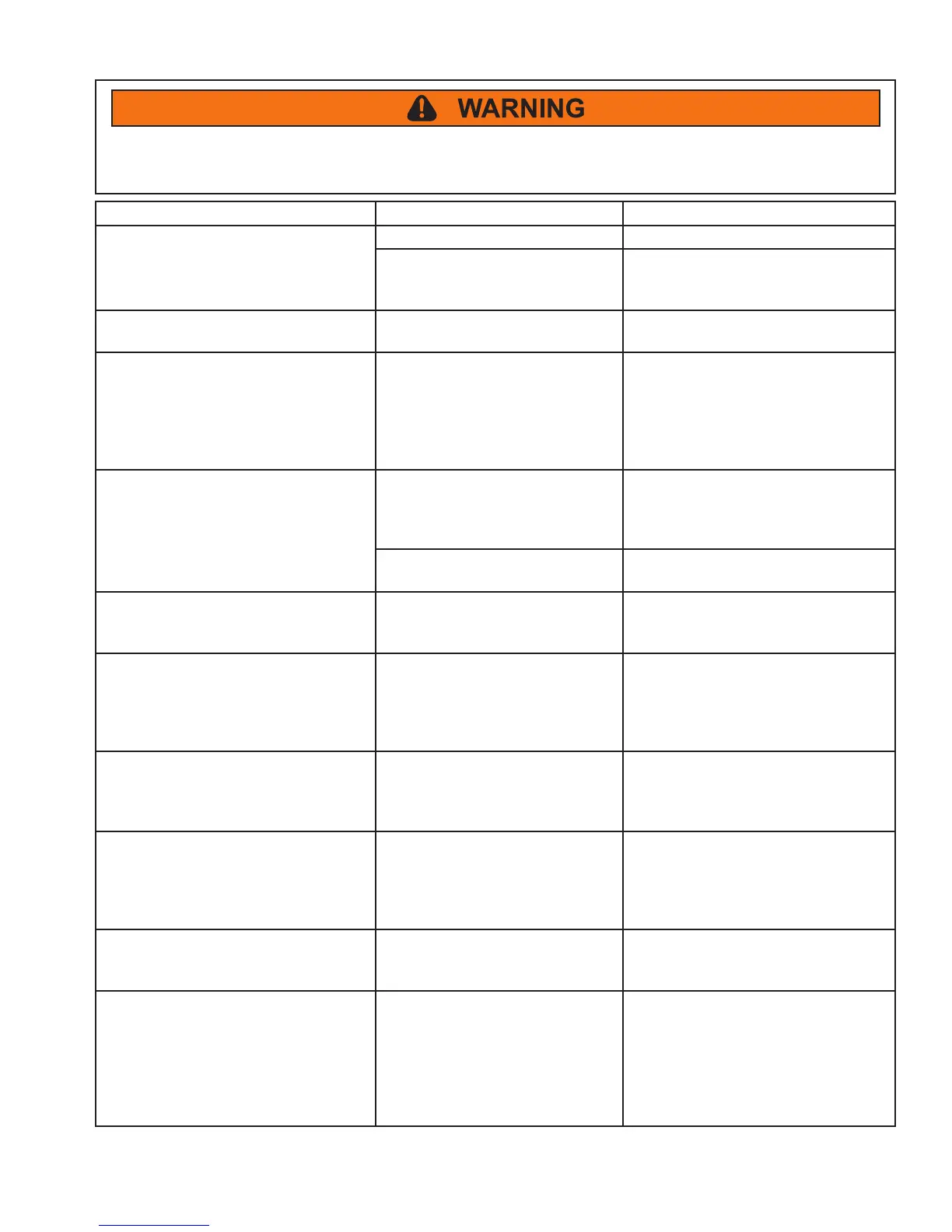
To avoid risk of electrical shock, personal injury, or death, disconnect electrical power source to unit, unless test
procedures require power to be connected. Discharge capacitor through a resistor before attempting to service.
Ensure all ground wires are connected before certifying unit as repaired and/or operational.
PROBLEM POSSIBLE CAUSE CORRECTION
Unit does not operate.
1. The unit is unplugged. Plug in the unit.
2. Did not hold the “ON/OFF”
button long enough on the display
panel.
Press and hold the “ON/OFF” button
for ve seconds.
Unit does not display Celsius (C).
1. Did not press the “ °F/C” button
on the display panel.
Press the “ °F/C” button to toggle
between F and C.
Temperature controls are not raising
or lowering the set temperature on the
unit.
1. Did not press and hold the
“SET” button on the display
panel while pressing either the
“WARMER” or “COLDER” button.
Press and hold the “SET” button
and press either the “WARMER” or
“COLDER” button. This will raise
or lower the set temperature by one
degree F or C (depending upon the
setting).
Display light feature is not engaged.
1. Display light feature engaged
(for Wine Cellars and Beverage
Centers).
Press the “LIGHT” button. The light
will come on and stay on with the
door closed until the “LIGHT” button
is pressed again.
2. The light bulb is burned out. Replace the light bulb and then press
“LIGHT” button.
Door is closed but the light is still on
inside of the unit.
1. Did not press the “LIGHT”
button before the door was last
closed.
Press “LIGHT” button to disengage
light.
Sabbath Mode is not engaging.
1. Did not press the “ °F/C” button
on the display panel four times
within seven seconds.
Press and hold the “SET” button
while pressing the “ °F/C” button four
times within seven seconds. The
display will ash “SA” seven times
and the unit will enter Sabbath Mode.
Sabbath Mode automatically disabled.
1. Sabbath Mode automatically
disables after 72 hours.
Restart Sabbath Mode by pressing
and holding the “SET” button while
pressing the “ °F/C” button four times
within seven seconds.
Sabbath Mode is not disabling.
1. Did not press the “ °F/C” button
on the display panel four times
within seven seconds.
Press and hold the “SET” button
while pressing the “ °F/C” button four
times within seven seconds. NOTE:
Sabbath Mode will automatically
disable after 72 hours.
Audible alarm sounding three times
every 30 seconds and LED light
ashing green.
1. Door Ajar alarm. Close the door.
Audible alarm sounding six times
every minute and LED light ashing
red.
1. High and Low Temperature
alarm.
Press the “ON/OFF” button for
approximately one second to reset
audible and display alarms. NOTE:
Although pressing the “ON/OFF”
button will reset the alarms, the alarm
will resume if alarm condition still
exists.



 To Next Page