EasyManua.ls Logo

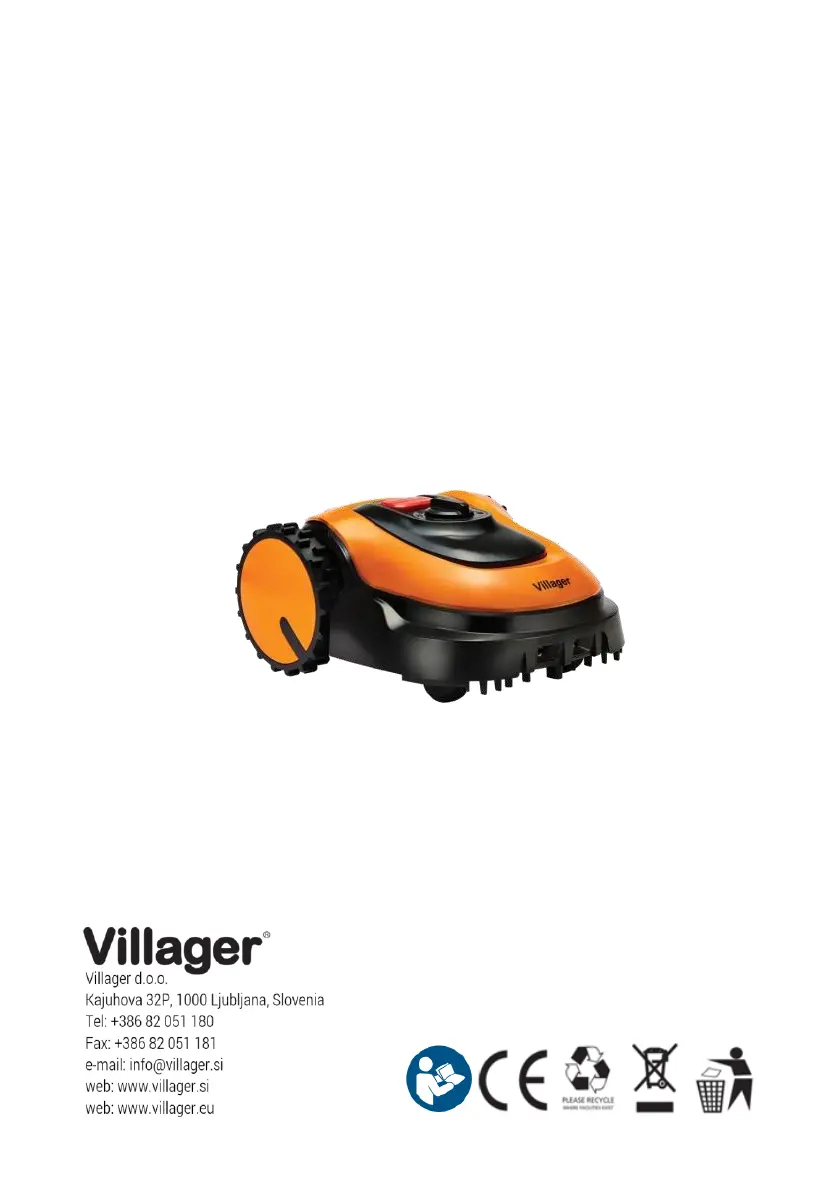
Villager Villybot 2.0 - User Manual

Villager Villybot 2.0
272 pages
Go to English
Print Icon
To Next Page IconTo Next Page
Loading...
ROBOTSKA KOSILNICA
Villager Villybot 2.0
Originalna navodila za uporabo

Questions and Answers

  • J
    Joshua JacobsAug 6, 2025
    Why does my Villager Villybot 2.0 Lawn Mower need a password while charging?
    • J
      John FrazierAug 6, 2025
      If your Villager Lawn Mower asks for a password during charging, this indicates that the charging process has been interrupted. To resolve this: First, enter the password. Then, check why the charging was cut off. Ensure the mower is correctly connected to the charging station by sliding it forward. Also, verify that the charging station's power supply is properly connected.
  • S
    Sara BowmanAug 11, 2025
    What to do if the Villager Villybot 2.0 Lawn Mower stops during mowing?
    • A
      Adam MercadoAug 12, 2025
      If your Villager Lawn Mower stops while mowing, it could be due to: a) a low battery or b) an abnormal state caused by an unexpected interruption. If the battery is low, recharge the mower. If it's due to an abnormal state, enter the password.
  • M
    Melissa LewisAug 18, 2025
    What to do if the password changed does not work on my Villager Lawn Mower?
    • R
      robertparrishAug 18, 2025
      If the password change doesn't work on your Villager Lawn Mower, it could be because: a) the password change failed due to entering the wrong password, or b) the password change process was too slow (taking more than 20 seconds). Repeat the password change procedure.
  • C
    Chloe WrightAug 25, 2025
    What to do if low power of the Villager Villybot 2.0 Lawn Mower stopped mowing automatically?
    • L
      Leslie BowersAug 25, 2025
      If your Villager Lawn Mower stopped mowing automatically due to low power: a) If the power light flashes after restarting the mower with the On/Off switch, charge the mower in the charging station within 5 seconds. b) If the power light does not flash after restarting the mower with the On/Off switch, charge the mower in the charging station after unplugging the perimeter wire.
  • N
    Nicholas GonzalesAug 30, 2025
    What to do if only status light flashes with all other LEDs keeping on Villager Villybot 2.0 Lawn Mower?
    • B
      byrdhannahAug 30, 2025
      If only the status light flashes while all other LEDs remain on your Villager Lawn Mower, the automatic setting is invalid. Re-enter a password.

Summary

Introduction

Intended Use

Describes the intended use of the robotic lawnmower, its mowing technique, and lawn quality benefits.

Safety Instructions

Symbols and Their Meaning

Explains the meaning of various safety symbols and warnings used in the manual for safe operation.

Training

Preparation

Operation

General Operation Rules

Covers general operating precautions, including warnings about guards, moving parts, and improper usage.

Operating Conditions

Details considerations for operating the mower in different conditions, including weather, footwear, and slopes.

Maintenance and Storage

Provides guidance on maintaining the mower's condition, checking parts, using correct chargers, and handling leaks.

Know Your Robotic Lawnmower

Top Side Controls

Identifies and describes the control panel and operating elements located on the top of the robotic lawnmower.

Charging Station

Lawn Preparation

Charging Station Setup

Charging the Mower

Setting Up Perimeter Wire

Encircling Obstacles

Robotic Lawnmower Setup

Blade Height Adjustment

Explains how to adjust the cutting height of the lawnmower using the designated knob.

Password Management

Starting the Mower

Work Time and Cycle Settings

Stopping the Mower

Changing Password

Technical Information

Indicator Light Status

Details the meaning of different light indicators on the mower and their functions during operation and password entry.

Button Functions

Explains the functions of the mower's buttons (Cycle, Home, Start, Set) in different operational states.

Troubleshooting

Status Light Fault Codes

Lists and explains various fault codes indicated by the mower's status light flashing patterns.

Charging Fault Codes

Clearing Fault Codes

Mower Not Working

Technical Data

Maintenance Schedule

Cleaning the Mower

Blade Replacement

Winter Storage

Declaration of Conformity

Villager Villybot 2.0 Specifications

General IconGeneral
Cutting Width20 cm
Cutting Height20-60 mm
Battery TypeLithium-Ion
Battery Capacity2.5 Ah
Mowing Time60 minutes

Related product manuals