EasyManua.ls Logo

Vimar K7559.R - User Manual

Vimar K7559.R
52 pages
Print Icon
To Next Page IconTo Next Page
Loading...
K7559.R
Kit videocitofonico Due Fili Plus monofamiliare
Due Fili Plus one-family video door entry kit
Kit portier-vidéo Due Fili Plus pour un logement
Set Videohaustelefon Due Fili Plus für Einfamilienhäuser
Kit de videoportero Due Fili Plus unifamiliar
Kit de videoporteiro Due Fili Plus monofamiliar

 Due Fili Plus    
Manuale installatore - Installer manual
Manuel installateur - Installationsanleitung
Manual del instalador - Manual do instalador

  
Question and Answer IconNeed help?

Do you have a question about the Vimar K7559.R and is the answer not in the manual?

Overview

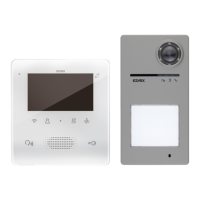
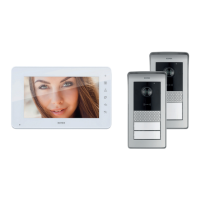
The Vimar K7559.R is a Due Fili Plus one-family color hands-free video door entry kit, designed for residential use. This kit includes a TAB Free 4.3 7559 video entryphone and a Due Fili Plus audio-video entrance panel, which can be programmed via the View Wireless App using standard Bluetooth technology. The system offers RFID access control and features a 130° wide-angle color camera. The entrance panel is set up for four call buttons with white LED backlighting and dusk/dawn lighting control. It also includes a lock release and call status indicator LED. For external connections, there is an input for an external camera and another configurable input for an external CA lock release push button or PA door open. An electrical lock can be directly opened via a dedicated output, and a SELV relay output (configurable as NC or NO 48V 1A) is also available. The entrance panel supports both surface and semi-flush mounting. For two-family video door entry systems, an accessory (40172) with two push buttons is provided for expanding the outdoor station. The kit is powered by a 40110 power supply unit.

The kit components are supplied with a pre-configured ID code. For larger installations, such as adding an outdoor unit or additional indoor units, or for advanced configurations (e.g., programming buttons for auxiliary functions or intercom calls), users should refer to the instruction manuals for the video entryphone, electronic unit, and Due Fili Plus system, available on the Vimar website.

Technical Specifications:

Video Entryphone (TAB Free 4.3 7559):

  • Display: 4.3-inch LCD, 16:9 aspect ratio, 480x272 pixels.
  • Buttons: T3 (ringer exclusion/mute), T4 (first relay/menu access), T1 (auto-on/main outdoor station), T2 (second relay/intercom menu access), lock release, and context-dependent function button.
  • Speaker and Microphone: Integrated for hands-free communication.
  • Security System: Buttons require sustained pressure to activate functions, preventing accidental operations.
  • Power Supply: No additional power supply terminals; relies on the Due Fili Plus bus. If the bus is busy or another device is active, the video entryphone may not power on, and a tone will warn the user. Lock, stair light, and auxiliary functions can still be operated via dedicated buttons if not configured for other uses. The "Alert" function can be used as described in the manual.

Entrance Panel (40170):

  • Camera: 130° wide-angle color camera.
  • Access Control: RFID technology.
  • Call Buttons: 4 buttons with white LED backlighting and dusk/dawn lighting control.
  • Outputs: 1 direct opening output for electrical lock, 1 SELV relay output (NC or NO 48V 1A).
  • Inputs: 1 for external camera, 1 configurable as external CA lock release push button or PA door open.
  • Mounting: Surface or semi-flush.
  • Environmental: IK08 degree of protection, IP54 degree of protection. Operating humidity range 10-90%, ambient temperature range -25°C to +55°C.
  • Power Supply: 28 Vdc nominal via Due Fili Plus bus (B1 and B2 terminals). Local power supply via E+ and E- terminals if system consumption exceeds power supply capacity.
  • Current Consumption: Stand-by 0.04 A, communication 0.25 A, communication and lock activation 0.30 A.
  • Minimum Voltage: 24 Vdc at B1, B2 terminals.
  • Maximum Current: 0.30 A.
  • Video Output: +16 dBm signal, 5.8 Vpp with 100 Ohm resistance.
  • Relay Output: Monostable (max 48 Vdc 1A) for SELV connections.
  • RFID Technology: 13.56 MHz, Mifare ISO14443A standard. Frequency range: 13.553-13.567 MHz. RF transmitted power: < 60 dBµA/m.
  • Bluetooth Technology: Configurable via View Wireless App. Frequency range: 2400-2483.5 MHz. RF transmitted power: < 100 mW (20 dBm).

Power Supply Unit (40110):

  • Supply Voltage: 100-240 Vac.
  • Maximum Current Draw: 100 V 1.2 A, 240 V 0.6 A.
  • Power Dissipation: 15 W.
  • BUS Output Voltage: 28 Vdc nominal (SELV - EN60950-1).
  • Maximum Current Output: 1.6 A (1 A continuous + 0.6 A intermittent with 30s ON - 150s OFF cycle).
  • Operating Temperature: -5°C to +35°C (indoor).
  • Dimensions: 6 modules, 17.5 mm, 108x106x63 mm.
  • Installation: For consumer units with DIN rail (60715 TH35).
  • Protection Degree: IP30.
  • Overvoltage Category: CAT III.
  • Class: Class II symbol.

Usage Features:

Video Entryphone Buttons:

  • LCD Display: Shows video and system information.
  • T3 Button (Ringer Exclusion): Press and hold for 2 seconds in standby to activate/deactivate the ringer. During an incoming call, press to mute the ringer; subsequent calls will also be muted. If flashing, the indoor station rejects the call. If steadily lit, the ringer is disabled.
  • T4 Button (First Relay/Menu Access): Activates the first relay (Aux 1) or, in certain conditions, opens the "Actions" menu.
  • Lock Release Button: Activates the lock of the calling outdoor station. When steadily lit, it indicates the door is open.
  • Context-Dependent Function Button: In standby, calls the concierge (if activated). During a call, answers an incoming call or ends an ongoing call. Press and hold for 2 seconds to reset the missed call counter. If steadily lit, it indicates a missed call from the concierge.
  • T1 Button (Auto-on/Main Outdoor Station): Activates the auto-on function for the main outdoor station.
  • T2 Button (Second Relay/Intercom Menu Access): Activates the second relay (Aux 2) or, in certain conditions, opens the "Intercom" menu.
  • User Configuration Menu: Opens the user configuration menu (refer to user and configuration manual).
  • Microphone: For voice communication.

Configuration via View Wireless App:

  • The app allows configuration of typical parameters for the Due Fili Plus outdoor station and management of access control.
  • Download the app to a tablet or smartphone.
  • It is recommended to check for new firmware and update the device during the first configuration.
  • Bluetooth Pairing (Provisioning Bluetooth):
    1. Disconnect and reconnect power to the outdoor station.
    2. Enter configuration mode by pressing and holding button 7 for at least 6 seconds until a confirmation tone sounds and a green LED is steadily lit.
    3. If not previously disabled, enter the access PIN (default buttons 1, 2, 3, 4). A tone and flashing green LED indicate entry into configuration mode.
    4. Within 30 seconds, press and hold button 8 for at least 4 seconds to initiate Bluetooth pairing with a smartphone running the View Wireless App.
    5. The blue LED will flash rapidly, indicating the "beaconing" phase (2 minutes), during which the outdoor station advertises its availability for pairing.
    6. Once pairing is complete, the blue LED will flash slowly 4 times. If pairing does not start, the beaconing state will exit after 2 minutes. The app scans for available devices for 30 seconds.
  • It is recommended to change and validate the access PIN.

Firmware Update:

  • Firmware updates can be performed via PC using FWUpdate in SaveProg (USB C connection) or via the View Wireless App.
  • During the update, the outdoor station's indicator LEDs provide user feedback. Voice synthesis can also be updated using SaveProg.
  • Signaling during update (red LED):
    • Steadily lit: bootloader is active.
    • Irregularly flashing: during deletion and writing.

Maintenance Features:

General Maintenance:

  • Do not open or tamper with the appliance. In case of faults, contact specialized personnel.
  • Cleaning: Use a soft cloth for cleaning.
  • Avoid Water and Chemicals: Do not pour water onto the appliance or use any type of chemical product.
  • Cleaning Procedure: Cleaning must be performed either with the apparatus powered off (disconnected from the bus) or after activating the keypad cleaning procedure (refer to the user manual for details).

WEEE Information:

  • The crossed-out bin symbol indicates that the product must be collected separately from other waste at the end of its useful life.
  • Users should take the product to designated municipal collection centers for electrical and electronic waste.
  • Alternatively, the product can be returned free of charge to the retailer when purchasing a new equivalent product.
  • Retailers with a sales area of at least 400 m² must accept electronic products smaller than 25 cm free of charge, without requiring a new purchase.
  • Proper separate collection promotes recycling, treatment, and environmentally friendly disposal, preventing negative impacts on the environment and health, and encouraging material reuse.

Vimar K7559.R Specifications

General IconGeneral
BrandVimar
ModelK7559.R
CategoryIntercom System
LanguageEnglish

Related product manuals