EasyManua.ls Logo

Vintage Keeper INTERKOOL 300 - User Manual

Default Icon
8 pages
Print Icon
To Next Page IconTo Next Page
Loading...
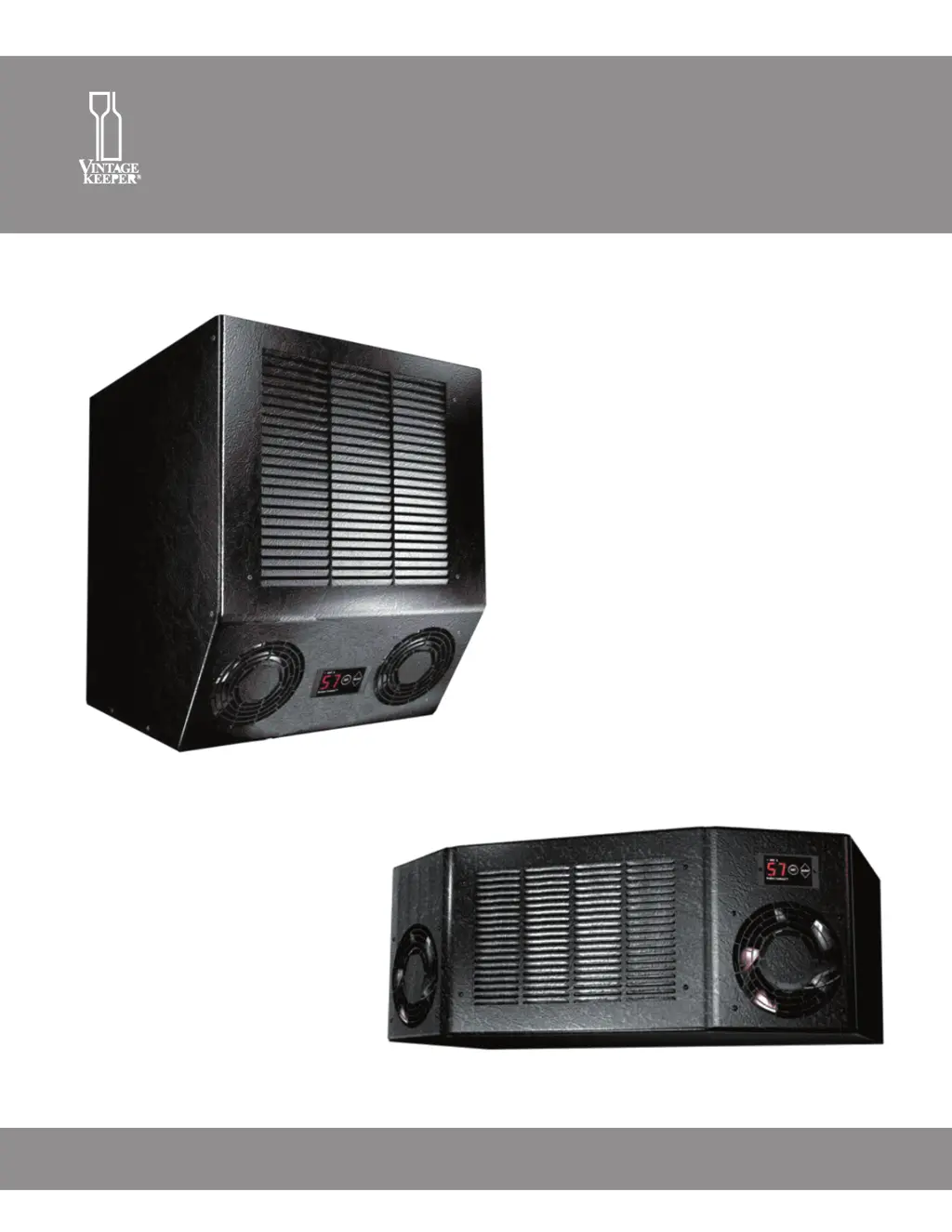
INTERKOOL, SLIMLINE
TUSCANY WINE COOLING SYSTEM
INSTALLATION & OPERATION MANUAL
INTERKOOL
300 . 600 . 900
SLIMLINE

Questions and Answers

Summary

Interkool Slimline Tuscany Wine Cooling System

Read Before You Start

Installation Location and Ventilation Warnings

Crucial warnings about unit placement and ventilation to avoid damage and ensure proper function.

Insulation and Vapor Barrier Requirements

Details essential insulation (R-20 minimum) and vapor barrier requirements for enclosure walls, floor, and ceiling.

Digital Sensor Handling

Guidance on not modifying or handling the digital sensor, which measures air temperature for efficient operation.

Cleaning and Maintenance

Specifies cleaning the unit at least 4 times a year, ensuring coil accessibility for periodic cleaning.

Power Supply and Electrical Safety

Mandates a dedicated, fused, grounded 15 Amp line and protection against power surges for safe operation.

Commercial Use Prohibition

States the unit is not designed for commercial use, as this voids the warranty.

How to Prepare for Installation

General Installation Guidelines

Select area by capacity, ambient temp limits, indoor use only, and unobstructed ventilation.

Insulation and Vapor Barrier

Enclosure walls, floor, ceiling must be insulated to R-20 min, with vapor barrier on all surfaces.

Sealing the Enclosure

Seal corners, joints, gaps, vents, and door frame with silicone caulk and waterproof paint for an airtight seal.

Power Supply Requirements

Use a dedicated, separately fused, grounded 15 Amp, 115V line; test voltage before operating.

Wall Cutout Dimensions

Details ideal wall cutout dimensions for Slimline (21 1/2" W x 9 1/2" H) and other models (14 1/2" W x 15 5/8" H).

How to Install Your Cooling Unit

Unit Placement and Faceplate Attachment

Place unit on edge, identify ends, attach faceplate to WARM END with screws.

Testing and Lifting into Cutout

Plug in unit, test functions, then lift into cutout with assistance, ensuring proper orientation.

Positioning, Leveling, and Securing

Position unit, level side-to-side and front-to-back using shims, then secure with screws.

Drain Pan Installation

Install accessory drain pan for models 300, 600, 900. Slimline does not require one.

Controls

Default Settings and Features

Describes default storage temperature, fan speed, display, digital sensor, and selectable modes.

Operation Controls

Instructions for viewing cabinet temperature, changing set point, and adjusting fan speed.

Fan Speed Modes

Details on QUIET, DEFAULT, EFFICIENT, EMERGENCY, and ALARM modes and their operational characteristics.

Alarm Reset and Unit Calibration

Procedures for resetting the unit from an alarm state and calibrating the temperature display.

Troubleshooting Guide

Important Precautionary Notes

Advises on insurance, alarms, monitoring, surge protection, and regular cleaning for optimal protection.

Unit Not Running Troubleshooting

Checks for power supply, LED display, and shipping damage if the unit does not run when plugged in.

Unit Running But Not Cooling Troubleshooting

Addresses issues with storage temperature, insulation, airflow, ambient temperature, and heat sources.

Design and Application

Specifications

Provides model capacities, power, wall cutout dimensions, and unit dimensions.

Limited Warranty and Product Support

Outlines the one-year limited warranty, proof of purchase, claims process, and support contact information.

Warranty Coverage and Limitations

Details what the warranty covers (materials, workmanship) and what it does not cover (misuse, commercial use).

Service After Warranty Expiration

Information on obtaining service after the warranty period expires, including local technicians and programs.

Vintage Keeper INTERKOOL 300 Specifications

General IconGeneral
BrandVintage Keeper
ModelINTERKOOL 300
CategoryWine Cooler
LanguageEnglish

Related product manuals