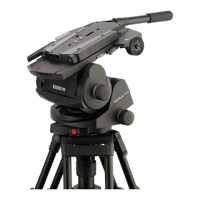
Vector 750i encoded pantographic manual head
12
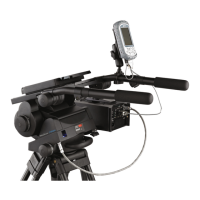
Pan bars
Pan bar mounting points ([12], [25]) are located at the rear of the head, on either side of the
camera mounting platform. The telescopic pan bar supplied is attached using a pan bar clamp
[24], with angular adjustment available on the mount serrations. A second pan bar may be fitted
for use with hand controls. Fixed, short pan bars are available as optional extras.
Camera mounting
The camera is attached to the head by means of the wedge adaptor (Part No. 3460-3) supplied
with the head.
VR/AR capability
The Vector 750i encoded pantographic head has been specifically designed for use within VR/
AR applications when partnered with the Virtual Reality Interface (VRi) box, allowing computer-
generated objects to be rendered into a video from the correct viewpoint. The VRi box
processes the positional tracking data from the head optical encoders on the tilt and pan axes,
and from lenses with encoder outputs (or bolt on lens encoders) to provide a single data stream
to the graphics rendering system. Data is transferred between the head the VRi box using the
devicelink.i interface cable supplied with the VRi box. The cable connects between the
devicelink.i connector located at left-hand rear of the head [9] and on the rear panel of the VRi
box
In addition to tracking the pan and tilt angles, the head also monitors the balance and the
position of the camera slide plate, allowing tracking and adjustment of the camera position
without the need to recalibrate the tracking. Pressing the digital display push button [2]
underneath the digital numeric display [1] once displays the current counterbalance setting and
pressing the button twice displays the camera slide plate position. The current setting, either
counterbalance or slide plate position, is indicated by the balance and camera slide plate LEDs
[6].









 To Next Page