Operators guide
15
Insert the camera wedge into the wedge adaptor and push it forward until it fully
engages. Push in the operating lever [27] until it lies parallel with the wedge adaptor
body. During this operation resistance of the spring-loaded over-centre mechanism will
be felt. As the lever reaches the end of its travel it will slide back (parallel to the wedge)
to the locked position.
Confirm that the lever is in the locked position. This is indicated by coloured bands
above the lever. When the green band only is visible, the lever is locked. If any of the
red band can be seen, the lever is not locked.
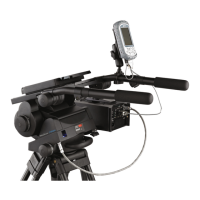
Install the remainder of the payload (lens, zoom and focus controls, viewfinder, prompter etc.).
Balancing the head
For correct operation and ease of use it is important that the head is correctly balanced. A
correctly balanced head allows camera operators to easily move the payload about the pan and
tilt axis without the need to hold the weight of the payload by the pan bars. Balancing the head
consists of positioning the payload fore and aft on the head so that its C of G is immediately
above the platform pivot, and then compensating for the payload C of G height by adjusting the
amount of counterbalance using the Perfect Balance adjustment knob [21].
Positioning the payload fore and aft
Ensure that the centre lock [22] is engaged (see ‘Locking the platform’ on page 16) and that the
pan and tilt brakes ([3], [4]) are on.
Turn the tilt drag adjustment knob [13] to its minimum setting.
Holding the pan bar to steady the camera platform [20], disengage the centre lock [22]
(Fig. 5).
Push the clamp lever downward to release the slide plate clamp [15] and pull out the
slide plate adjustment knob or Tommy bar [16] until it engages with the platform drive.
Turn the knob to move the slide plate fore and aft to achieve horizontal balance.
The horizontal balance is correct when no perceptible tilting force can be felt on the pan
bar with the platform level. Apply the slide plate clamp [15] by pulling the clamp lever
upward.
If there is insufficient movement in the slide plate to achieve balance, reposition the
wedge adaptor (see ‘Maintenance’ on page 18 for instructions), refit the load and
repeat the horizontal balancing procedure.
NOTE: It is important that the pan bar(s) and all camera accessories (lens, zoom and
focus controls, viewfinder, prompter etc.) are fitted in their operational position
before balancing the head. Any equipment fitted or adjusted later will
unbalance the head.
Warning!
Increase the balance setting for a heavy out-of-balance payload BEFORE
disengaging the centre lock, to prevent the platform tipping violently.


 To Next Page
 Loading...