10
Column
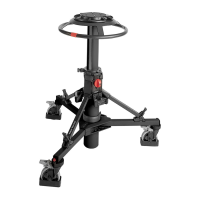
Instal the column on the skid as follows:
Fully slacken the skid clamp (11).
Ensure the control valve (2) is set to the WORK position.
Release the Velcro retaining strap (6).
Hold the telescopic column upright with the steering ring (20) uppermost and swing the
three struts (17) up almost to horizontal.
Lift the column assembly by the steering ring and lower it vertically into the skid centre cast-
ing, ensuring bottom clamp knob (18) is aligned with skid handle. Engage the struts (17) on
the foot supports (7).
Secure each strut to the foot support with the rubber strap. Tighten the skid clamp (11), us-
ing moderate hand pressure only.
Secure the Velcro retaining strap (6) clear of the skid wheels.
Pressurizing the pedestal
The Vision Ped Plus pedestal may be pressurized using the built-in pump, by using the Vinten
Portable Pump or from an external pressure source.
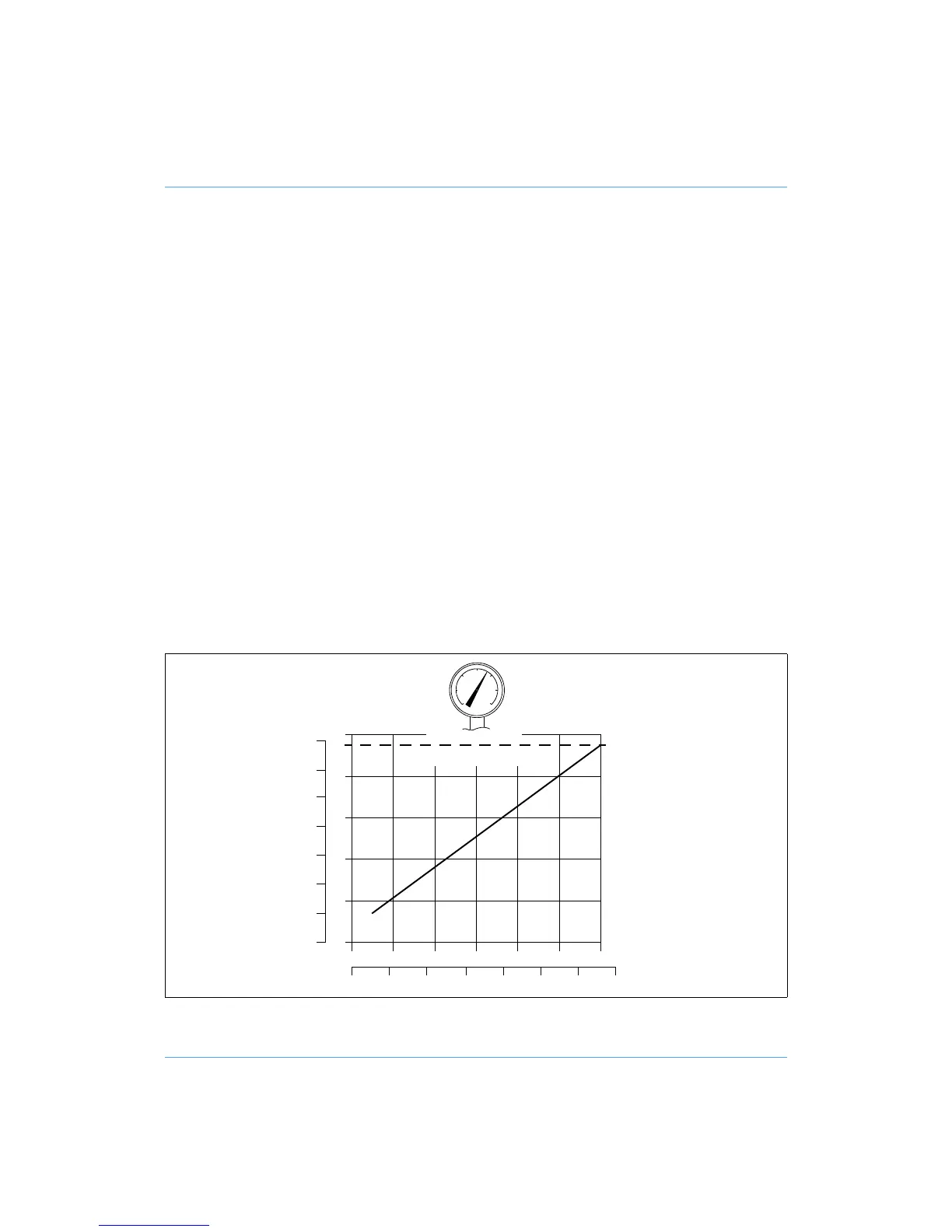
Ascertain the payload to be fitted to the pedestal (payload = pan and tilt head, camera, lens and
all ancillary equipment). Referring to the graph, mark the payload on the horizontal axis then strike
a vertical line from the load figure to the balance line. At the intersecting point strike a horizontal
line to the vertical axis and read off the required gas pressure.
Pressurization graph
0 5 10 15 20 25 30
706050403020100 lb
kg
0
2
4
6
8
10
bar
0
20
40
60
80
100
120
140
psi
≤ 9.6 bar
(139 psi)



 To Next Page