10
Rev. 1 20.12.2019
Description of the instrument
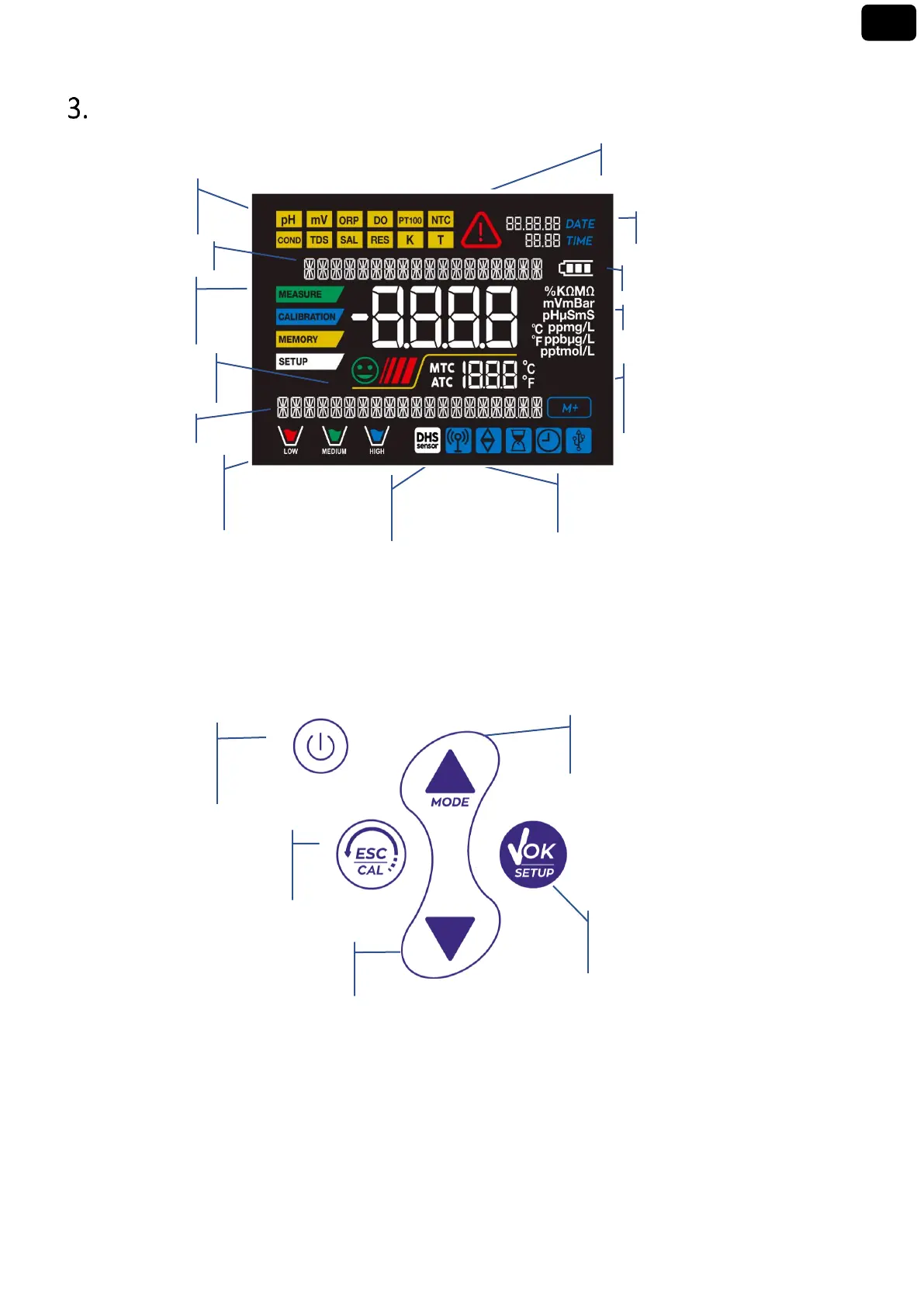
Display
Keyboard
Down directional key to scroll through
the menus and values in setup
Enter / Menu key to confirm the chosen values
and enter the setup from the measurement
Measurement
Indication of
instrumental
Buffers’
representation used
for calibration
Actual value / Measure unit
compensation
ATC - automatic NTC 30KΩ
DHS connection icon
Indication of use of the directional keys
On-Off button to
switch the device on
and off
Meas / Cal key to return to
measurement mode and to start
UP / MODE directional key for scrolling
through menus and values in setup, for
scrolling parameters in measurement



 To Next Page