15
Rev. 1 20.12.2019
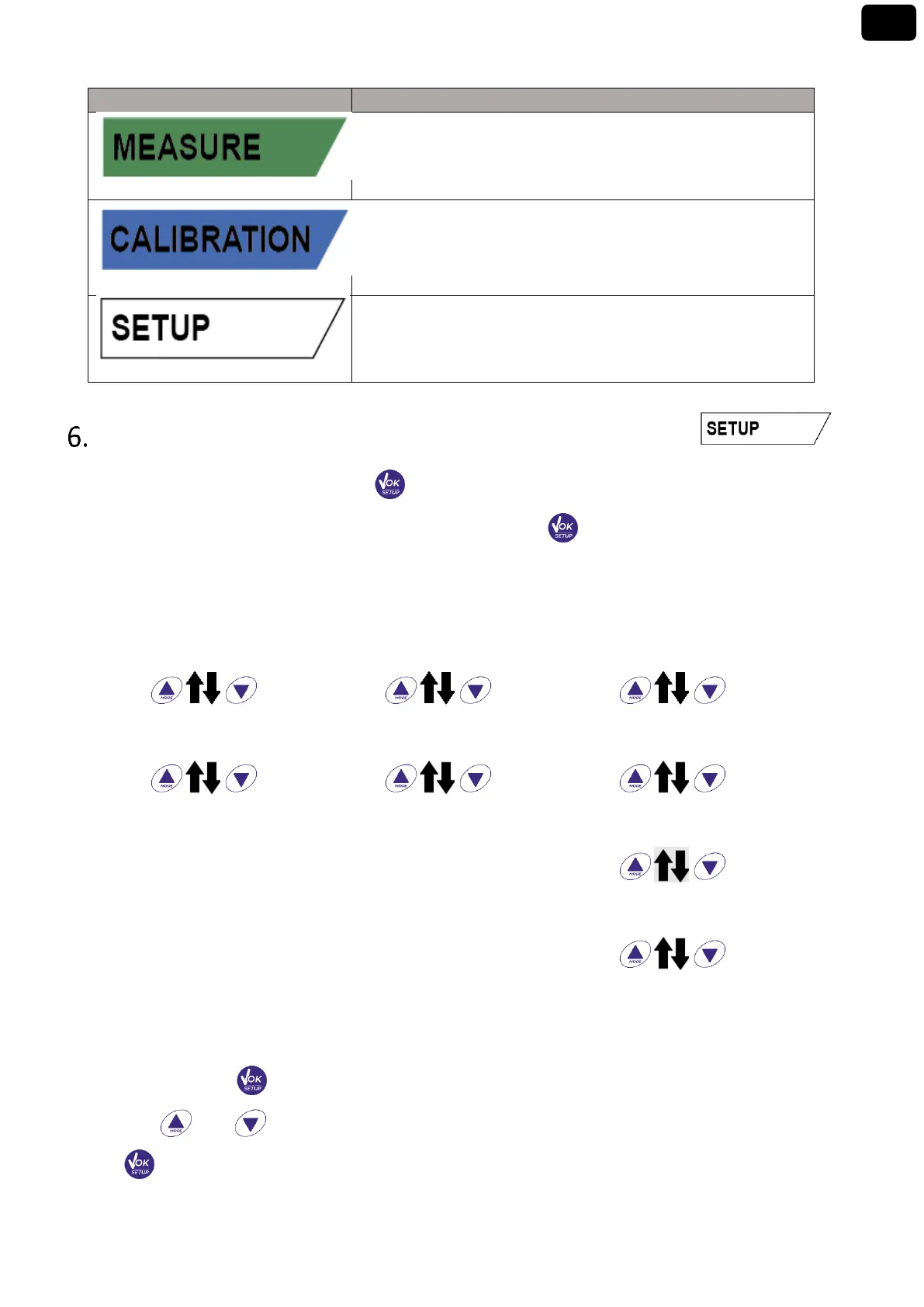
The instrument is in measurement mode
The instrument is in calibration (automatic or manual in relation to
the user's choice)
The instrument is in the configuration menu.
The configuration menu can concern the characteristics of the
parameters or the general setting of the instrument
Setup Menu
In measurement mode, press the key to enter SETUP mode, select the parameter you want to
modify by moving with the directional keys and confirming with .
Within the selected menu, move between the different programs using the directional buttons and
press the button to access the submenu you want to edit.
Using and choose the desired option or change the numerical value and confirm with
.


 To Next Page