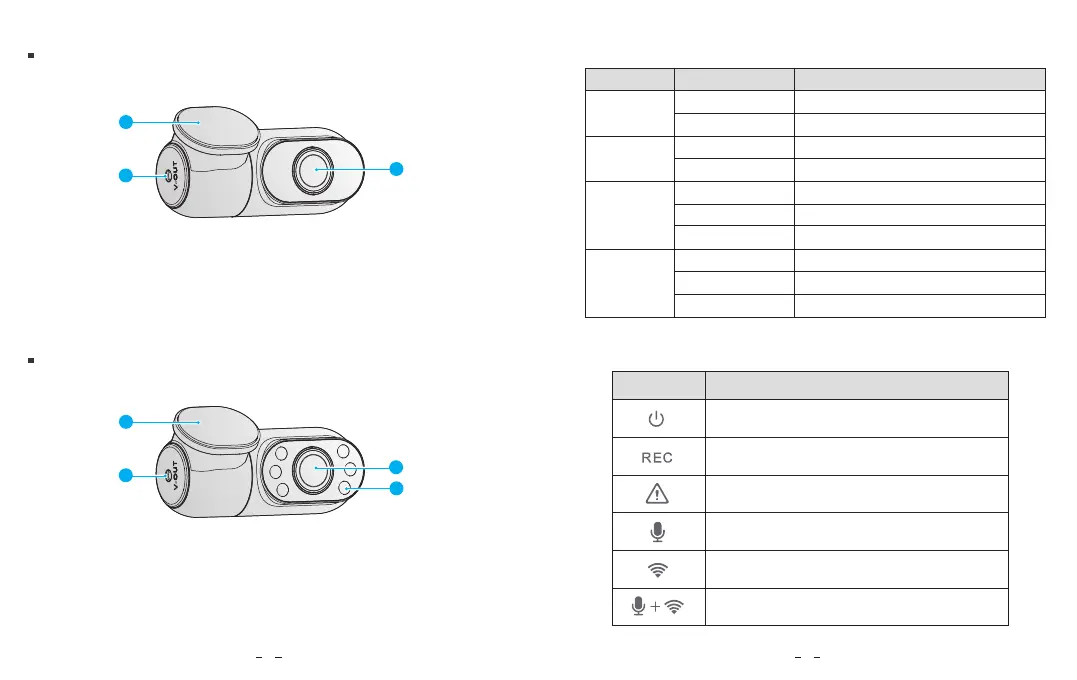
1. Bracket
2. Power In
3. Lens
1. Bracket
2. Power In
3. Lens
4. Infrared LED
LED light
REC
MIC
GPS
Wi-Fi
LED Status
Buttons Behavior
Behavior
Rear Camera
LED Indicators
Buttons and Icons
Interior Camera (Optional)
Recording
1.Not Recording 2.Updating Firmware
Audio Recording On
Audio Recording Off
GPS Signal Received
GPS Signal Receiving
No GPS
Wi-Fi connected
Wi-Fi on and waiting connecting
Wi-Fi disabled
Solid Red
Flashing Red
Solid Red
Red Off
Solid Blue
Flashing Blue
Blue Off
Solid Blue
Flashing Blue
Blue Off
Long press to Power ON / OFF
Click once to enable / disable the IR LED
Click once to start / stop recording
Long press to format the microSD card
Long press to turn on / off Wi-Fi
Click once can lock the file being recorded
Click once to disable /
enable audio recording
Hold both buttons to reset the camera
to default settings
3
2
1
3
2
1
4
65



 To Next Page