Need help?
Do you have a question about the Viofo A229 and is the answer not in the manual?
Lists all included components and accessories in the package.
Displays optional accessories available for purchase to enhance functionality.
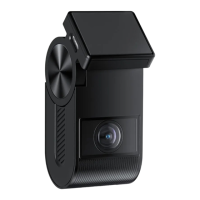
Visual representation of the front and rear cameras with labeled parts.
Instructions for inserting and removing the microSD memory card.
Explains the status and behavior of various LED indicators on the device.
Details the functions of buttons and icons used on the camera interface.
Describes the information presented on the camera's LCD screen during operation.
Step-by-step guide for mounting the front camera unit on the windshield.
Instructions on selecting a location and mounting the rear camera.
Procedures for connecting power and the rear camera cable.
How to turn the camera on and off, including automatic operation.
Explanation of how the camera continuously records and overwrites old footage.
Details on automatic and manual locking of video files during critical events.
Instructions on how to access and play recorded video files.
How to connect the camera to a computer for file transfer.
Description of Picture-in-Picture preview modes for front and rear cameras.
Guidance on how to update the camera's firmware.
Setting video resolution, frame rate, and video bitrate for recording.
Adjusting Wide Dynamic Range and Exposure Value for optimal image quality.
Configuration for recording audio and sensitivity of the G-sensor.
Settings for Wi-Fi connectivity and various parking recording modes.
Adjusting motion detection sensitivity and parking mode entry timers.
Setting system date, time, time zone, and interface language.
Customizing video stamps (GPS, license plate) and system sounds.
Configuring screen saver behavior and memory card formatting options.
Options to restore factory settings and check the firmware version.
Steps to download the VIOFO app and connect the camera via Wi-Fi.
Instructions on how to pair the Bluetooth remote control with the camera.
Important regulatory information, compliance statements, and warnings.
Information on registering the product to extend warranty coverage.
Ways to contact VIOFO for support, feedback, and inquiries.
 General
| Display | 2.4 inch HD LCD |
|---|---|
| GPS | Yes |
| Front Lens Aperture | F1.6 |
| Rear Lens Aperture | F1.8 |
| G-Sensor | Yes |
| Loop Recording | Yes |
| Front Camera Resolution | 2560x1440 (2K) |
| Rear Camera Resolution | 1920x1080 (Full HD) |
| Wi-Fi | 2.4GHz & 5GHz Dual Band |
| Image Sensor | Sony STARVIS |
| Interior Lens Aperture | Not applicable |
| Viewing Angle | Front: 140° |
| Parking Mode | Yes |
| Operating Temperature | -10°C to 65°C (14°F to 149°F) |
| Storage | MicroSD card (up to 256GB) |


 To Next Page