Subject: Pristine Service Manual
6.6. Replacing the 110V-220V Transformer (for 110V Systems only).
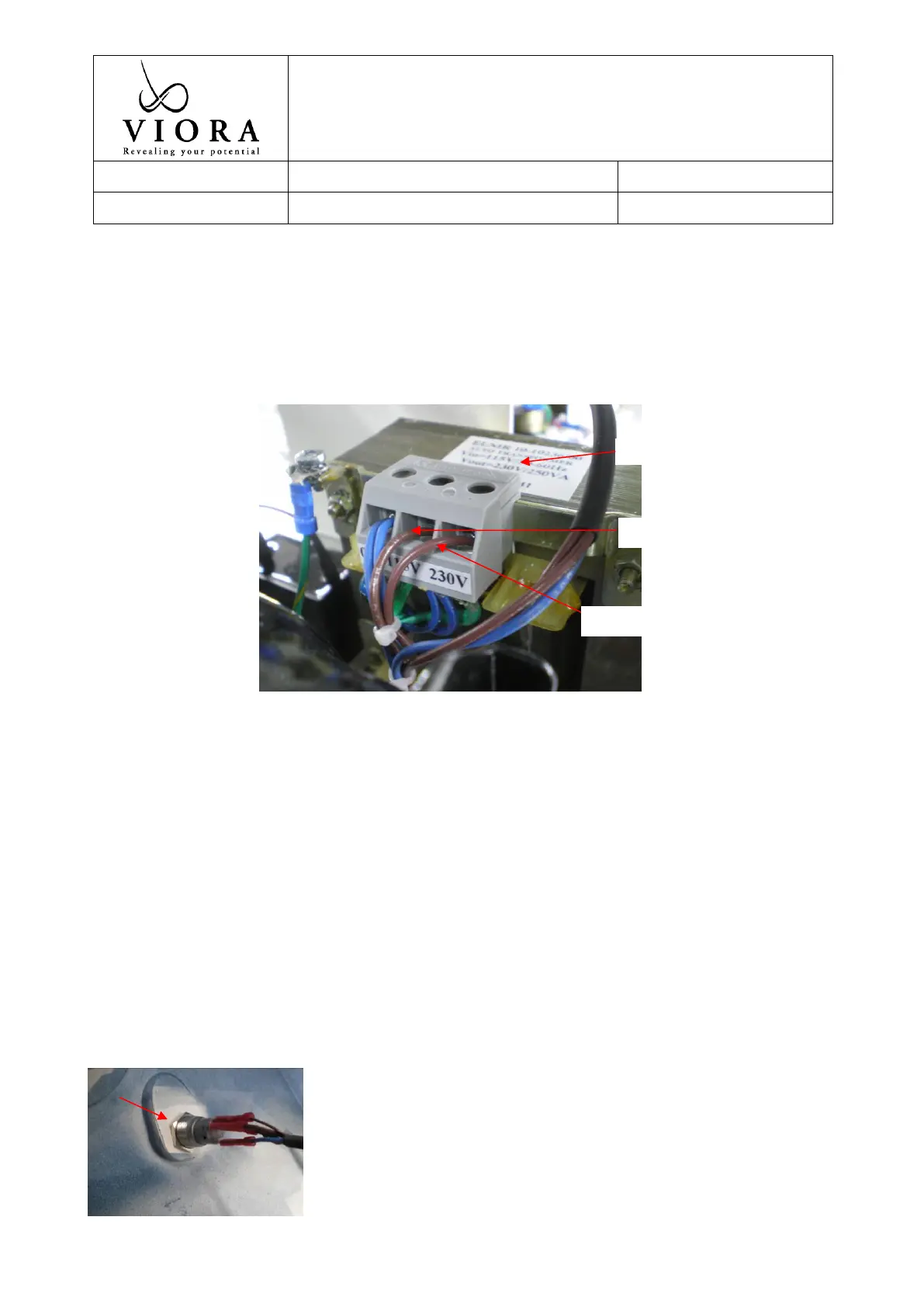
- Disconnect the transformer’s wire from the 110V in and 220V out.
- Unscrew 4 transformer screws using cross screw driver (Figure 20).
- Replace the transformer with a new one.
Figure 20. Transformer and relevant connections
6.7. Replacing the Front On/Off push button
- Unscrew the protecting nut of the push button from the inside of the system (Figure 21).
- Disconnect the electrical wires connected to the push button, label the wires and their connection
(Figure 22).
- To remove the push button pull it from the outside of the system.
- Replace the button with a new one.
- Reconnect the wires to their matching connection ports as follows (Figure 23):
o Blue wire connected to exit number 1
o Thick and thin brown wires connected to exit number 2
o Single thick brown wire connected to exit number 3
o Single thin brown wire connected to exit number 4
- Please be advised, if you have a new revision system, all you need to do to disconnect the button
electricity is to disconnect the button’s Molex connection from the harness (Figures 23 A&B)


 To Next Page