EasyManua.ls Logo

VIORE PLC7V96 - Navigation Menu; Select Menu

VIORE PLC7V96
22 pages
Print Icon
To Next Page IconTo Next Page
To Previous Page IconTo Previous Page
Loading...
19
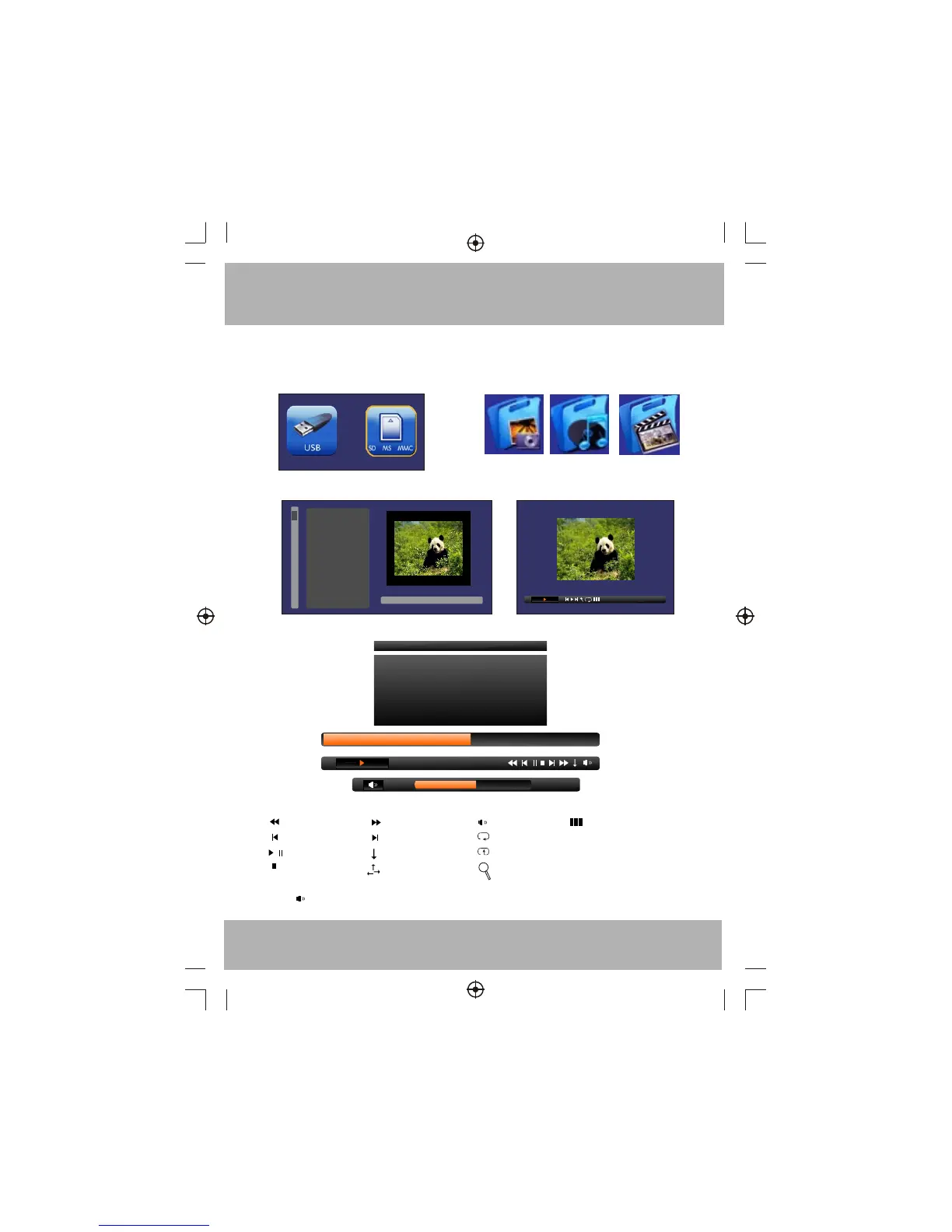
External Storage MENU
1. Top Menu 2. Navigation Menu
3. Select Menu
200751~.jpg
200752~.jpg
200753~.jpg
200751~.jpg
4. Play Menu
03:12/05:20
Title size:553KB
1: As loon as love .mp3
2: Angel.mp3
24
Play Control Bar:
Fast backward
Previous
/
Play/Pause
Next
Fast Forward
Normal play
Stop
Shuffle play
Volume level
Repeat all
Repeat one
ZOOM(only for JPG file)
Six window navigation
(only for JPG file)
200751~.jpg
460x689
Please use the CURSOR key and OK key to operation.
T
T JPG play interval time
To use the button on front panel to adjust volume,please select the Play Control Bar and
select icon and press OK key, then press V+/V- key for volume control.