EPG
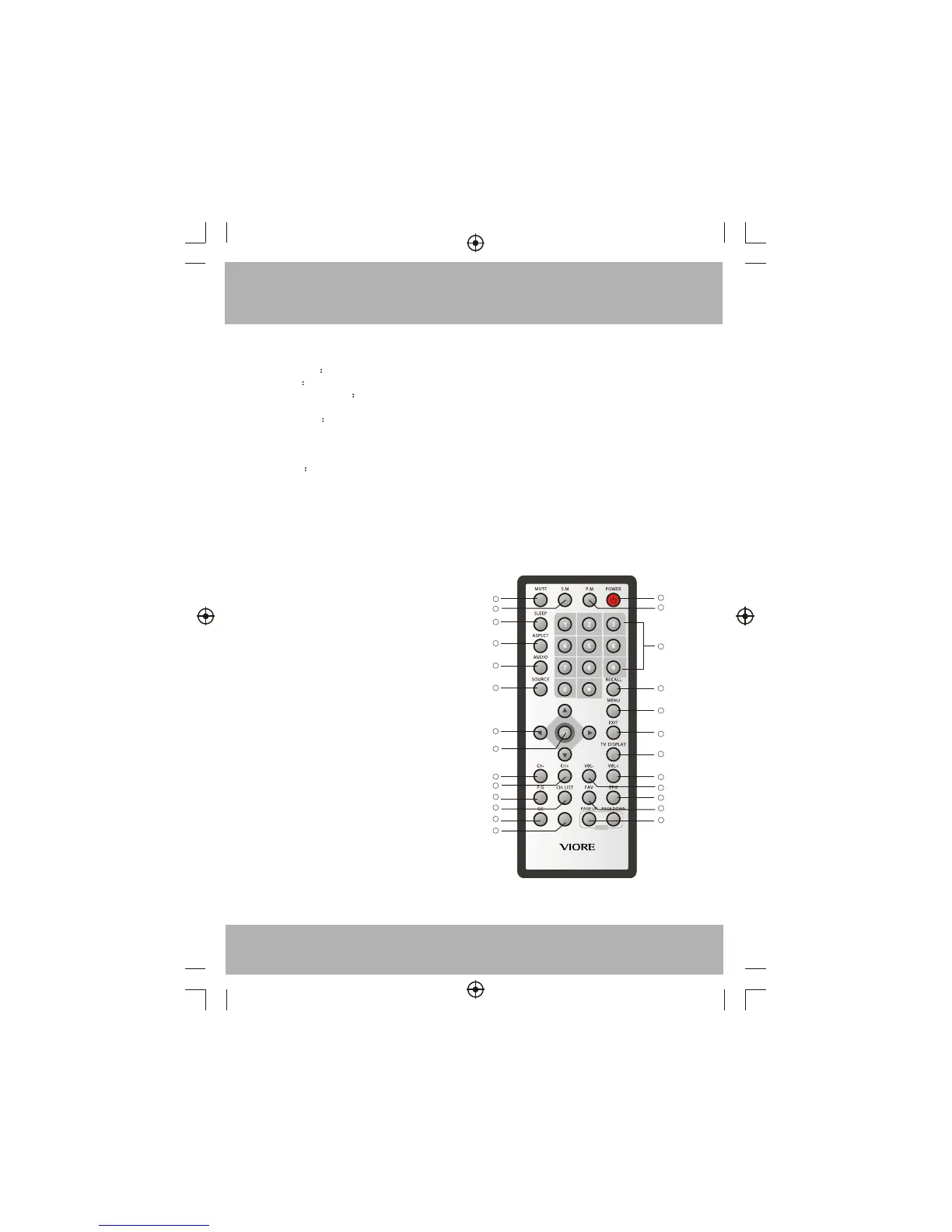
Remote Control
1
2
3
4
5
6
7
8
9
10
11
12
13
14
15
16
17
18
19
20
21
22
23
24
Remote Key Function:
1) POWER To set the TV standby or power on.
2) P.M To switch picture mode.
3) NUMBER KEYS
For directly access the program.
4) RECALL
To access the previously viewed program.
5) MENU:
To display TV menu or to return to the previous menu.
6) EXIT Used to exit menu.
7) TV DISPLAY:
Display/removes the program information.
8) VOL+: To increase sound level.
9) VOL-: To decrease sound level.
10) EPG:
Display/removes all the information of DTV programs.
11) FAV:
Used to access your favourite programs.
12) MUTE: To disable or enable the sound.
13) S.M: To switch sound mode.
14) SLEEP: Set time to turn off the TV.
15) ASPECT:
To change picture aspect.
16) AUDIO:
To switch TV audio channel.
17) SOURCE:
To display or exit TV input source menu.
18) CURSOR: To move within the menu.
19) OK: Confirm selection.
20) CH-:
To access the previous program.
21) CH+:
To access the next program.
22) P.G:
Setting the Parental Control level control.
23) CH.LIST:
Used to display the channel list.
24) CC:
Enable or disable the CC function.
25) Reserved key.
26)PAGE DOWN/PAGE UP:
In EPG mode, use this key to page up/down the EPG
information.
7
25
26


 To Next Page