Due to the system you may get a message that the IP
address could not be assigned. This message can be
ignored.
1. Open your project.
2. If not already done, configure in the ‘Device configuration’ a
Siemens CPU 317-2DP (6ES7 317-2AJ10-0AB0 V2.6).
3. Configure the System 300 modules.
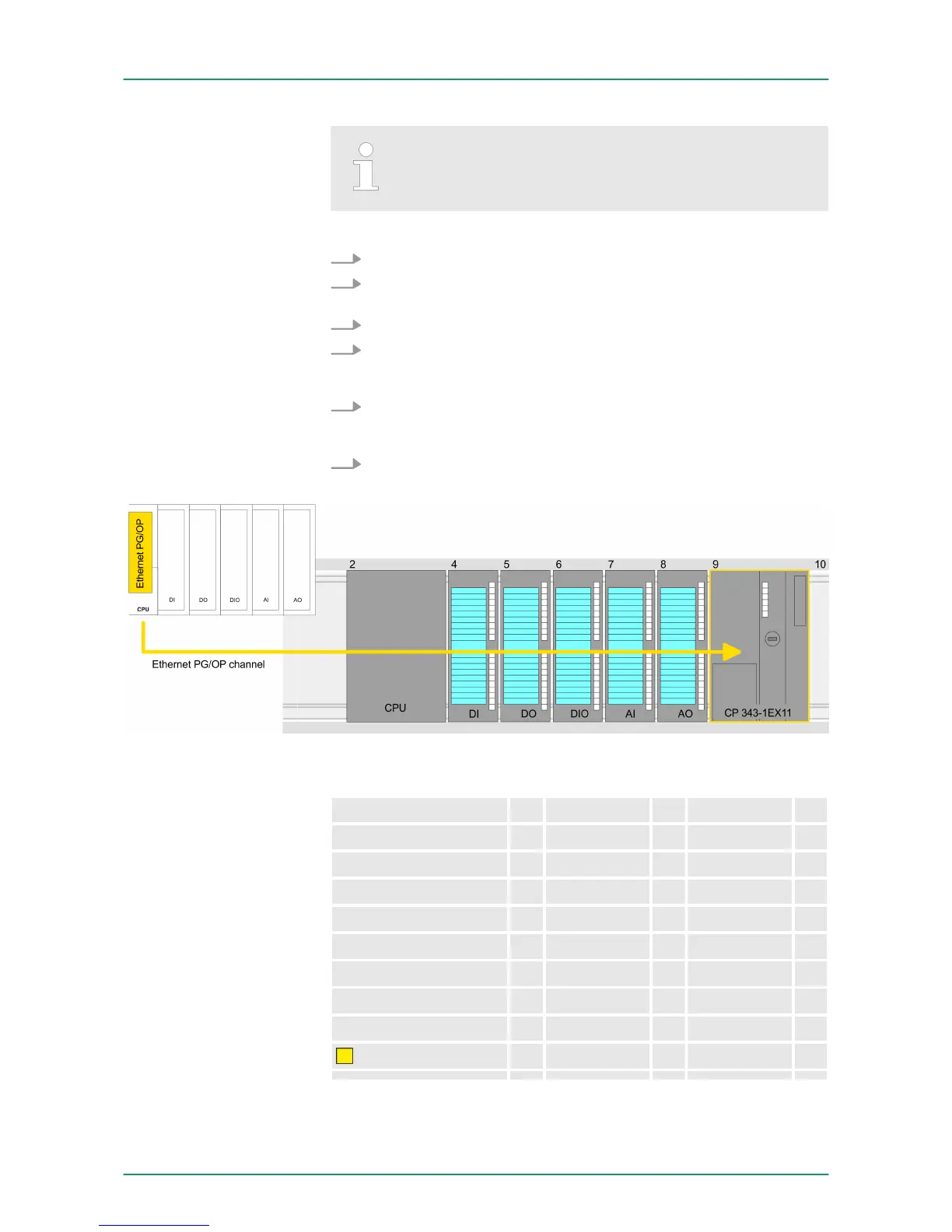
4. For the Ethernet PG/OP channel you have to configure a Sie-
mens CP 343-1 (6GK7 343-1EX11 0XE0) always as last module
after the really plugged modules.
5. Open the "Property" dialog by clicking on the CP 343-1EX11
and enter for the CP at "Properties" at "Ethernet address" the IP
address data, which you have assigned before.
6. Transfer your project.
Device overview:
Module ... Slot ... Type ...
PLC... 2 CPU ...
... ... ...
3
DI... 4 DI...
DO... 5 DO...
DIO... 6 DIO...
AI... 7 AI...
AO... 8 AO...
CP 343-1
9 CP 343-1
Take IP address param-
eters in project
VIPA System 300S CPUConfiguration with TIA Portal
TIA Portal - Hardware configuration - Ethernet PG/OP channel
HB140 | CPU | 315-2AG13 | GB | Rev. 14-40 142



 To Next Page