CREATING AND SAVING USER PROFILES
The Profiles function allows you to set up and save custom settings for different games, keyboard appearance, or performance, and access
them easily.
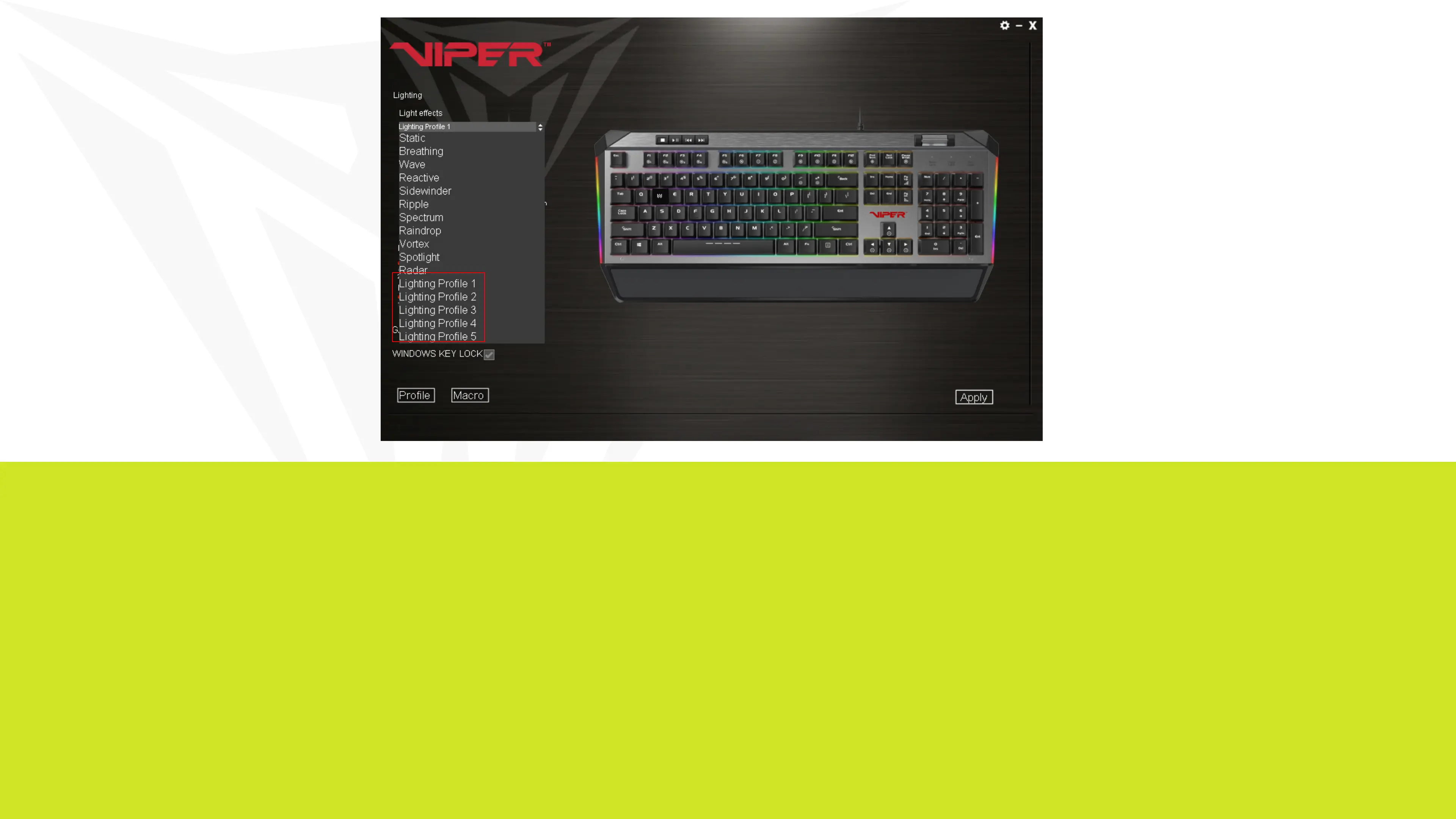
You may create and save as many different user profiles as your hard disk space availability will allow. You will need one of the “Lighting Profile”
buttons under the Lighting Effect menu to create and save specific user profiles. You may choose any one of the five “Lighting Profile” buttons
for creating and saving user profiles.


 To Next Page