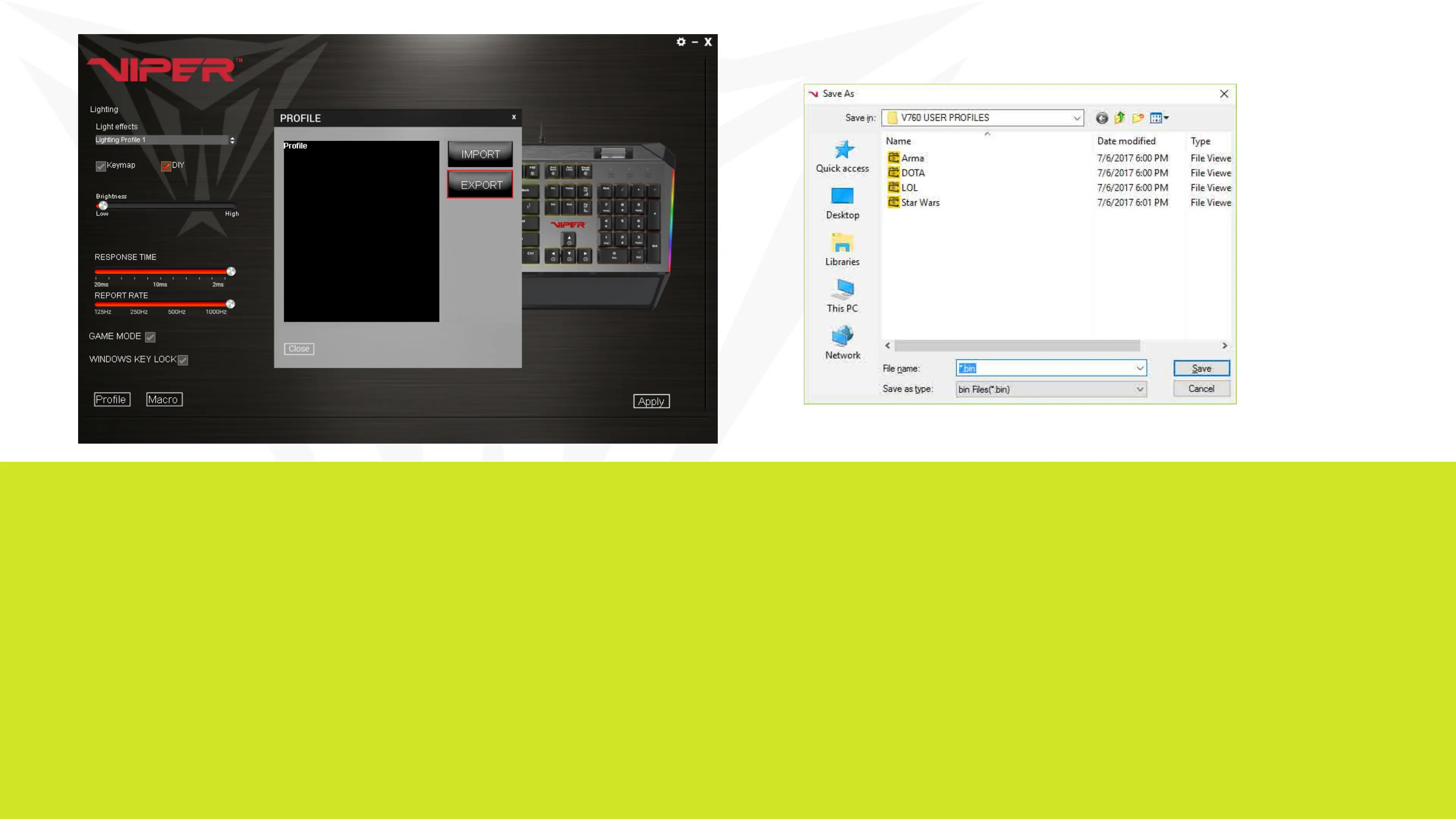
To create a user prole, follow the steps outlined above to custom color
keys, and select and assign macro scripts. You may also adjust the report
rate or response times to your preference. Click Apply to save them to the
keyboard’s memory.
To save a user profile, click on the Profiles button in the lower left corner,
then click on the EXPORT button to access a folder you create on your
PC’s storage device.
Name the profile and Save.


 To Next Page