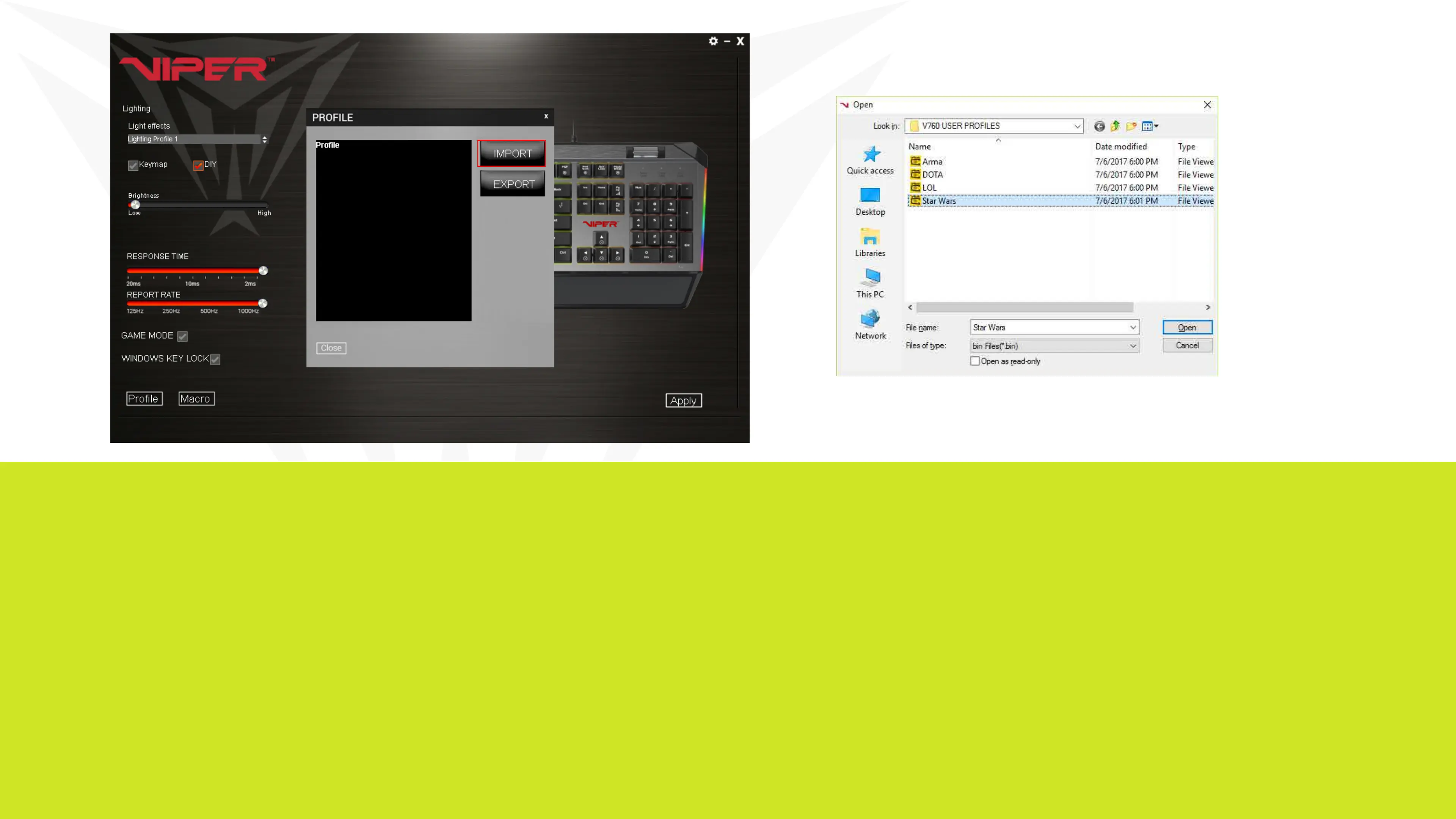
To load a saved profile to the keyboard, simply click on Profiles in the low-
er left corner, and click IMPORT.
Double click on the profile you wish to load from your user profile folder
and hit Open.
Once the selected profile has loaded onto the PROFILE window of the
IMPORT/EXPORT screen, hit Apply. The profile is now loaded onto the
keyboard memory.


 To Next Page