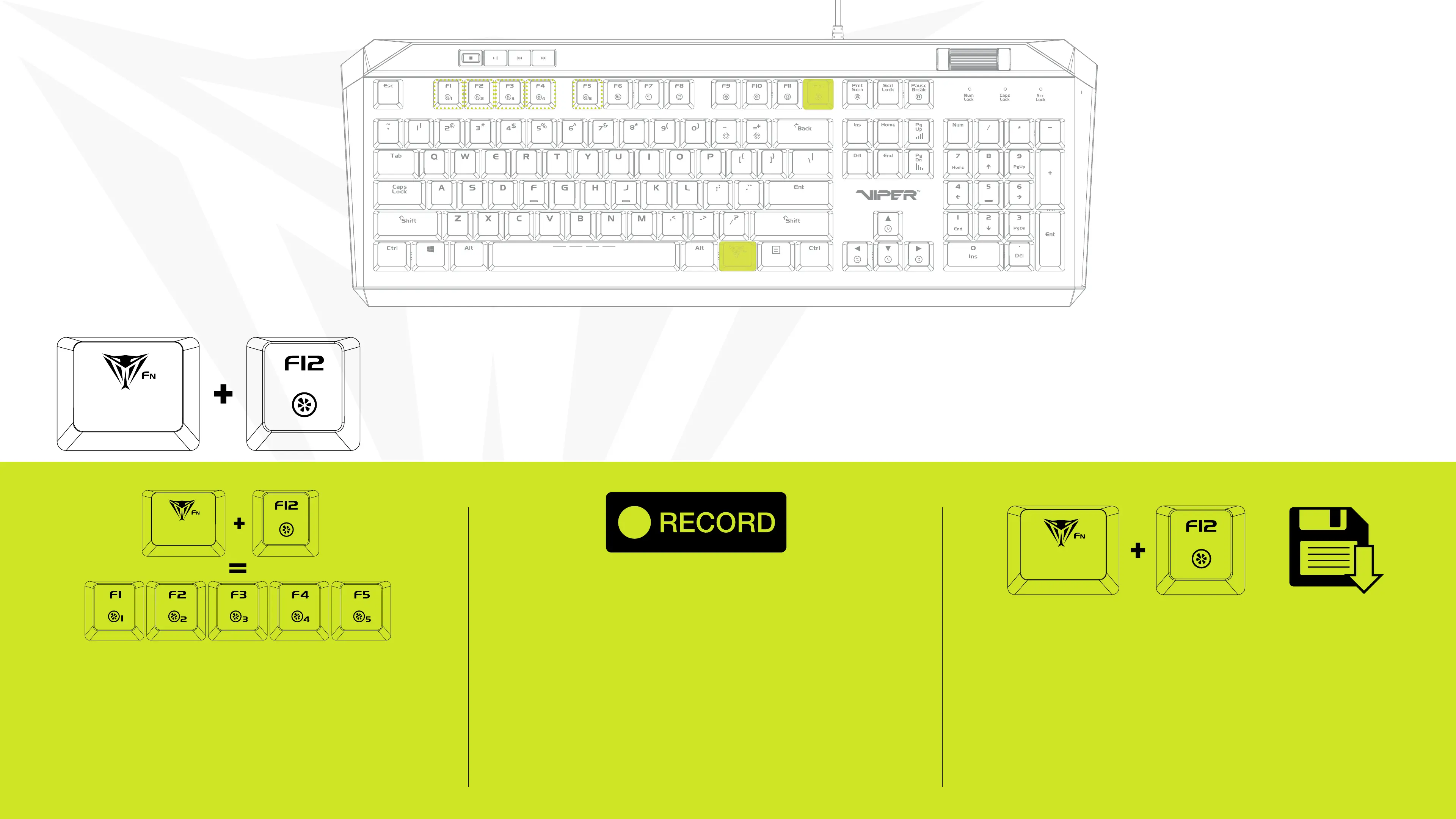
Pressing FN+F12 -key causes F1-F5 to
enter a blinking state in preperation to
record a custom key conguration. Once in
this blinking state, select any of the F1-F5
keys to assign a conguration.
Pressing any key in record mode will change the
color of the key and pressing it again will cycle
through preset colors.
Do this until keyboard is customized to preference.
i.e: if keys WASD were selected, WASD will be
illuminated, indicating that these keys were
recorded and assigned to the selected “F” key
When Recording is complete, press
FN+F12 to save your customized congu-
ration.
Repeat the previous steps as needed to
complete the recording of other custom-
ized congurations
BACKLIGHT RECORDING MODES
Record and Save custom key congurations


 To Next Page